









تحميل لعبة حراس المجرة من مارفل على نظام أندرويد – تشيكي
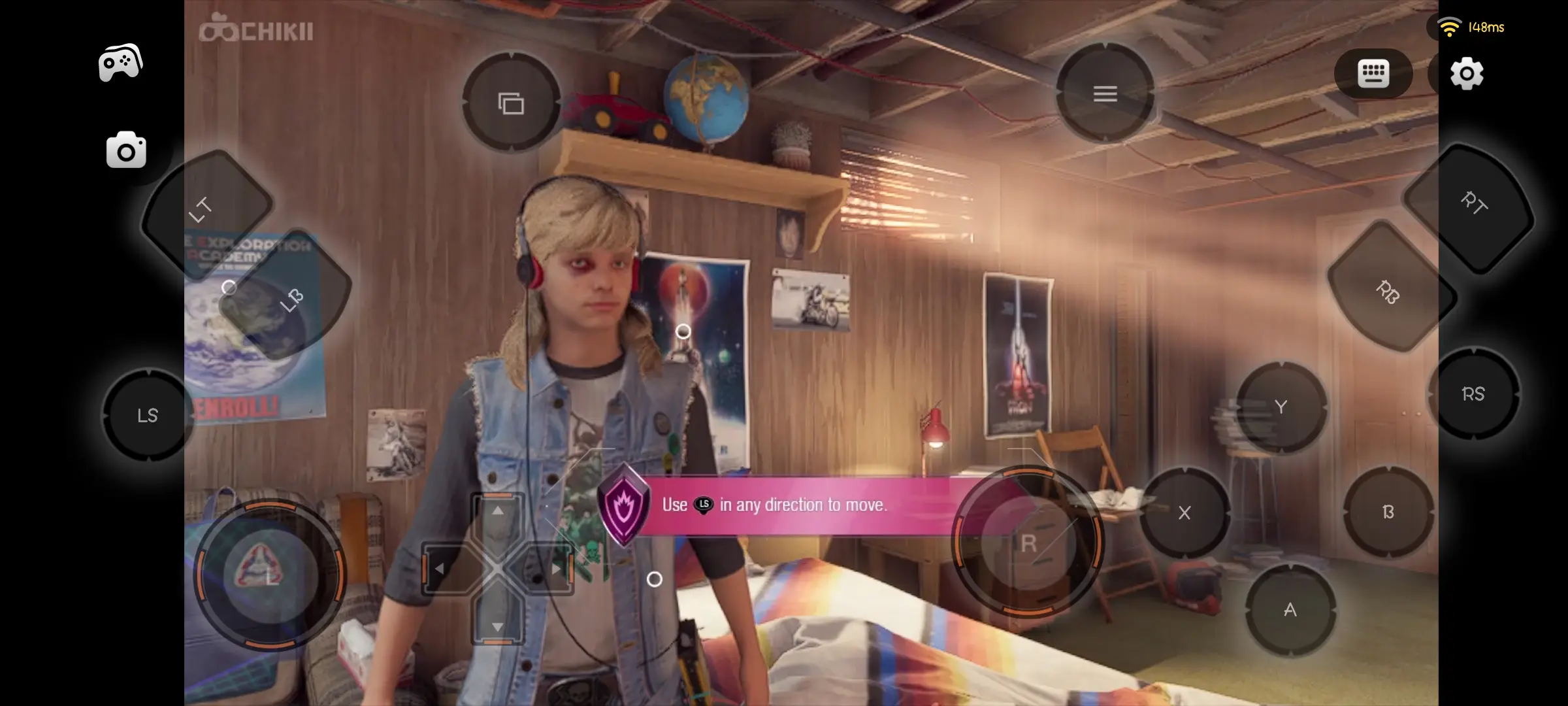
Download Marvel’s Guardians of the Galaxy using Chikii Cloud Gaming app, Chikii Is cloud gaming available for Android, chikii is not available for iOS yet. Chikii is a mobile game APP android for PC and console games, as a cloud gaming platform with over 400+ and 200+ 3A games, in Steam, PS4, Xbox One, and Switch game libraries, all you need is a mobile Android phone to play your favorite PC games and console. can we play Marvel’s Guardians of the Galaxy on Android? Yes, you can play Marvel’s Guardians of the Galaxy on Android using the Chikii app cloud gaming, and you just need a good internet speed, let me tell you some information about Marvel’s Guardians of the Galaxy: Marvel’s Guardians of the Galaxy is a 2021 action-adventure game developed by Eidos-Montréal and originally published by Square Enix. Set in an original universe based on the Marvel Comics superhero team Guardians of the Galaxy, the game’s plot follows the Guardians who, while attempting to capture a beast for a wealthy collector, inadvertently trigger a catastrophe which threatens the peace of the galaxy. The player controls the team’s self-proclaimed leader, Star-Lord, and issues commands to other Guardians including Drax the Destroyer, Gamora, Rocket Raccoon and Groot. At certain points in the game, the player makes key decisions via dialogue trees that affect the relationships between Guardians and change the outcome of missions. Guardians of the Galaxy was the second game developed in partnership between Marvel Entertainment and Square Enix. The game is strictly single-player and has no downloadable content or microtransactions, marking a departure from Marvel Entertainment and Square Enix’s previous game, Marvel’s Avengers. Marvel collaborated closely with the team at Eidos to create an original version of the Guardians. Despite the game’s lighthearted tone, themes of trauma and grief are central to the story. The soundtrack comprises an original score composed by Richard Jacques and a 1980s-inspired album by the game’s audio director, Steve Szczepkowski. The game was announced in June 2021 and released for PlayStation 4, PlayStation 5, Windows, Xbox One, Xbox Series X/S, and Nintendo Switch in October of that year. While anticipation for the game was low due to the lackluster reception of Marvel’s Avengers, it was favorably reviewed at launch. It was praised for its narrative, music, characters, and cast performance, but its gameplay and combat systems drew mixed reactions. The game was nominated for several year-end accolades by gaming publications, as well as winning awards for “Best Narrative” at The Game Awards 2021, along with “Adventure Game of the Year” and “Outstanding Achievement in Story” at the 25th Annual D.I.C.E. Awards. Despite positive critical reception, the game did not meet Square Enix’s sales expectations.. and you can find more information on the ويكيبيديا لنبدأ الآن طريقة لعب Marvel's Guardians of the Galaxy على Android باستخدام تطبيق لعبة Chikii Cloud.
قبل أن نبدأ، أوصي بهذه الملحقات المتوفرة على أمازون للعب بشكل أكثر راحة والحصول على وقت ممتع مع اللعبة "ليست سيئة":
مجموعة Null48 للألعاب: أنصح بجهاز ASUS RT-BE96U BE19000 802.11BE ثلاثي النطاق + مبرد الهاتف Black Shark 3Pro. إذا كان هاتفك يدعم الشحن المغناطيسي، فاشترِ مبرد الهاتف المغناطيسي Black Shark 3Pro + سماعات أذن بلوتوث Black Shark . أما إذا كان هاتفك يدعم منفذ 3.5 ملم، فاشترِ سماعة الرأس، فهي أفضل من سماعات الأذن. أغطية أصابع MOMOFLY للألعاب. أضمن لك قضاء وقت ممتع للغاية مع الألعاب.
حزمة Null48 Gaming+: إليكم مستوى جديد كليًا من الألعاب، أنصحكم بجهاز توجيه الألعاب ASUS ROG Rapture GT-AXE16000 + مبرد الهاتف Asus AeroActive 6 + سماعة رأس لاسلكية ASUS ROG Delta S + أو نفس الإصدار ولكن مع كابل USB-C، سماعة رأس ASUS ROG Delta S + جوارب MGC ClawSocks Geo Camo
ضمان بنسبة 1000% لقضاء وقت ممتع للغاية مع الألعاب "شعور اللعب الخالص".
#ميلادي
أعجوبة أعجوبة المجرة اللعب الروبوت
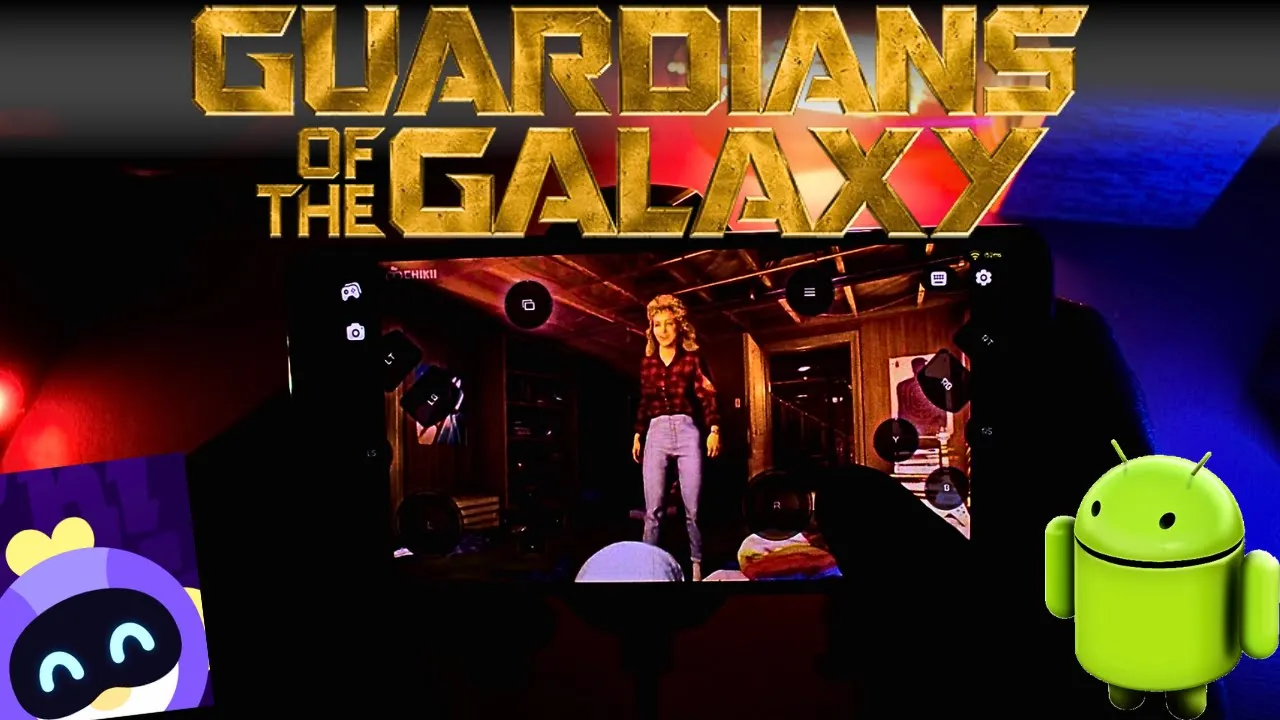
اتبع الآن هذه الخطوات للعب Marvel's Guardians of the Galaxy على Android باستخدام تطبيق الألعاب السحابية Chikii:
الخطوة 1- تحتاج إلى تنزيل تطبيق Chikii وتثبيته:
ملحوظة: تطبيق Chikii لا يزال غير متاح لبعض البلدان، ربما لن تجده على Google Play، قم بتنزيله مباشرة وهو نفس الإصدار على Google Play.
بعد تنزيله، اتبع هذه الصور لتشغيل تطبيق Chikii:
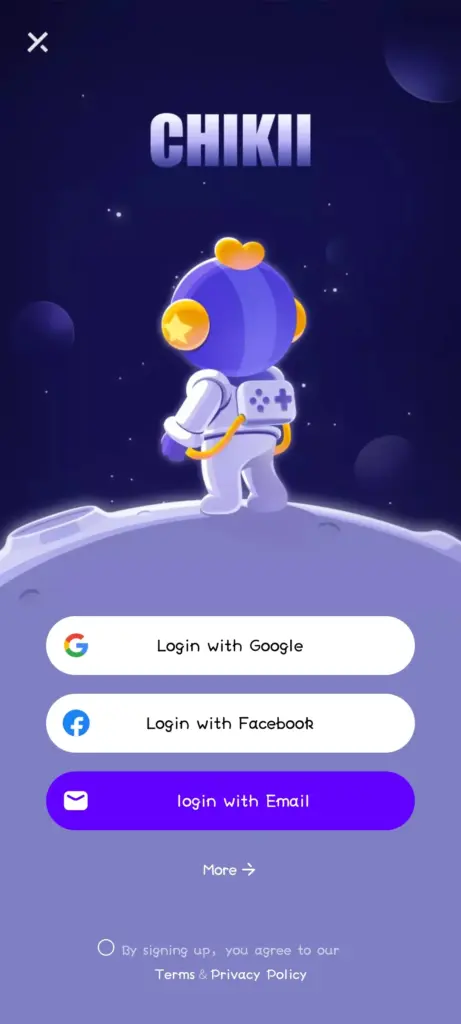
الخطوة 2 - بعد تثبيت تطبيق Chikii، افتحه ثم حدد نوع تسجيل الدخول الخاص بك (Google Gmail أو Facebook أو باستخدام البريد الإلكتروني العادي مثل Yahoo وOutlook وما إلى ذلك...)
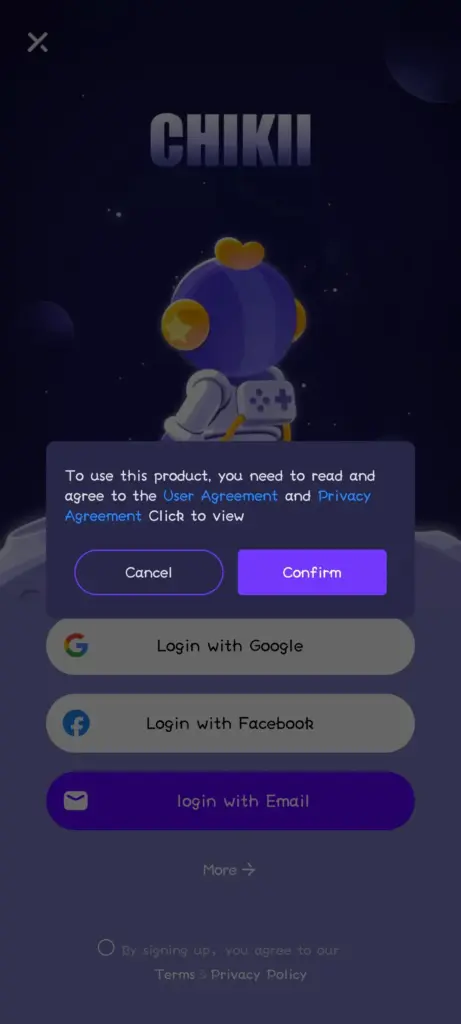
الخطوة 3 - سيطلب منك تطبيق Chikii تأكيد اتفاقية المستخدم والخصوصية، انقر فوق "تأكيد"
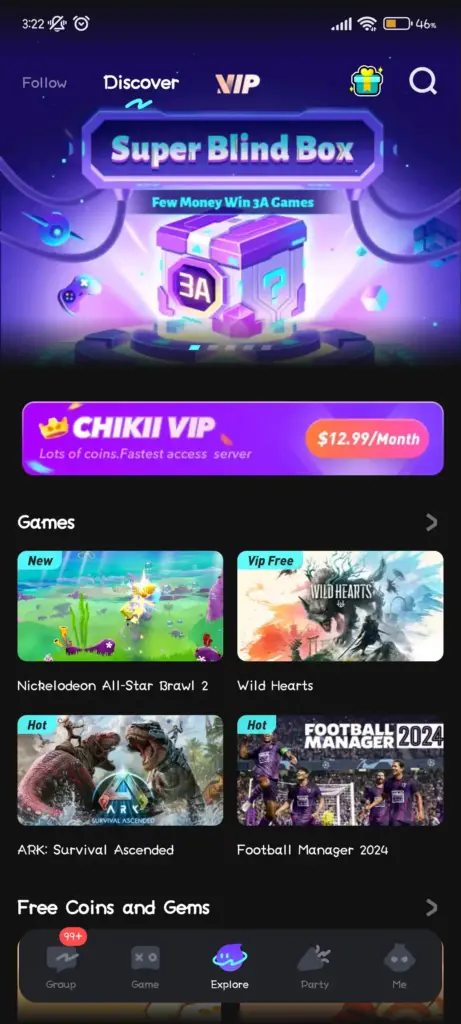
الخطوة 4 – بعد تسجيل الدخول ستجد نفسك على صفحة تطبيق Explore Home Chikii ستجد آخر الألعاب الجديدة أو آخر الألعاب الساخنة، الخ…
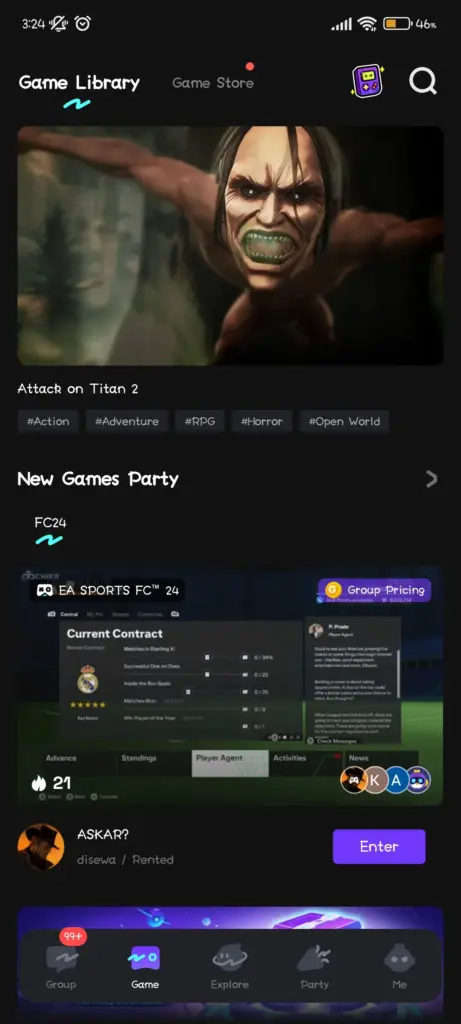
الخطوة 5 - قم بتمرير صفحة الاستكشاف إلى صفحة اللعبة وانتقل لأسفل ستجد "تصفح جميع الألعاب".
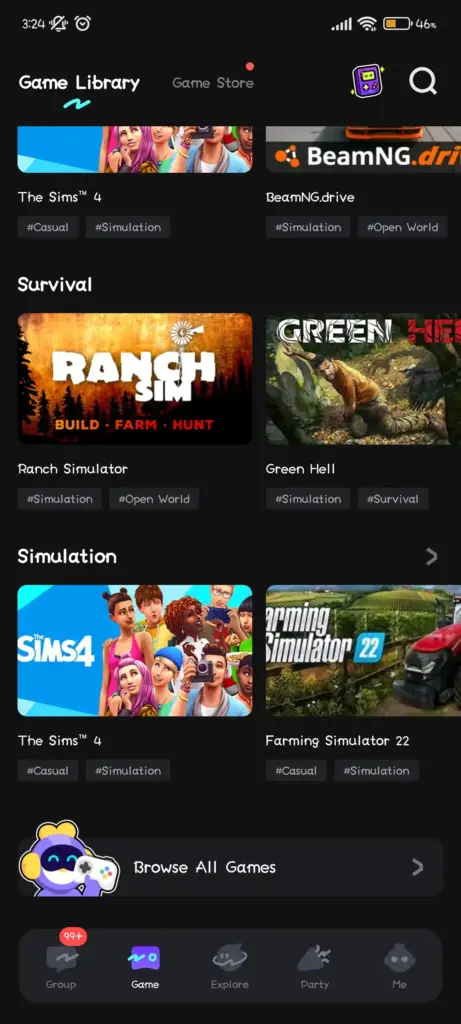
الخطوة 6 – انقر على “تصفح جميع الألعاب”
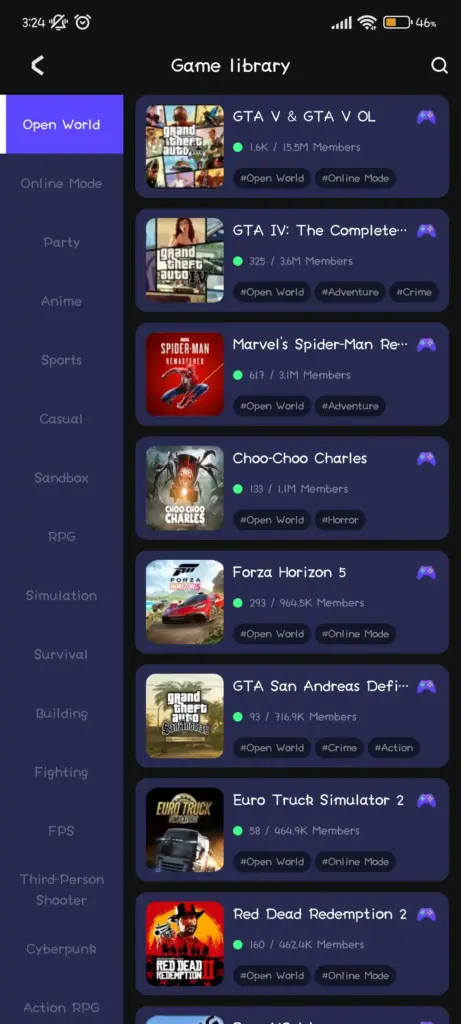
الخطوة 7 - انقر على أيقونة البحث في الزاوية واكتب Marvel's Guardians of the Galaxy. ستظهر لك اللعبة لفتحها.
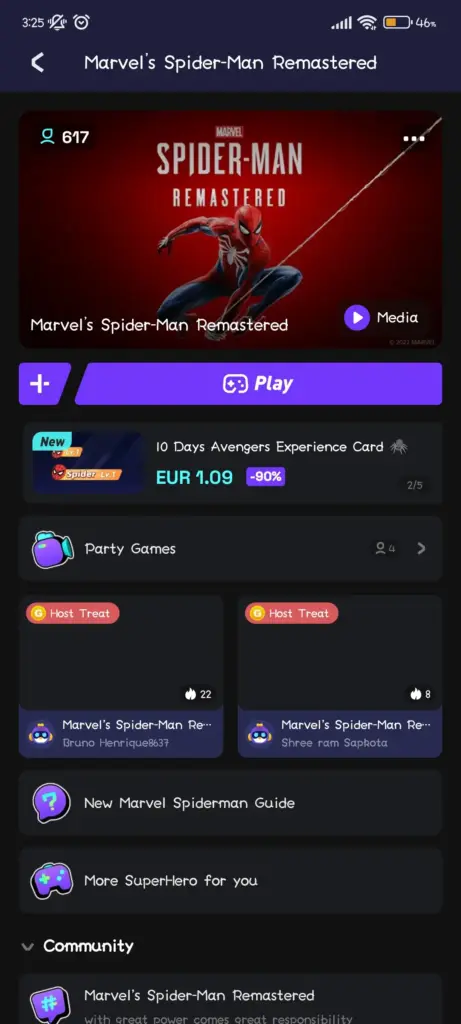
الخطوة 8 - انقر على زر "تشغيل".
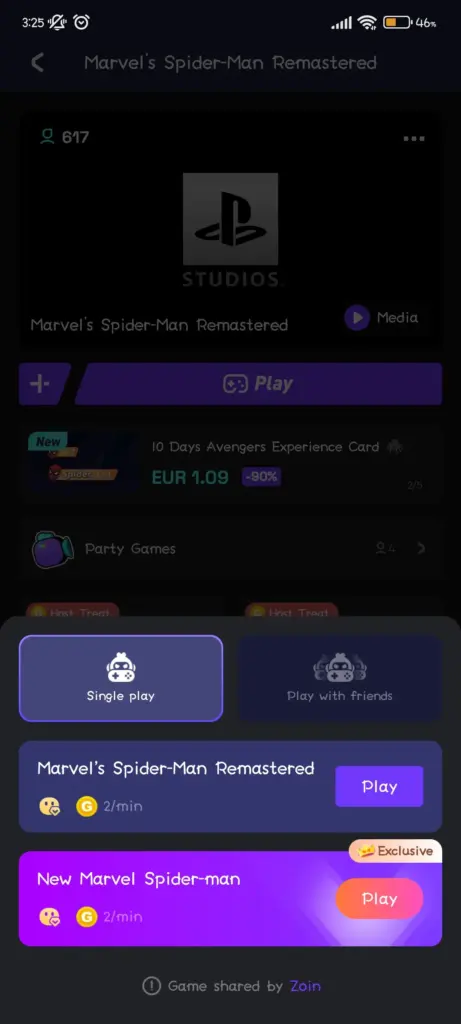
الخطوة 9 - سيظهر لك إصدار اللعبة، اختر ما تريد!
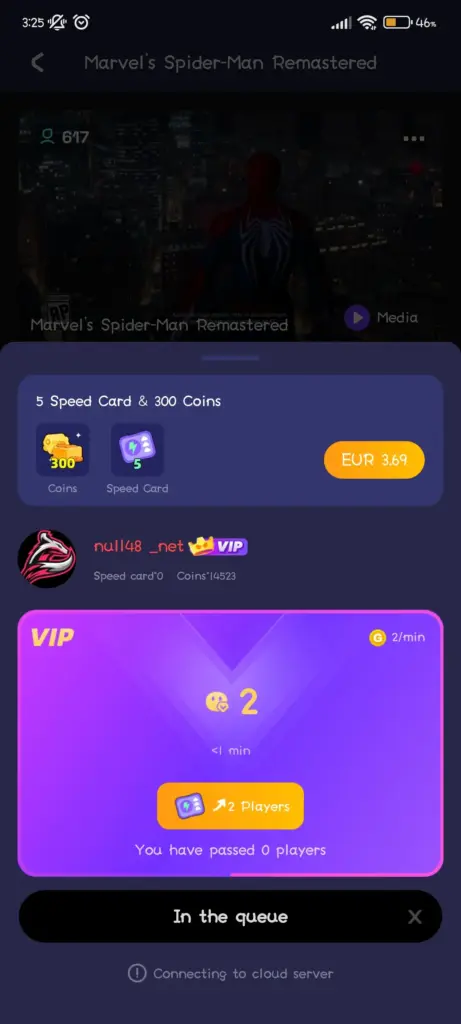
الخطوة 10 - إذا قمت بشراء عضوية VIP، فمن المحتمل أنك لن تنتظر، وستكون لعبة Marvel's Guardians of the Galaxy جاهزة لبدء اللعب. "إذا لم تقم بشراء عضوية VIP، فسوف تنتظر بعض الوقت قبل أن تصبح Marvel's Guardians of the Galaxy جاهزة للعبها.
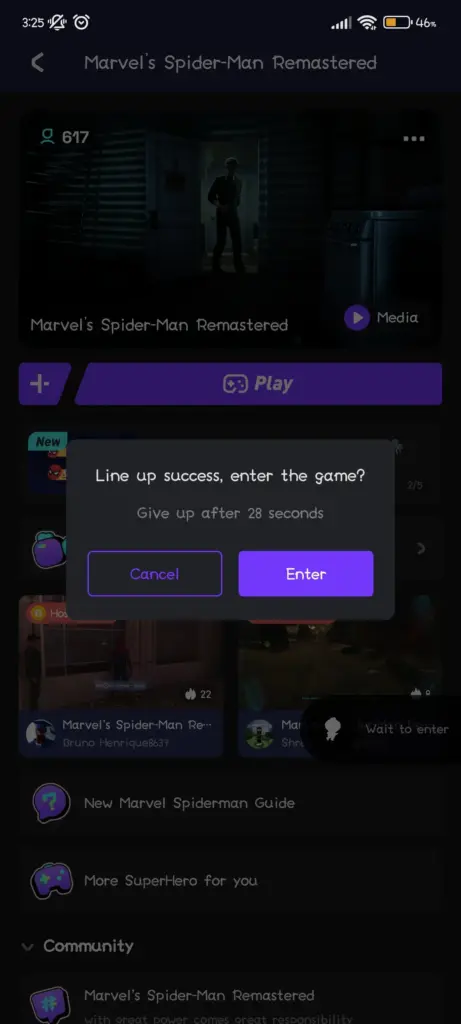
الخطوة 11 – سوف تحصل على نافذة منبثقة تقول "اصطف النجاح، أدخل اللعبة" انقر فوق "أدخل"، وهذا كل شيء، استمتع بلعب Marvel's Guardians of the Galaxy.
والآن، وصلنا إلى النهاية، لدي بعض الطلبات. أود أن أطلب منكم متابعتي على وسائل التواصل الاجتماعي، وبالطبع، تفقدوا قناتي على يوتيوب، حيث أقدم فيديوهات رائعة للألعاب والتطبيقات. أيضًا، تطبيق Chikii للألعاب السحابية يحتاج إلى اتصال واي فاي قوي، لذا إذا كانت عائلتك تستخدم نفس الإنترنت معك، أنصحك باستخدام راوتر مخصص للألعاب أو راوتر واي فاي قوي. إليك بعض أفضل أجهزة الراوتر المتوفرة على أمازون (#إعلان). وهذه الفئة تضم جميع ألعاب Chikii ، وهذه أفضل 3 ألعاب متوفرة على Chikii: Red Dead Redemption 2 (تنزيل للأندرويد - تطبيق Chikii للألعاب السحابية) ، Elden Ring (تنزيل للأندرويد - تطبيق Chikii للألعاب السحابية) ، MotoGP 21 (تنزيل للأندرويد - تطبيق Chikii للألعاب السحابية) . هذا كل شيء، شكرًا لكم جميعًا، عودوا مجددًا، لا تدعوني أشتاق إليكم، سلام.




