






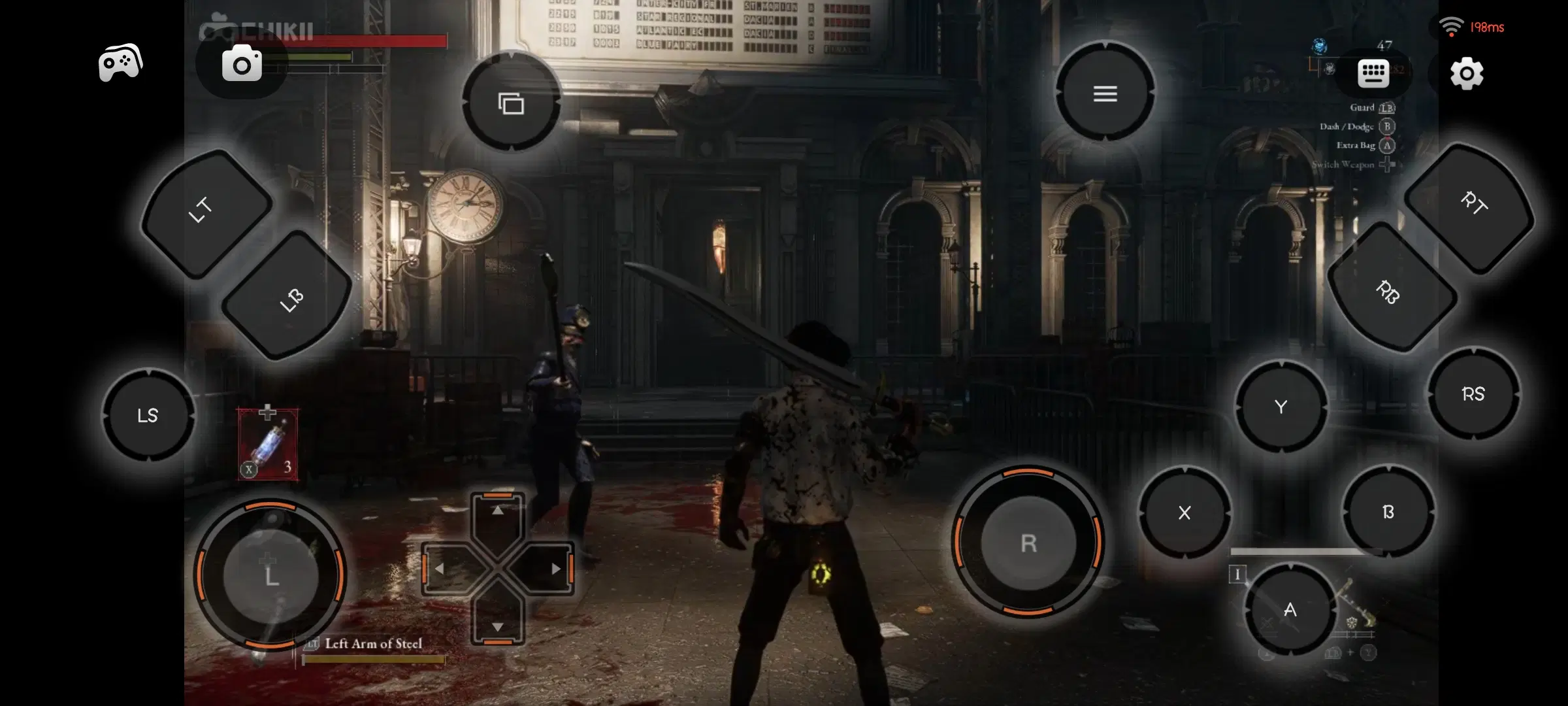

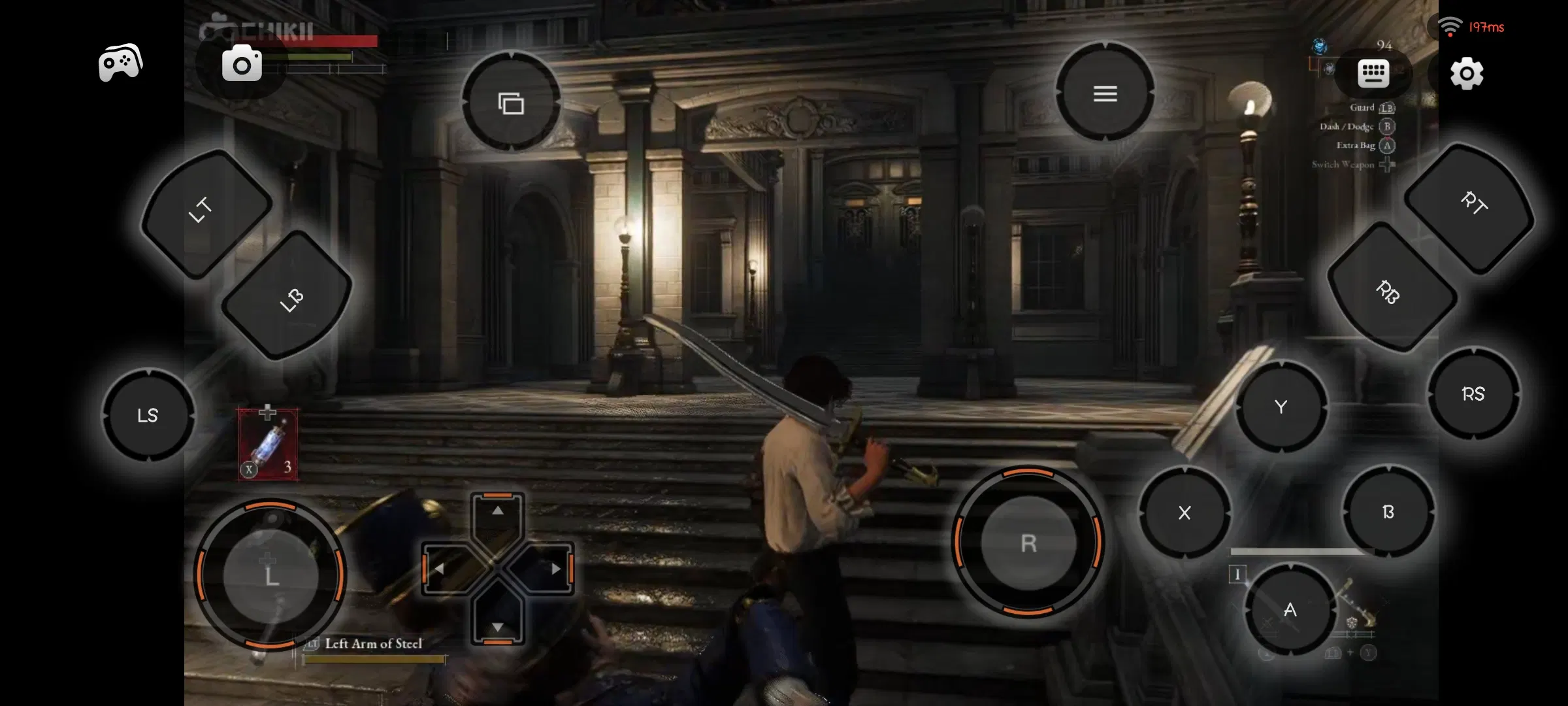
Lies of P Android-Download – Cloud-Gaming Chikii
Download Lies of P using Chikii Cloud Gaming app, Chikii Is cloud gaming available for Android, chikii is not available for iOS yet. Chikii is a mobile game APP android for PC and console games, as a cloud gaming platform with over 400+ and 200+ 3A games, in Steam, PS4, Xbox One, and Switch game libraries, all you need is a mobile Android phone to play your favorite PC games and console. can we play Lies of P on Android? Yes, you can play Lies of P on Android using the Chikii app cloud gaming, and you just need a good internet speed, let me tell you some information about Lies of P: Lies of P is a Soulslike action role-playing video game developed by Neowiz Games and Round8 Studio, and published by Neowiz Games. The game was released for Xbox One, Xbox Series X/S, Windows, macOS on September 18, and PlayStation 4, and PlayStation 5 on September 19, 2023. It is loosely based on the 1883 Italian novel The Adventures of Pinocchio by Carlo Collodi. Lies of P received generally positive reviews from critics and had sold one million units by October 2023. Downloadable content and a sequel have since been announced. Lies of P is played from a third-person perspective. The player controls the humanoid Pinocchio and travels on foot through the city of Krat, exploring the environment and fighting various biomechanical enemies. Pinocchio uses an arsenal of weapons such as swords and axes against his enemies and can dodge and block their blows. Pinocchio has a mechanical arm that can be equipped with gadgets, such as a grappling hook to lure enemies or a flamethrower. The weapon and crafting system offers 30 different weapon types with 100 combinations. The game features a “Lying System”, where the decisions the player makes during certain passages affect the course of events, leading to three different endings. The gameplay of Lies of P has been called “soulslike” and compared to that of Dark Souls, Bloodborne, and Sekiro, and you can find more information on the WIKIPEDIA Jetzt fangen wir an, Lies of P auf Android mit der Chikii Cloud-Spiele-App zu spielen:
Bevor wir beginnen, empfehle ich dieses bei Amazon erhältliche Zubehör, um komfortabler zu spielen und eine gute Zeit mit dem Spiel zu verbringen „NICHT SCHLECHT“:
Pack Null48 Gaming: Ich empfehle ein ASUS RT-BE96U BE19000 802.11BE Tri-Band + Black Shark Phone Funcooler 3Pro. Wenn Ihr Handy magnetische Anschlüsse hat, kaufen Sie den Black Shark Magnetic 3Pro Handykühler + Black Shark Bluetooth-Ohrhörer. Wenn Ihr Handy jedoch einen 3.5-mm-Klinkenanschluss hat, ist das Headset besser als die Ohrhörer. MOMOFLY Gaming-Fingerlinge sind ebenfalls empfehlenswert. Ich garantiere Ihnen ein fantastisches Spielerlebnis.
Null48 Gaming+ Paket: Hier ist eine ganz neue Dimension des Gamings. Ich empfehle den Gaming-Router ASUS ROG Rapture GT-AXE16000 + Asus AeroActive Phone Cooler 6 + ASUS ROG Delta S Wireless Headset + oder die gleiche Version mit USB-C- Kabel + MGC ClawSocks Geo Camo
1000% Garantie für ein unglaublich tolles Gaming-Erlebnis „PURES GAMING-FEELING“
#ANZEIGE
Lies of P Android-Gameplay

Befolgen Sie nun diese Schritte, um Lies of P auf Android mit der Chikii-Cloud-Gaming-App zu spielen:
Schritt 1 – Sie müssen die Chikii-App herunterladen und installieren:
Hinweis: Die Chikii-App ist in einigen Ländern immer noch nicht verfügbar. Sie werden sie wahrscheinlich nicht bei Google Play finden. Laden Sie sie direkt herunter. Es handelt sich um die gleiche Version bei Google Play.
Nachdem Sie es heruntergeladen haben, folgen Sie diesen Bildern, um die Chikii-App zu starten:
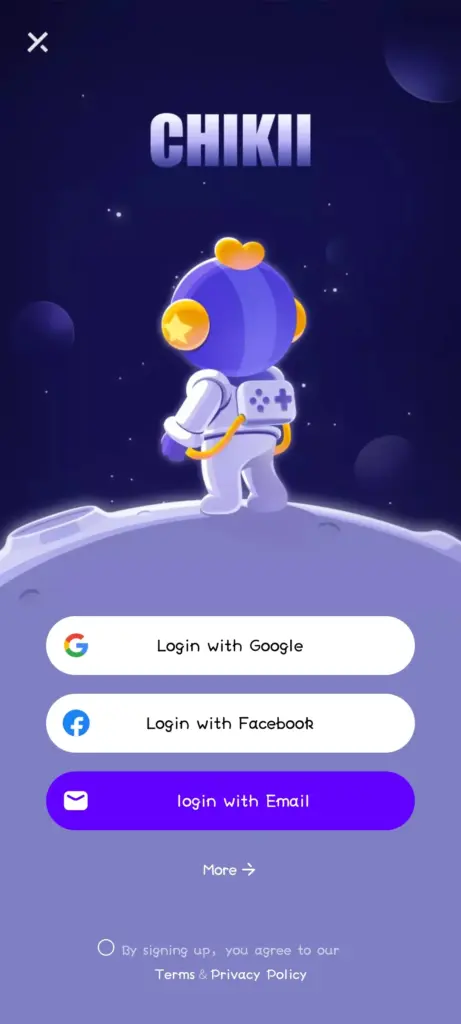
Schritt 2 – Nachdem Sie die Chikii-App installiert haben, öffnen Sie sie und wählen Sie dann Ihren Anmeldetyp aus (Google Gmail, Facebook oder mit normaler E-Mail wie Yahoo, Outlook usw.).
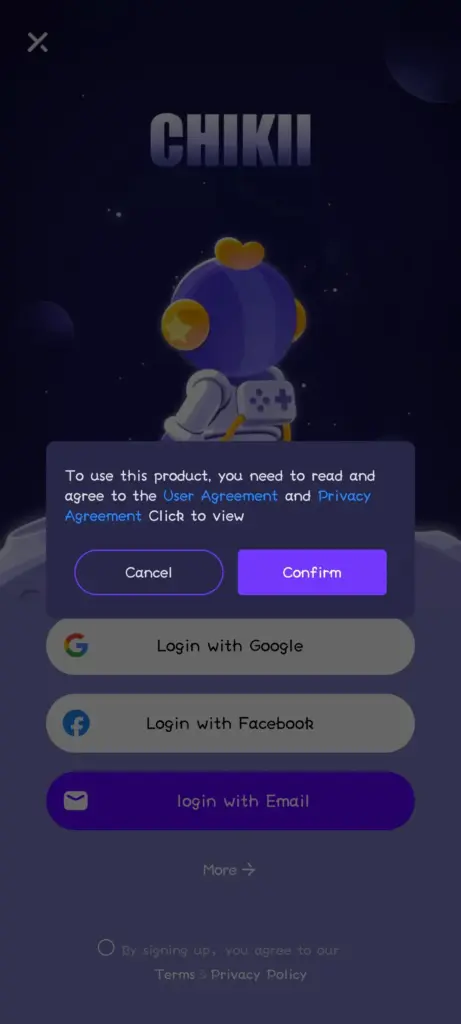
Schritt 3 – Die Chikii-App fordert Sie auf, die Benutzer- und Datenschutzvereinbarung zu bestätigen. Klicken Sie auf „Bestätigen“.
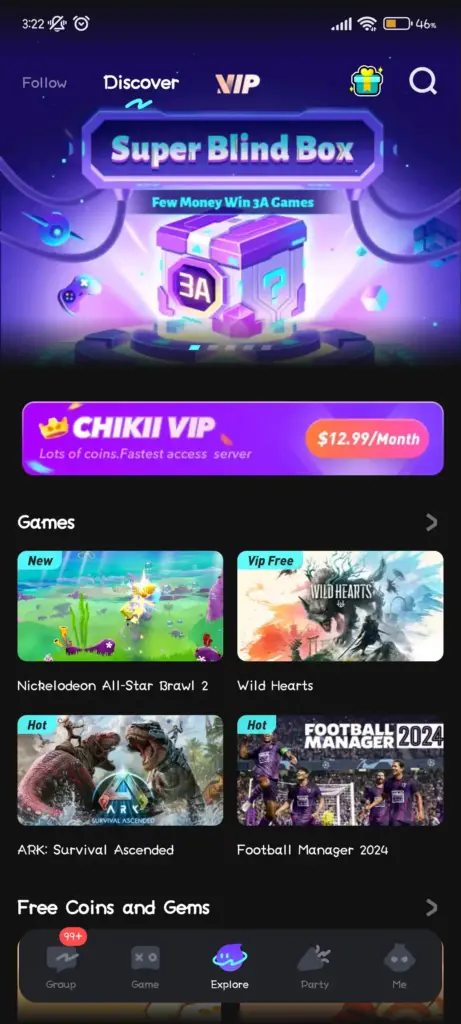
Schritt 4 – Nachdem Sie sich angemeldet haben, befinden Sie sich auf der Seite der Explore Home Chikii-App. Dort finden Sie die letzten neuen Spiele oder die letzten heißen Spiele usw.
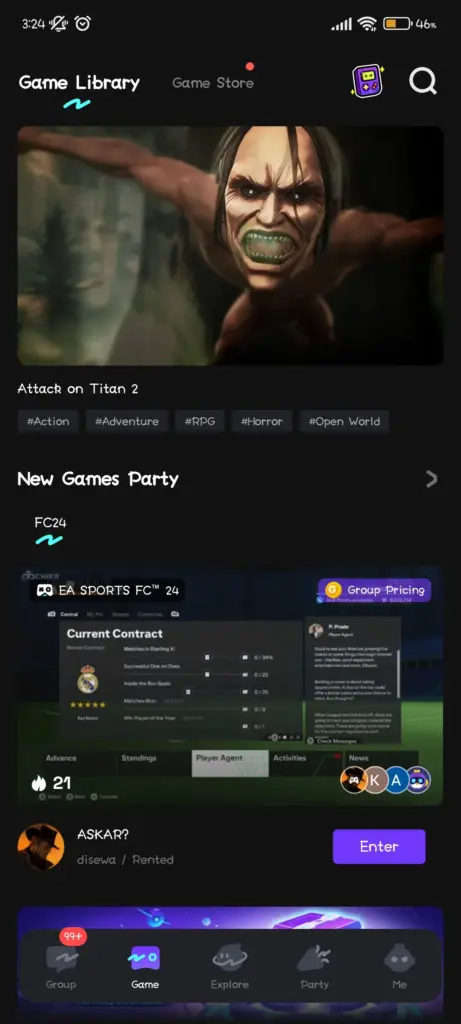
Schritt 5 – Wischen Sie über die Erkundungsseite zur Spieleseite und scrollen Sie nach unten, bis Sie „Alle Spiele durchsuchen“ finden.
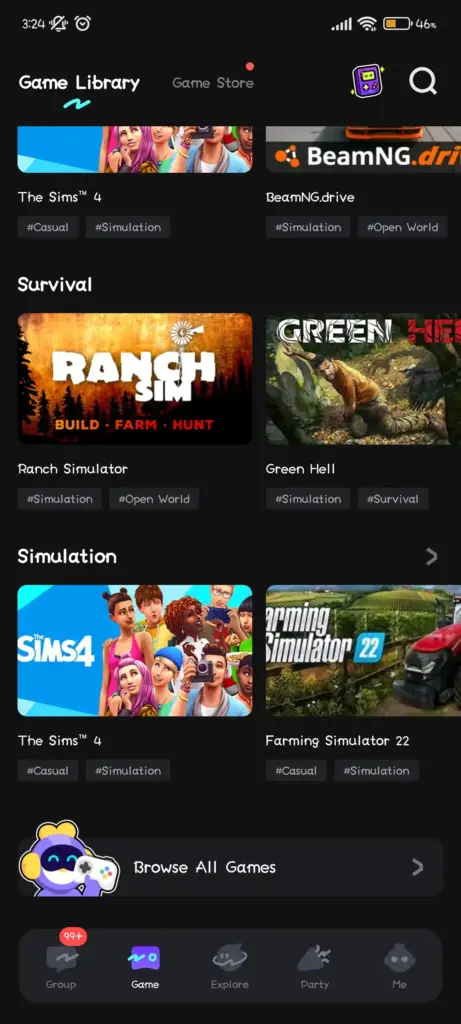
Schritt 6 – Klicken Sie auf „Alle Spiele durchsuchen“
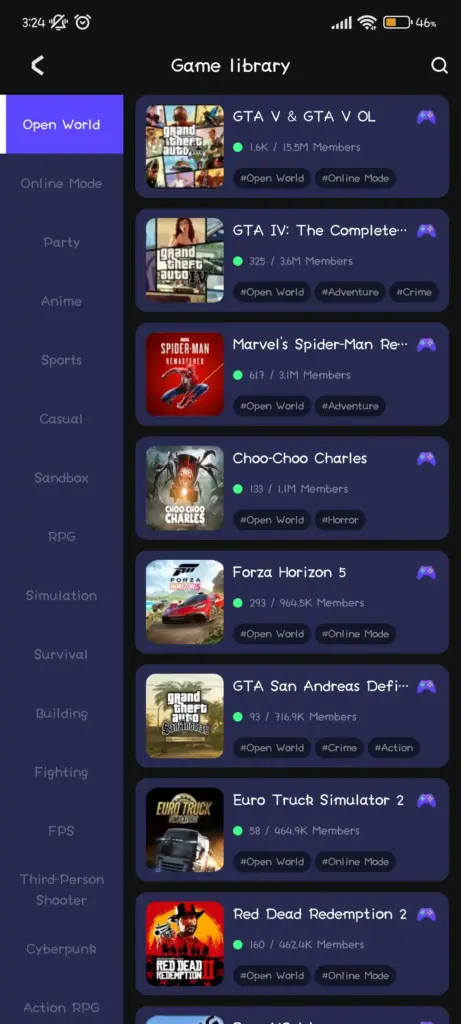
Schritt 7 – Klicken Sie auf das Suchsymbol in der Ecke und schreiben Sie Lies of P. Das Spiel wird angezeigt, damit Sie es öffnen können.
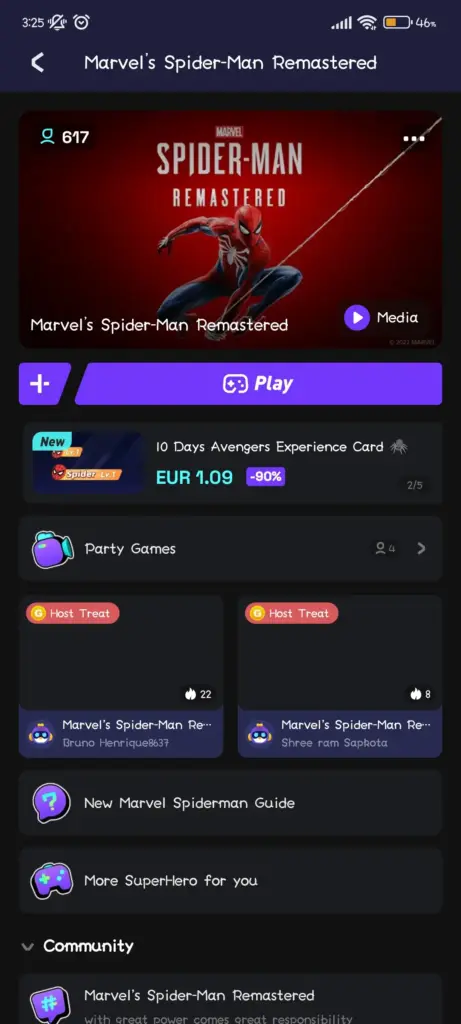
Schritt 8 – Klicken Sie auf die Schaltfläche „PLAY“.
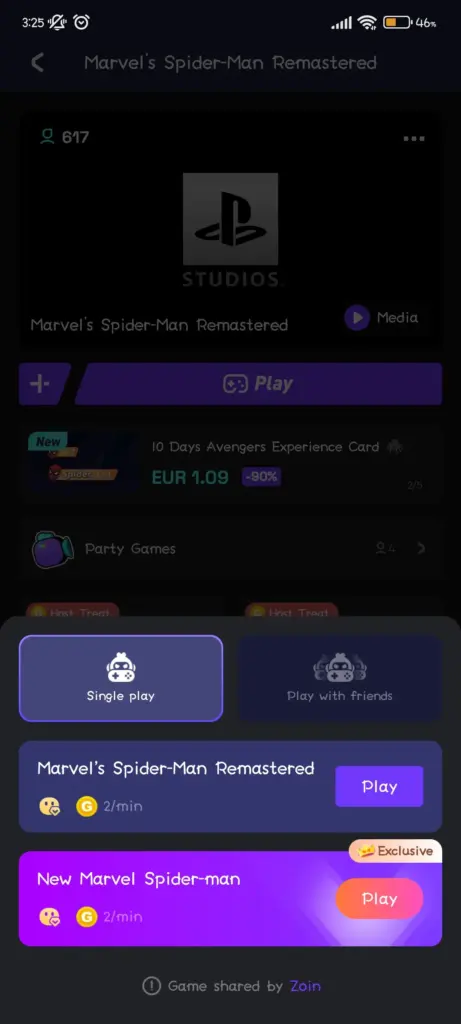
Schritt 9 – Sie sehen die Version des Spiels, wählen Sie aus, was Sie wollen!
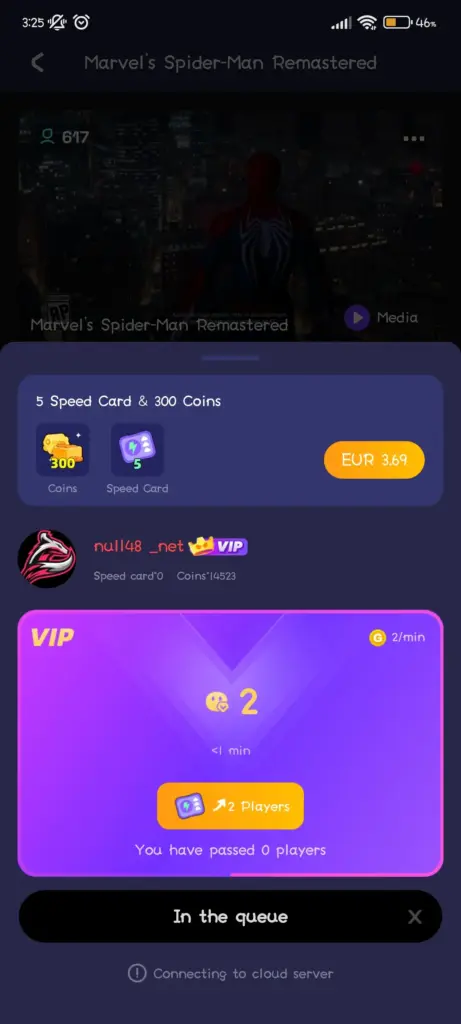
Schritt 10 – Wenn Sie die VIP-Mitgliedschaft erwerben, müssen Sie wahrscheinlich nicht warten, und Lies of P ist bereit, mit dem Spielen zu beginnen. „Wenn Sie die VIP-Mitgliedschaft nicht erwerben, müssen Sie einige Zeit warten, bis Lies of P zum Spielen bereit ist.
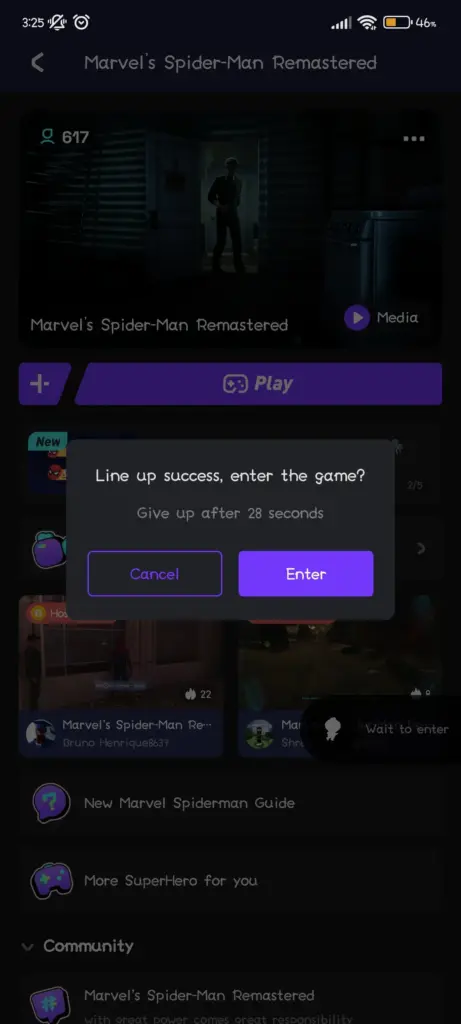
Schritt 11 – Sie erhalten ein Popup-Fenster mit der Meldung „Aufgebot erfolgreich, betreten Sie das Spiel“. Klicken Sie auf „Eintreten“, und das war's. Viel Spaß beim Spielen von Lies of P.
Und nun, am Ende, habe ich noch ein paar Bitten: Folgt mir gerne in den sozialen Medien und schaut natürlich auch auf meinem YouTube-Kanal vorbei. Dort findet ihr tolle Videos zu Spielen und Apps. Und noch etwas: Die Chikii Cloud-Gaming-App benötigt eine stabile WLAN-Verbindung. Wenn ihr also mit eurer Familie das gleiche Internet nutzt, empfehle ich euch einen Gaming- oder leistungsstarken WLAN-Router. Hier sind einige der besten WLAN-Router, die ihr auf Amazon findet (Werbung). In dieser Kategorie findet ihr alle Chikii-Spiele . Und hier sind die drei besten Spiele, die über Chikii verfügbar sind: Red Dead Redemption 2 (Android-Download) – Chikii Cloud-Gaming-App , Elden Ring (Android-Download) – Chikii Cloud-Gaming-App , MotoGP 21 (Android-Download) – Chikii Cloud-Gaming-App . Das war's. Vielen Dank fürs Zuschauen! Bis bald!




