








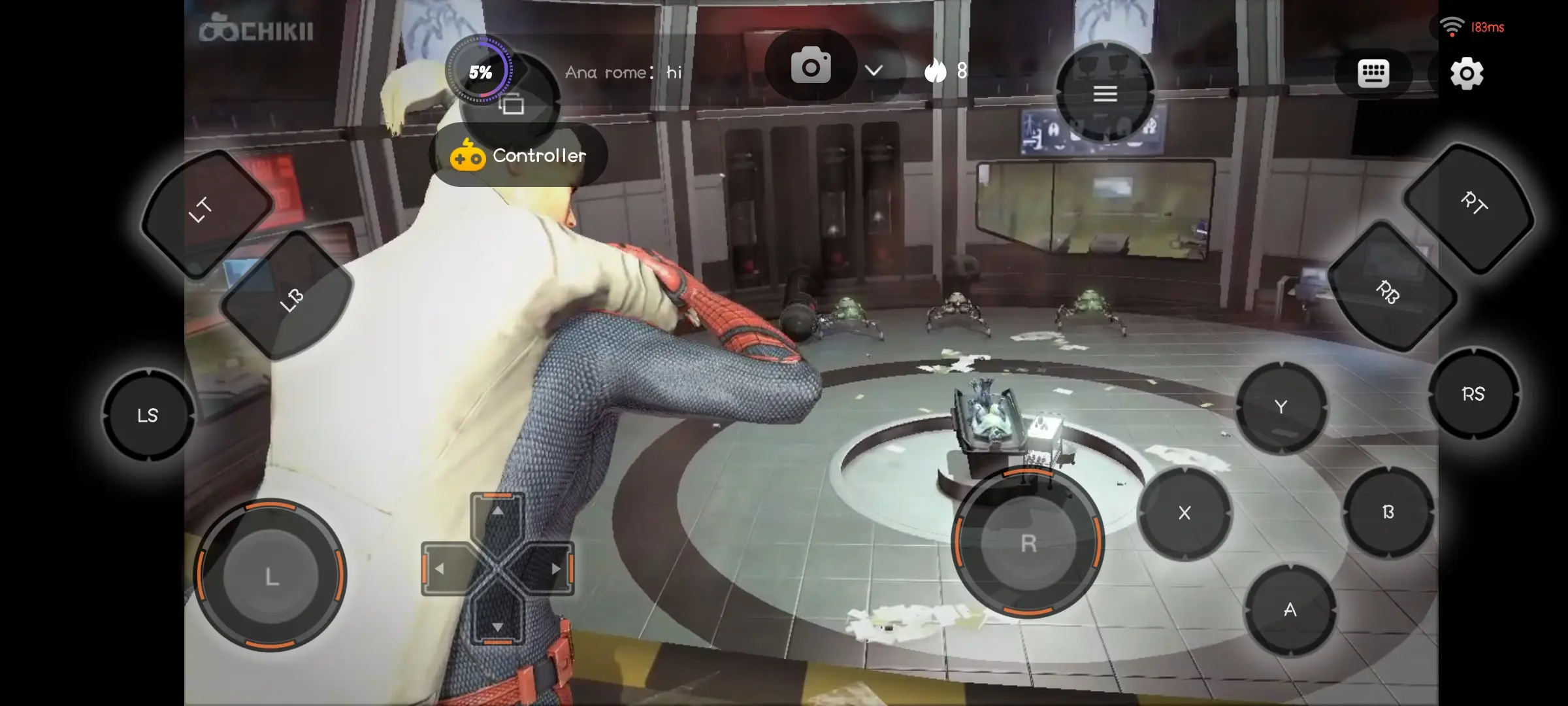


Das fantastische Spider-Man-Spiel für Android herunterladen – Cloud-Gaming-App – chikii
Download The amazing spider man using Chikii Cloud Gaming, Chikii Is cloud gaming available for Android, chikii is not available for iOS yet. Chikii is a mobile game APP android for PC and console games, as a cloud gaming platform with over 400+ and 200+ 3A games, in Steam, PS4, Xbox One, and Switch game libraries, all you need is a mobile Android phone to play your favorite PC games and console. can we play The amazing spider man on Android? Yes, you can play The amazing spider man on Android using the Chikii app cloud gaming, and you just need a good internet speed, let me tell you some information about The amazing spider man: The Amazing Spider-Man is an open world video game based on the Marvel Comics character Spider-Man and the 2012 film of the same name. It was developed by Beenox and published by Activision. It was released on June 26 in North America and on June 29, 2012 in Europe for the Nintendo DS, PlayStation 3, Xbox 360, Wii, Android, iOS, and Microsoft Windows. A version for the Wii U was released in March 2013 in North America and Europe known as The Amazing Spider-Man: Ultimate Edition in both regions. A PlayStation Vita version was released in November 2013. A sequel, The Amazing Spider-Man 2, was released in April 2014, itself based on the film. The game was directed by Gerard Lehiany and written by Seamus Kevin Fahey, Benjamin Schirtz and Gérard Lehiany. Its story serves as an alternate epilogue to The Amazing Spider-Man film, which is continued in the game’s sequel. Months after the events of the film, a number of cross-species experiments created by Oscorp using Curt Connors’ research escape into Manhattan and infect its population with a deadly virus, forcing Spider-Man to join forces with Gwen Stacy and Connors to find a cure. Meanwhile, the new Oscorp CEO, Alistair Smythe, attempts to develop his own cure so that he will be credited as the city’s savior, and to eliminate Spider-Man and Connors for interfering with his plans. The Nintendo 3DS and Wii versions of the game include the script and plot of the other versions of the game, but feature a much different, more linear gameplay that does not have an open world environment, and instead features the player selecting a level from the map in Spider-Man’s apartment, before playing a mostly linear level. It was natively designed for the 3DS and later ported to the Wii. Upon its release, the game received mixed to positive reviews from critics, with praise to the gameplay, controls, combat, dark tone, intensity and soundtrack, although it received criticism for its mode of difficulty, story, visuals, repetitive side missions and lack of innovation. and you can find more information on the WIKIPEDIA Jetzt fangen wir an, The Amazing Spider Man auf Android mit der Chikii Cloud-Spiele-App zu spielen:
Bevor wir beginnen, empfehle ich dieses bei Amazon erhältliche Zubehör, um komfortabler zu spielen und eine gute Zeit mit dem Spiel zu verbringen „NICHT SCHLECHT“:
Pack Null48 Gaming: Ich empfehle ein ASUS RT-BE96U BE19000 802.11BE Tri-Band + Black Shark Phone Funcooler 3Pro. Wenn Ihr Handy magnetische Anschlüsse hat, kaufen Sie den Black Shark Magnetic 3Pro Handykühler + Black Shark Bluetooth-Ohrhörer. Wenn Ihr Handy jedoch einen 3.5-mm-Klinkenanschluss hat, ist das Headset besser als die Ohrhörer. MOMOFLY Gaming-Fingerlinge sind ebenfalls empfehlenswert. Ich garantiere Ihnen ein fantastisches Spielerlebnis.
Null48 Gaming+ Paket: Hier ist eine ganz neue Dimension des Gamings. Ich empfehle den Gaming-Router ASUS ROG Rapture GT-AXE16000 + Asus AeroActive Phone Cooler 6 + ASUS ROG Delta S Wireless Headset + oder die gleiche Version mit USB-C- Kabel + MGC ClawSocks Geo Camo
1000% Garantie für ein unglaublich tolles Gaming-Erlebnis „PURES GAMING-FEELING“
#ANZEIGE
Das erstaunliche Spider-Man-Android-Gameplay
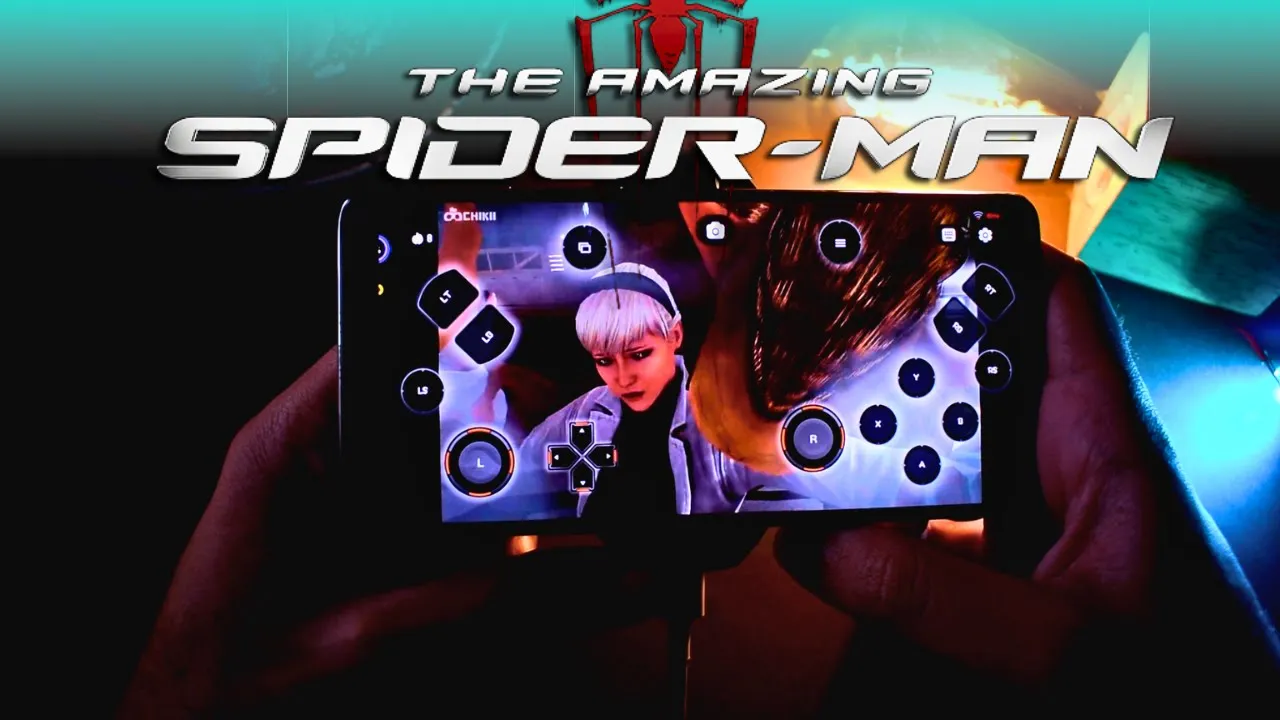
Befolgen Sie nun diese Schritte, um The Amazing Spider Man auf Android mit der Chikii-Cloud-Gaming-App zu spielen:
Schritt 1 – Sie müssen die Chikii-App herunterladen und installieren:
Hinweis: Die Chikii-App ist in einigen Ländern immer noch nicht verfügbar. Sie werden sie wahrscheinlich nicht bei Google Play finden. Laden Sie sie direkt herunter. Es handelt sich um die gleiche Version bei Google Play.
Nachdem Sie es heruntergeladen haben, folgen Sie diesen Bildern, um die Chikii-App zu starten:
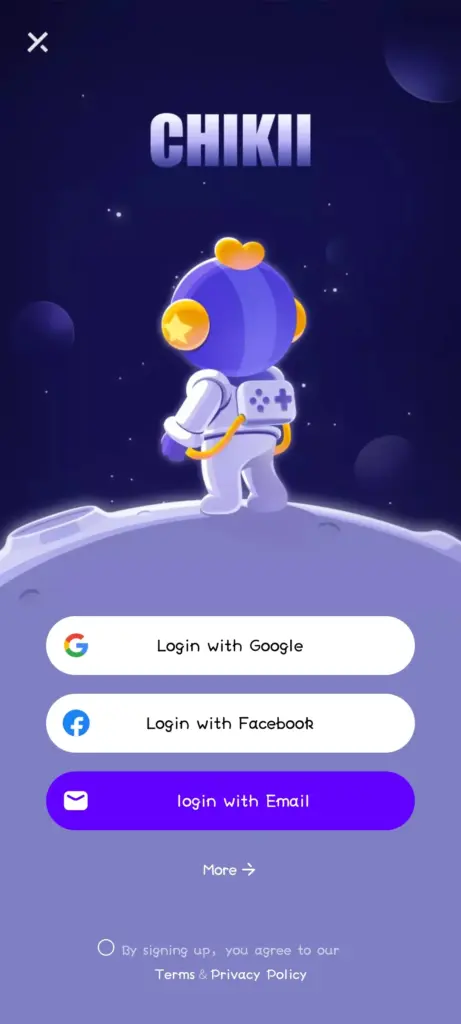
Schritt 2 – Nachdem Sie die Chikii-App installiert haben, öffnen Sie sie und wählen Sie dann Ihren Anmeldetyp aus (Google Gmail, Facebook oder mit normaler E-Mail wie Yahoo, Outlook usw.).
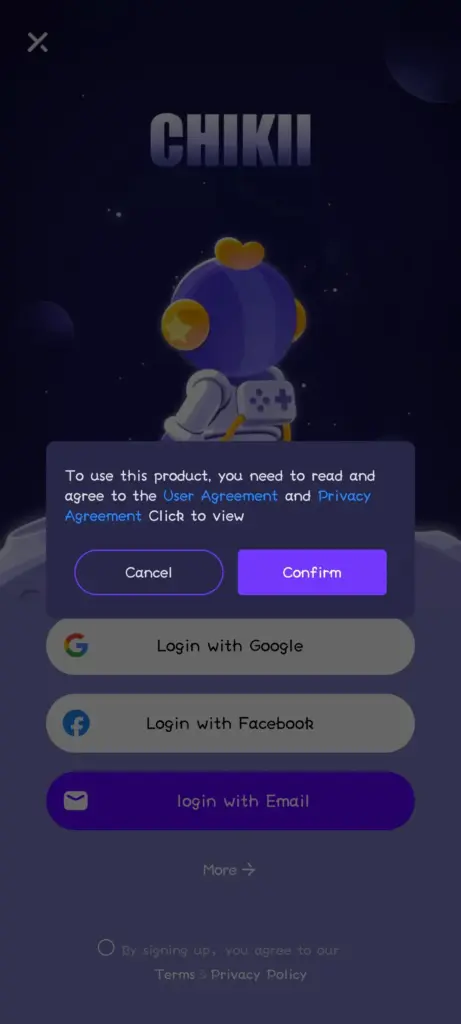
Schritt 3 – Die Chikii-App fordert Sie auf, die Benutzer- und Datenschutzvereinbarung zu bestätigen. Klicken Sie auf „Bestätigen“.
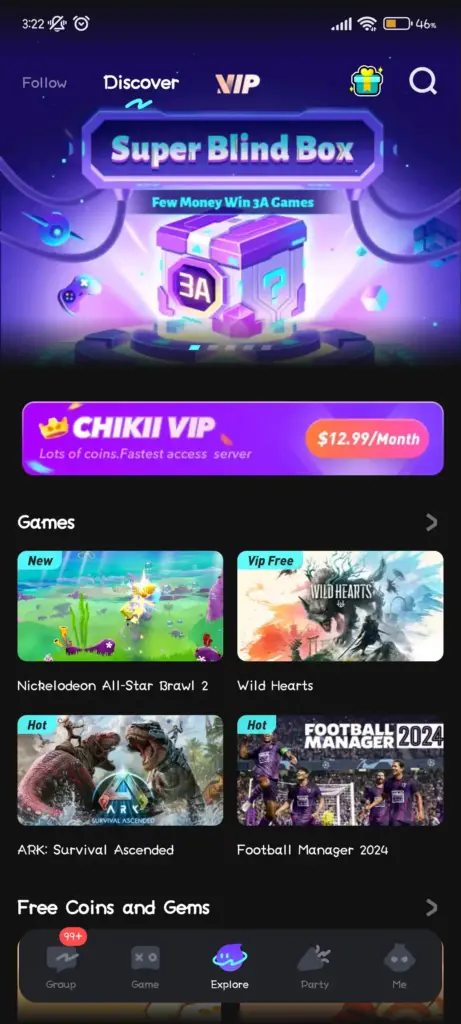
Schritt 4 – Nachdem Sie sich angemeldet haben, befinden Sie sich auf der Seite der Explore Home Chikii-App. Dort finden Sie die letzten neuen Spiele oder die letzten heißen Spiele usw.
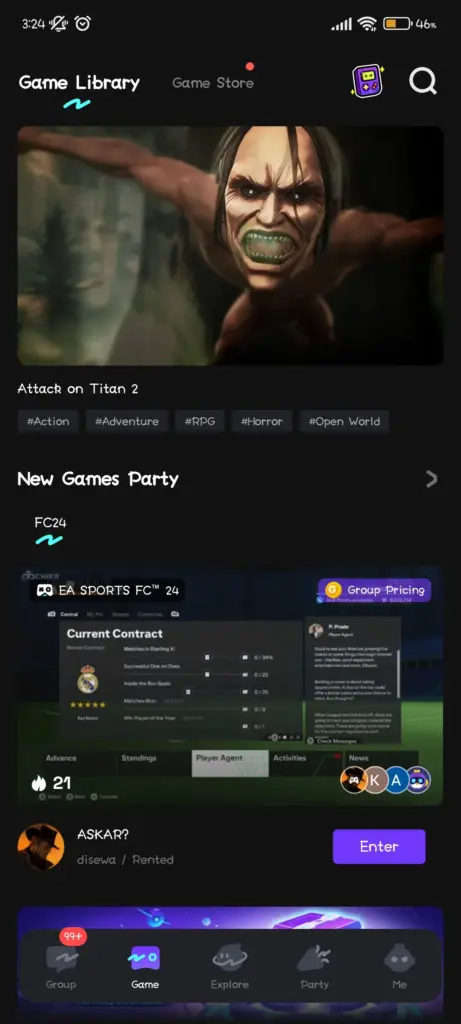
Schritt 5 – Wischen Sie über die Erkundungsseite zur Spieleseite und scrollen Sie nach unten, bis Sie „Alle Spiele durchsuchen“ finden.
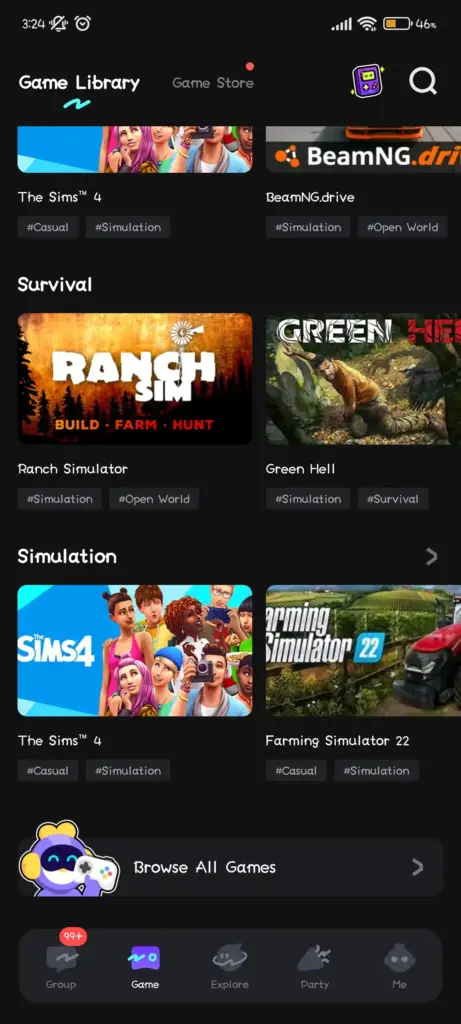
Schritt 6 – Klicken Sie auf „Alle Spiele durchsuchen“
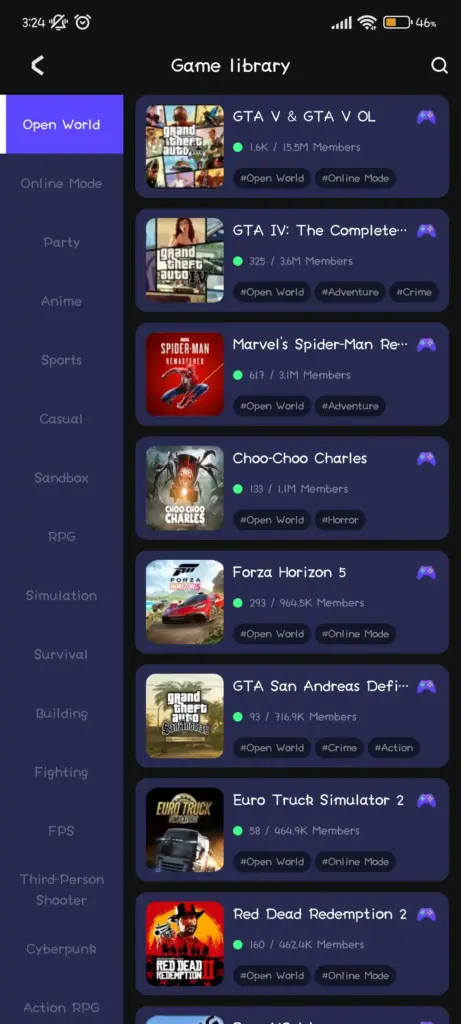
Schritt 7 – Klicken Sie auf das Suchsymbol in der Ecke und schreiben Sie „The Amazing Spider Man“. Das Spiel wird angezeigt, damit Sie es öffnen können.
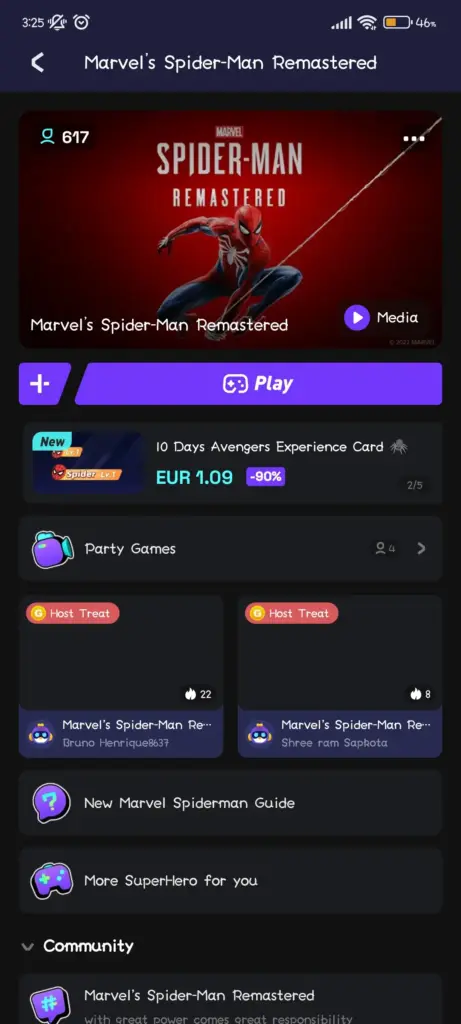
Schritt 8 – Klicken Sie auf die Schaltfläche „PLAY“.
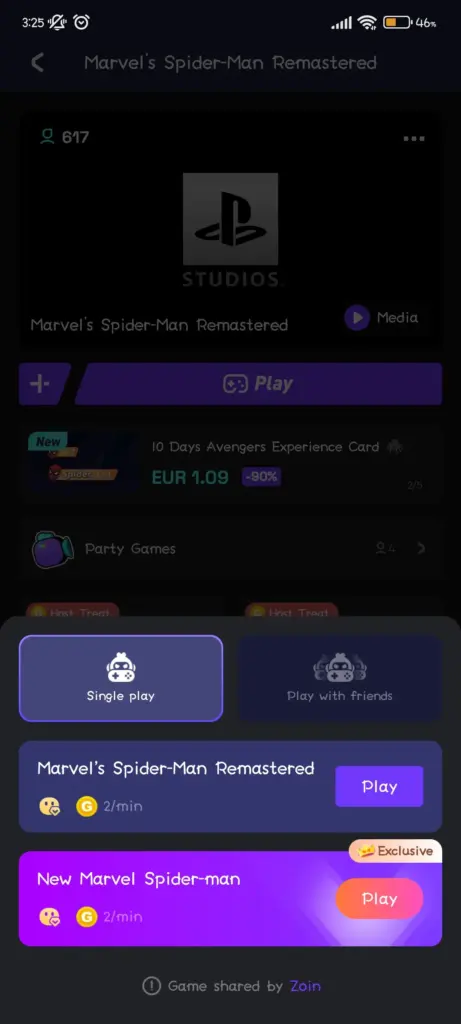
Schritt 9 – Sie sehen die Version des Spiels, wählen Sie aus, was Sie wollen!
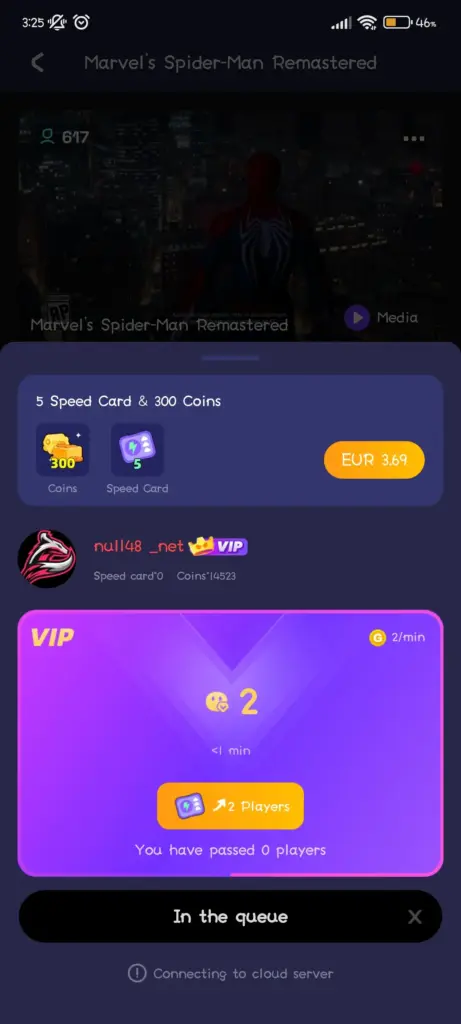
Schritt 10 – Wenn Sie die VIP-Mitgliedschaft erwerben, werden Sie wahrscheinlich nicht warten, und The Amazing Spider Man ist bereit, mit dem Spielen zu beginnen. „Wenn Sie die VIP-Mitgliedschaft nicht erwerben, müssen Sie einige Zeit warten, bis The Amazing Spider Man bereit ist, es zu spielen.
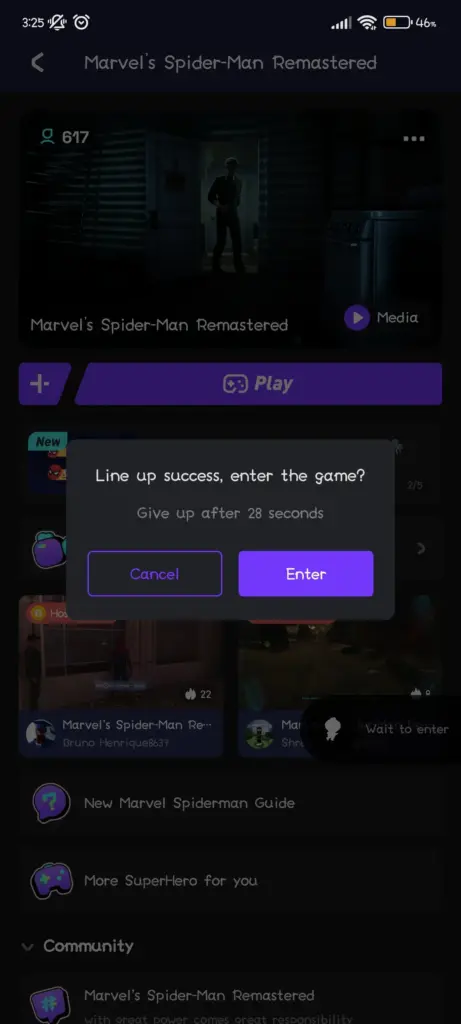
Schritt 11 – Sie erhalten ein Popup-Fenster mit der Meldung „Aufgebot erfolgreich, betreten Sie das Spiel“. Klicken Sie auf „Eintreten“, und das war's. Viel Spaß beim Spielen von The Amazing Spider Man.
Und nun, am Ende, habe ich noch ein paar Bitten: Folgt mir gerne in den sozialen Medien und schaut natürlich auch auf meinem YouTube-Kanal vorbei. Dort findet ihr tolle Videos zu Spielen und Apps. Und noch etwas: Die Chikii Cloud-Gaming-App benötigt eine stabile WLAN-Verbindung. Wenn ihr also mit eurer Familie das gleiche Internet nutzt, empfehle ich euch einen Gaming- oder leistungsstarken WLAN-Router. Hier sind einige der besten WLAN-Router, die ihr auf Amazon findet (Werbung). In dieser Kategorie findet ihr alle Chikii-Spiele . Und hier sind die drei besten Spiele, die über Chikii verfügbar sind: Red Dead Redemption 2 (Android-Download) – Chikii Cloud-Gaming-App , Elden Ring (Android-Download) – Chikii Cloud-Gaming-App , MotoGP 21 (Android-Download) – Chikii Cloud-Gaming-App . Das war's. Vielen Dank fürs Zuschauen! Bis bald!




