




FIFA 23 legacy edition Android ներբեռնում – Android – Nintendo Switch էմուլյատոր Android-ի համար – EGG NS
FIFA 23 legacy edition on Android download, you can play FIFA 23 legacy edition on your Android phone, using Nintendo Switch Emulator, It is called Egg NS Emulator, Egg Ns Provides very high performance in most games. In this post, I will show you how to play FIFA 23 legacy edition on an Android phone. Before we start, let me give some information about FIFA 23 legacy edition: FIFA 23 is a football video game published by EA Sports. It is the 30th installment in the FIFA series that is developed by EA Sports, the final installment under the FIFA banner, and released worldwide on 30 September 2022 for Nintendo Switch, PlayStation 4, PlayStation 5, Windows, Xbox One and Xbox Series X/S.Kylian Mbappé is the cover athlete for the standard and legacy editions. Mbappé shares the cover of the ultimate edition with Sam Kerr. Listed in Guinness World Records as the best-selling sports video game franchise in the world, the game is the final under the 29-year partnership between EA and FIFA. Future football games by EA are named under the banner of EA Sports FC (alternatively just “EAFC”). FIFA 23 features a degree of crossplay. Crossplay is available in FIFA Ultimate Team (FUT) Division Rivals (excluding co-op), FUT Champions, FUT Ultimate Online Draft, FUT Online Friendlies (excluding Co-Op), FUT Play a Friend, Online Friendlies, Online Seasons (excluding Co-Op Seasons) and the Virtual representation of the Bundesliga. However, crossplay is limited to consoles that fall within the same console generation. For example, those on the PlayStation 4 are able to play with and against players on Xbox One, but not the PlayStation 5 or Xbox Series X/S and vice versa. Pro Clubs will not support crossplay. The decision to omit Pro Clubs from crossplay has received criticism from the FIFA community. Furthermore, the option to delete Ultimate Team data has been removed due to most players not using that option, while an option to rename the club’s name outside of the Objectives screen has been added instead. In previous FIFA titles, players can only use the Delete Club option 4 times, as they are allowed to create a club 5 times. I take this information from Վիքիպօր իսկ հիմա եկեք սկսենք:
Մինչև սկսելը, ես խորհուրդ եմ տալիս Amazon-ում առկա այս աքսեսուարները ՝ ավելի հարմարավետ խաղալու և խաղով լավ ժամանակ անցկացնելու համար.
1- Ես խորհուրդ եմ տալիս GameSir X2 Bluetooth Mobile Gaming Controller-ը։ Նա ստացել է լավ գնահատականներ՝ ավելի քան 52% 5 աստղով։ Այն լավն է ։
2-Ես խորհուրդ եմ տալիս Razer Kishi Mobile Game Controller-ը +15,817 ակնարկ Android USB-C-ի համար և անվճար առաքում: Մանրամասներ և անվճար վերադարձ, բարձր զգայունություն և ավելի ճշգրիտ սենսոր:
3- Վերջին աքսեսուարները Razer-ից են։ Ես խորհուրդ եմ տալիս Razer Kishi V2 Mobile Gaming Controller + Razer Phone Cooler Chroma-ն։ Այս աքսեսուարի լավագույն կողմն այն է, որ Bluetooth-ը ցածր էներգիա է սպառում մարտկոցի ավելի երկար աշխատանքի համար, իսկ վատ կողմն այն է, որ համատեղելի չէ բոլոր Android կամ iOS հեռախոսների հետ։
3- Վերջին աքսեսուարները Razer-ից են։ Ես խորհուրդ եմ տալիս Razer Junglecat-ի երկկողմանի խաղային վահանակը + Bitcircuit բջջային հեռախոսի ռադիատոր-սառեցուցիչ-օդափոխիչը։ Այս աքսեսուարի լավագույն կողմն այն է, որ Bluetooth-ը ցածր էներգիա է սպառում՝ մարտկոցի ավելի երկար աշխատանքի համար, և վատ կողմն այն է, որ համատեղելի չէ բոլոր հեռախոսների հետ։ Միայն Razer Phone 2-ի, Galaxy Note 9-ի, Galaxy S10+-ի հետ է համատեղելի։ Նշում. միայն Razer Junglecat-ը չի աջակցել բոլոր հեռախոսներին, բայց սառեցուցիչի օդափոխիչը աջակցվում է բոլոր հեռախոսների հետ։
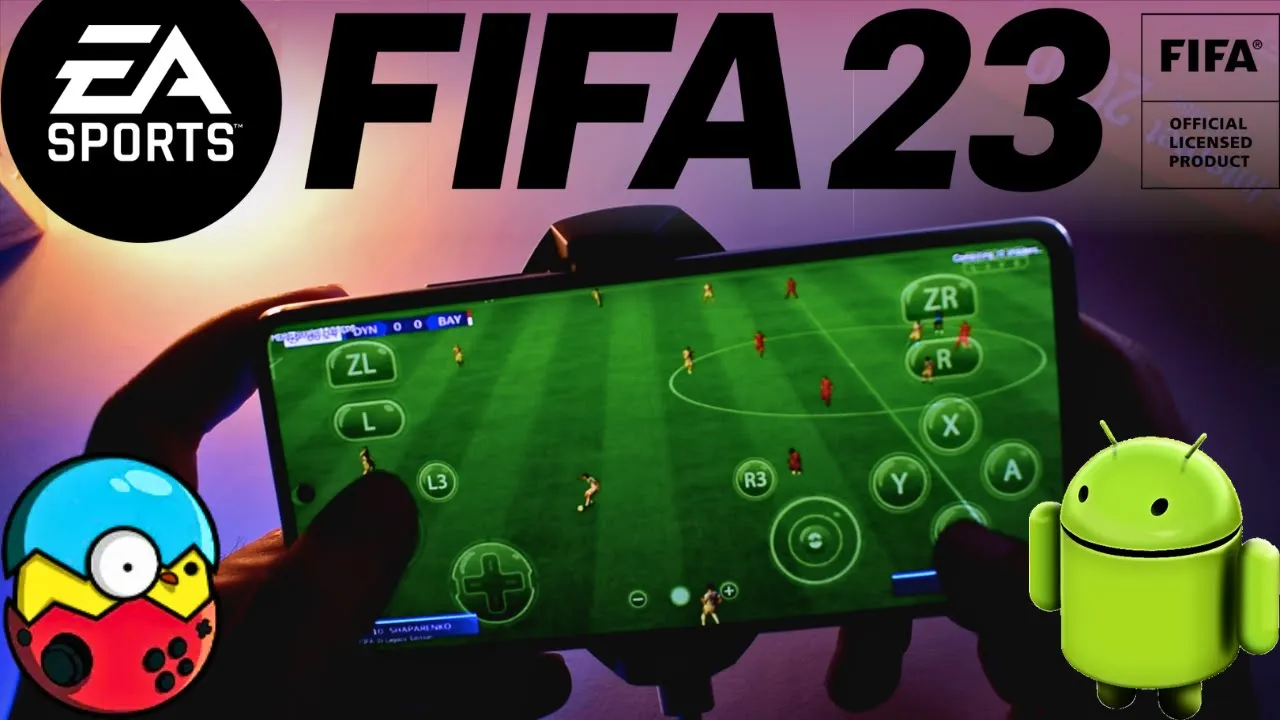
Առաջին քայլը, որը ձեզ անհրաժեշտ է, Nintendo Switch էմուլյատորն է Android-ի «EGG NS» հավելվածում և FIFA 23-ի ժառանգական հրատարակության խաղը Ներբեռնեք.
*If Your phone doesn’t support the Extract the FIFA 23 legacy edition game, Here WinRaR app will help you to Extract the FIFA 23 legacy edition game:
- Android «EGG NS» հավելվածում Nintendo Switch էմուլյատորը տեղադրելուց հետո:

-Բացեք Nintendo Switch emulator-ը Android «EGG NS» հավելվածում, դուք պետք է լրացնեք ձեր տվյալները «օգտվողի անուն, էլ.փոստ, հաստատման կոդը, գաղտնաբառ»:
*Այն ձեզ կհարցնի հրավերի կոդը, և նշեք, որ ես ուզում եմ ձեզնից խնդրել իմ հրավերի կոդը օգտագործելու համար: Ես ստանում եմ ցածր միջնորդավճար:
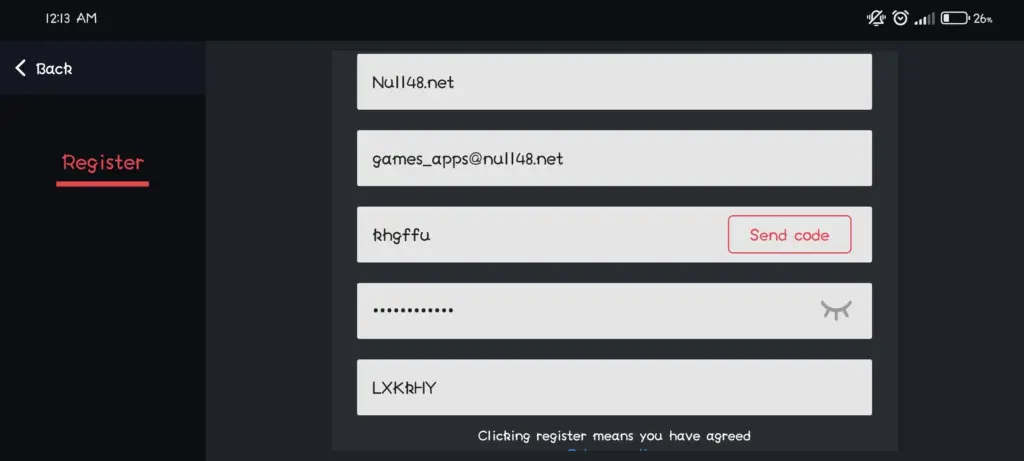
-Ահա LXKkHY հրավերի կոդը ։ Այնուհետև սեղմեք «Հաջորդը»։ «հավանել լուսանկարում»։
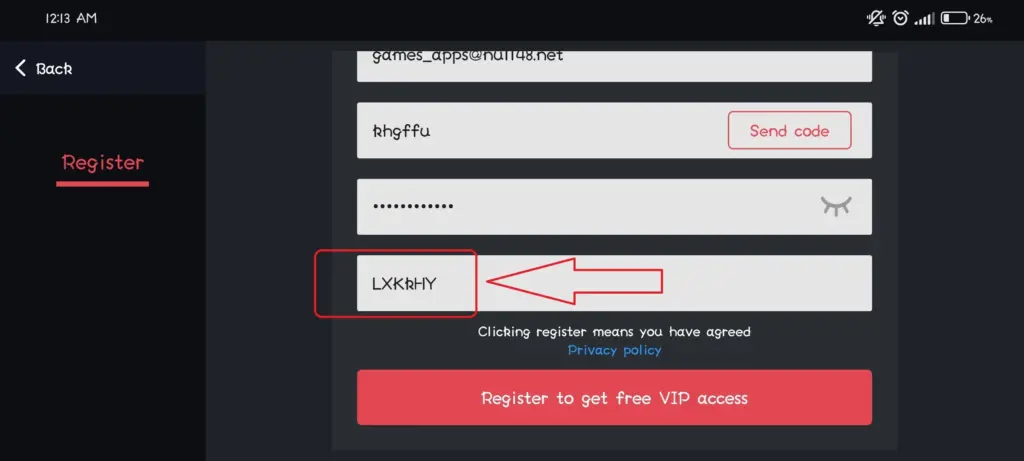
Դրանից հետո դուք կարող եք ավելացնել ձեր խաղերը»: ինչպես լուսանկարներում»
«Կարգավորումներ», ապա «խաղի կարգավորում»
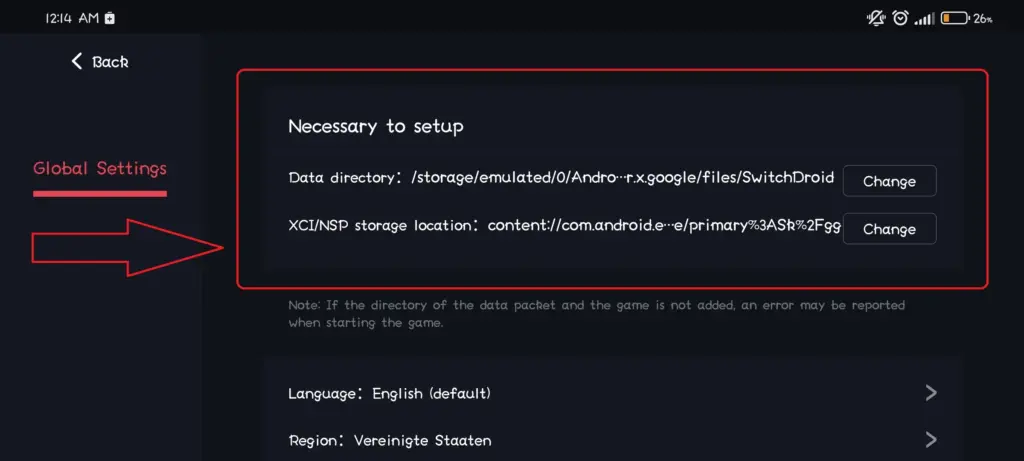
Եվ մի մոռացեք ավելացնել «switchdroid թղթապանակները»: դուք կարող եք գտնել այն EGG NS APP-ում:
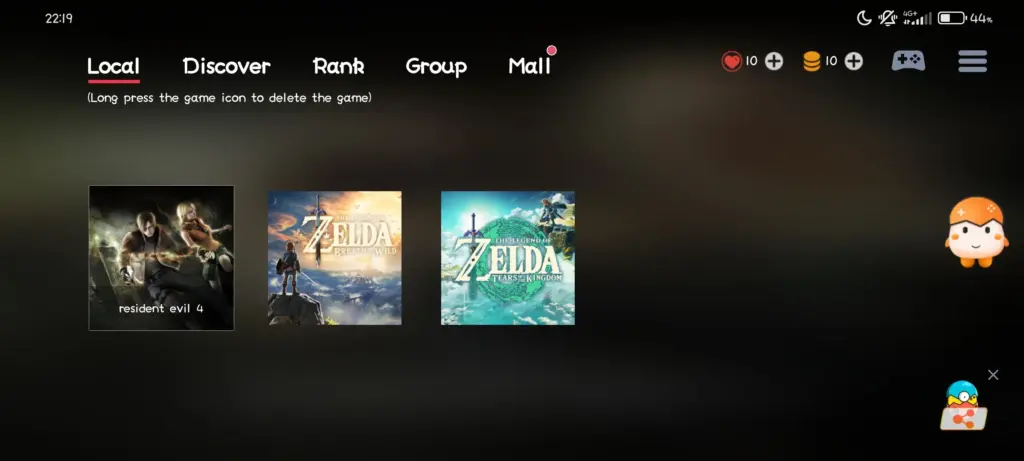
և բացիր խաղը FIFA 23 legacy edition Ապա ես քեզ հաճելի ժամանակ եմ մաղթում: :), լավ? Այսպիսով, նախքան այս ներդիրը փակելը, ես կարող եմ միայն խորհուրդ տալ ձեզ ստանալ a SnapDrangon 888 CPU բջջային հեռախոս կամ բարձրությունը: և ես ձեզ հրավիրում եմ իմ հրաշքին Emulator Games կատեգորիա Egg NS, և ահա ևս երկու գեղեցիկ խաղ։ The Legend of Zelda Breath of the Wild-ի ներբեռնում Android-ի համար – Egg NS Emulator android-ի համար – Nintendo Switch էմուլյատոր android-ի համար, Resident Evil 6 ներբեռնում – Nintendo Switch էմուլյատոր – EGG NS Եվ հիմա մենք վերջին խոսքերում ենք, թույլ մի տվեք, որ կարոտեմ ձեզ, մենք միշտ ունենք նոր, գեղեցիկ խաղեր և հավելվածներ, շնորհակալություն այցելության համար, հաջորդ անգամ նորից կվերցնեմ ձեզ, խաղաղություն: