





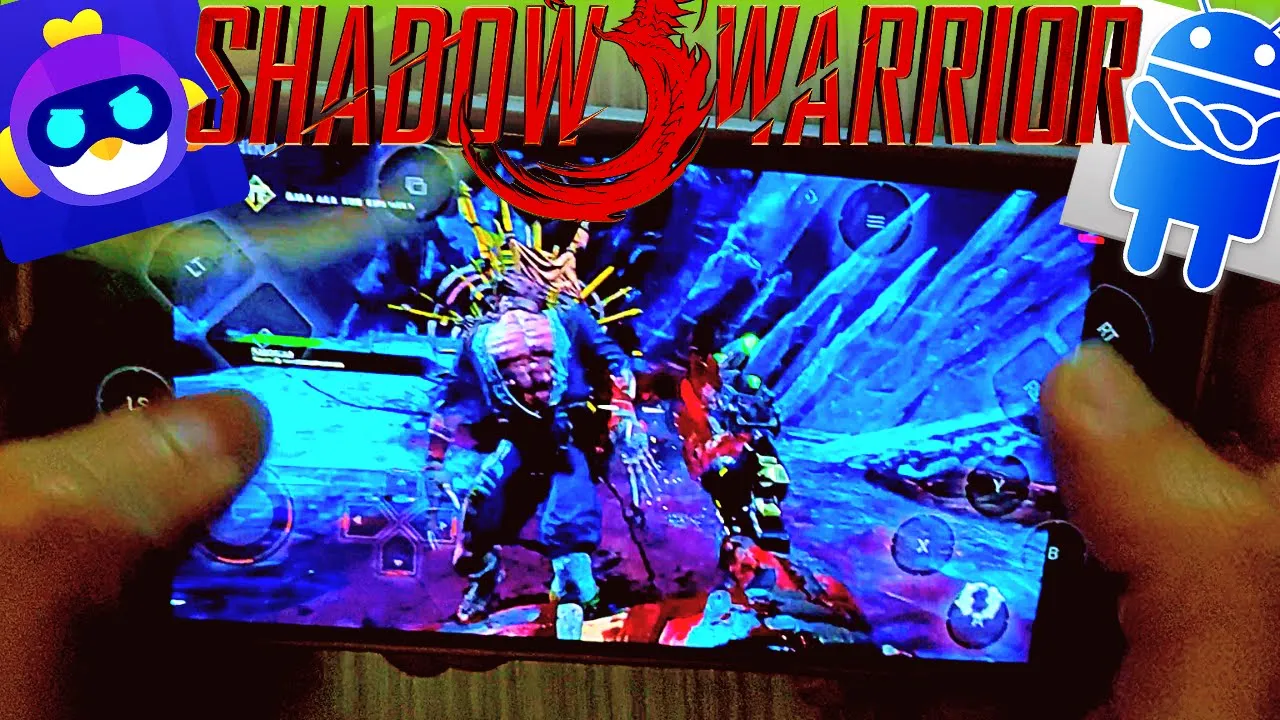
Shadow Warrior 3 ကို Android အတွက် ဒေါင်းလုဒ်လုပ်ပါ – Chikii Cloud Gaming
Download Shadow Warrior 3 Video GAME, Game Ps4 Version Game On Android HIGHLY GRAPHICS DOWNLOAD, With Chikii Cloud Games App, Let Me Told You Some Information About Shadow Warrior 3: Shadow Warrior 3 is a first-person shooter game developed by Flying Wild Hog and published by Devolver Digital. The sequel to Shadow Warrior 2 (2016), the game released for Microsoft Windows, PlayStation 4 and Xbox One on March 1, 2022,Like its predecessors, the game is a first-person shooter and the player assumes control of Lo Wang, the series protagonist. In the game, Lo Wang has access to a large arsenal of firearms which can be used to defeat enemies. In addition, he also wields a katana, which is limited to close-quarters combat. At close range, players can execute wounded enemies. They can also use the environment to their advantage. As the player progresses in the game, they receive new weapons and gadgets which aid them in combat, all of which are meant to be unlocked and available by the time the player reaches the mid-point of the campaign. The game features more linear levels and a more streamlined upgrade system when compared with Shadow Warrior 2, though it introduced new movement options for Lo Wang, such as giving him the option to wall run, double jump, air dash, and utilize a grappling hook to quickly transverse between platforms and vertical surfaces. I Get This information From ဝီကီပီးဒီးယား ဒါကြောင့် ကျွန်တော် Android မှာ Chikii လို့အမည်ပေးထားတဲ့ Emulator ဟာ တကယ်တော့ Emulator မဟုတ်ပါဘူး၊ Chikii App က သင့်ကို Cloud Game လိုမျိုး PC မှာ ဂိမ်းအချို့ကစားခွင့်ပြုပါ၊ Chikii App ကို အထူးအကြံပြုလိုပါတယ်၊ သူကတော့ PC၊ PS4၊ PS5 အားလုံးအတွက် Futur ဖြစ်မယ်ထင်ပါတယ်။ Android မှာ သင်ကစားနိုင်တဲ့ ဂိမ်းများ ၊ ဒါကြောင့် အခုပဲ စတင်လိုက်ကြရအောင် လို့မျှော်လင့်ပါတယ် ။
စတင်ခင်မှာ Amazon မှာ ရရှိနိုင်တဲ့ ဒီဆက်စပ်ပစ္စည်းတွေကို အကြံပြုချင်ပါတယ်၊ ပိုပြီးသက်တောင့်သက်သာကစားပြီး ဂိမ်းကို ပျော်ရွှင်စွာကစားနိုင်ပါတယ်။
၁။ GameSir X2 Bluetooth မိုဘိုင်းဂိမ်းထိန်းချုပ်ကိရိယာကို ကျွန်တော် အကြံပြုပါတယ်။ သူက ကြယ် ၅ ပွင့်နဲ့ ၃၈% ကျော် ကောင်းမွန်တဲ့ သုံးသပ်ချက်တွေ ရရှိထားပါတယ်။ ကောင်းပါတယ် ။
၂။ Android USB-C အတွက် Razer Kishi မိုဘိုင်းဂိမ်းထိန်းချုပ်ကိရိယာ +၈၀၀၀ သုံးသပ်ချက်ကို အကြံပြုပါတယ် ။ အခမဲ့ ပို့ဆောင်ပေးပါတယ်။ အသေးစိတ်အချက်အလက်များနှင့် အခမဲ့ ပြန်ပို့နိုင်ပြီး ပိုမိုတိကျသော အာရုံခံနိုင်စွမ်းမြင့်မားပါတယ်။
၃။ နောက်ဆုံးဆက်စပ်ပစ္စည်းများ Razer ကပါ။ ကျွန်တော် အကြံပြုချင်တာကတော့ Razer Junglecat Dual-Sided Mobile Game Controller + Bitcircuit Mobile Phone Radiator Cooler Fan ပါ။ အကောင်းဆုံးအပိုင်းကတော့ ဒီဆက်စပ်ပစ္စည်းတွေက Bluetooth စွမ်းအင်နည်းတာကြောင့် ဘက်ထရီသက်တမ်းပိုရှည်စေပါတယ်။ ပြီးတော့ မကောင်းတဲ့အချက်က ဖုန်းအားလုံးနဲ့ တွဲဖက်အသုံးပြုလို့မရပါဘူး။ Razer Phone 2, Galaxy Note 9, Galaxy S10+ တို့ပဲ ဖြစ်ပါတယ်။ မှတ်ချက်- Razer Junglecat တစ်ခုတည်းက ဖုန်းအားလုံးကို မထောက်ပံ့နိုင်ပေမယ့် Cooler Fan ကို ဖုန်းအားလုံးနဲ့ တွဲဖက်အသုံးပြုလို့ရပါတယ်။
1- Chikii အက်ပ်ကို ဒေါင်းလုဒ်လုပ်ပြီး ထည့်သွင်းရန် အောက်ပါအဆင့်များအတိုင်း လုပ်ဆောင်ရန် လိုအပ်ပါသည်။
Chikii အက်ပ်ကို နိုင်ငံအချို့တွင် မရနိုင်သေးသည်ကို သတိပြုပါ၊ Google Play တွင် ၎င်းကို ဒေါင်းလုဒ်လုပ်ပါက ၎င်းကို တိုက်ရိုက် Google play တွင် အတူတူပင်ဖြစ်ကြောင်း သတိပြုပါ။
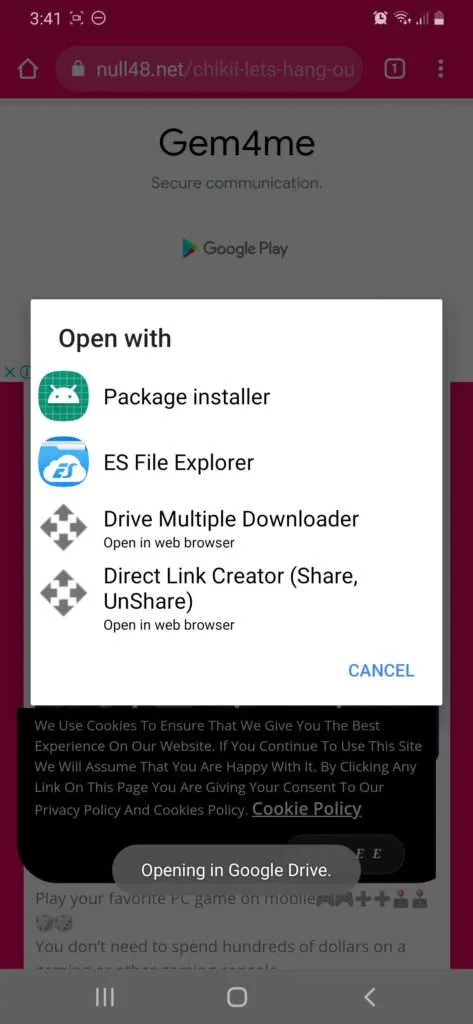
သင်ဒေါင်းလုဒ်လုပ်ပြီးနောက် Chikii App ကိုထည့်သွင်းရန် ဤပုံများကို လိုက်နာပါ။
1- အကယ်၍ သင်သည် Desktop ကိုအသုံးပြုပါက ဤအဆင့်ကိုကျော်ပြီး "ဒေါင်းလုဒ်ခလုတ်" ကိုနှိပ်ပါ Package installer ကိုနှိပ်ပါ။
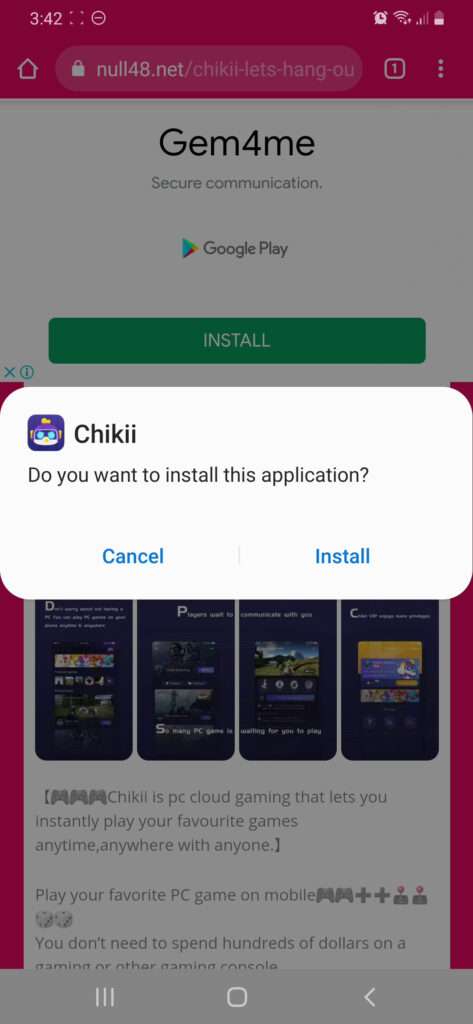
2- Install ကိုနှိပ်ပါ။
3- Open ကိုနှိပ်ပါ။
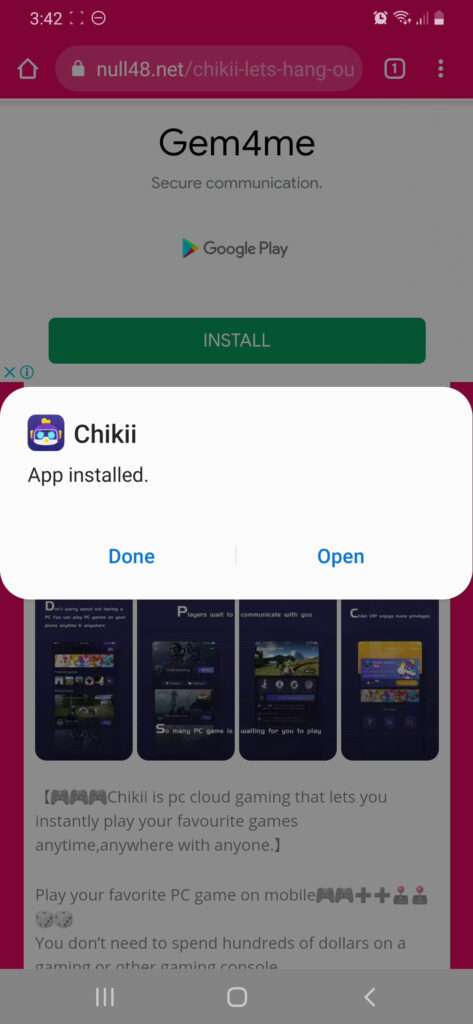
4- သင်လိုချင်သော Facebook သို့မဟုတ် Gmail ဖြင့် အကောင့်ဝင်ပါ (Gmail ကို အကြံပြုလိုသည်)

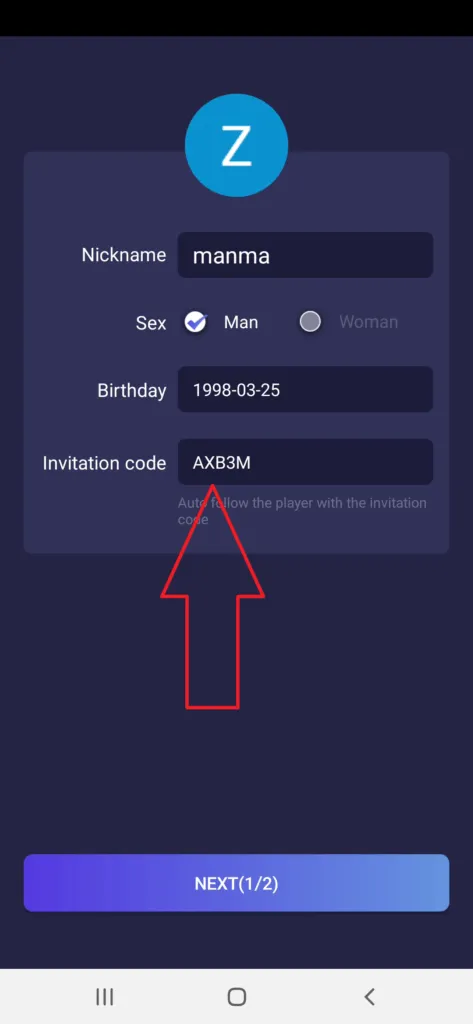
5- အချက်အလက်ကို ပြီးပြည့်စုံအောင် လုပ်ပါ။
မှတ်ချက်၊ ကျွန်ုပ်၏ သော့ကုဒ်ကို ကျွန်ုပ်ထံ တောင်းဆိုလိုပါသည် ကျွန်ုပ်သည် နိမ့်သော ကော်မရှင်ကို ရရှိမည်ဖြစ်ပြီး၊ သင်ဆက်သွယ်ရန် chat ကဏ္ဍတွင် သူငယ်ချင်းဖြစ်ပါမည်။ AXB3M ပြီးလျှင် Next ကိုနှိပ်ပါ။
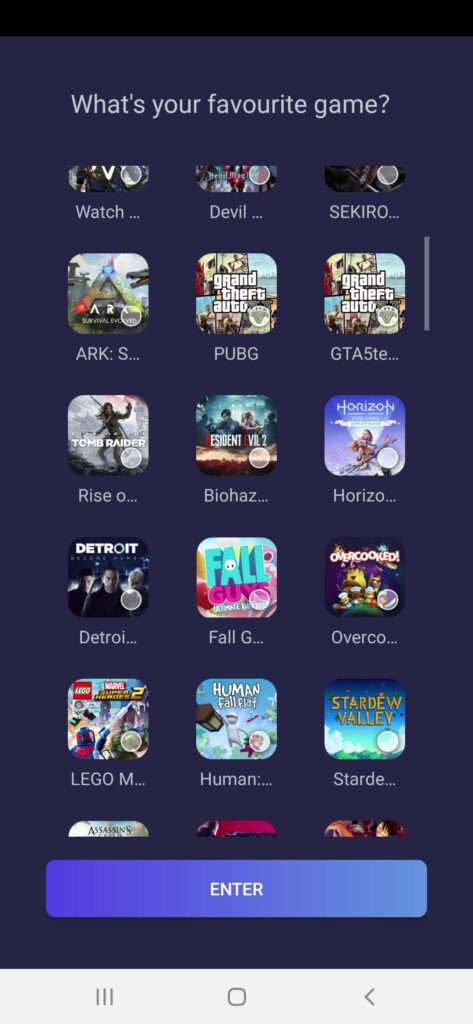
6- သင်ကစားလိုသောဂိမ်းကိုရွေးချယ်ပြီး ENTER ကိုနှိပ်ပါ။
7- သင်ကစားလိုသောဂိမ်းတွင် Join ကိုနှိပ်ပါ။
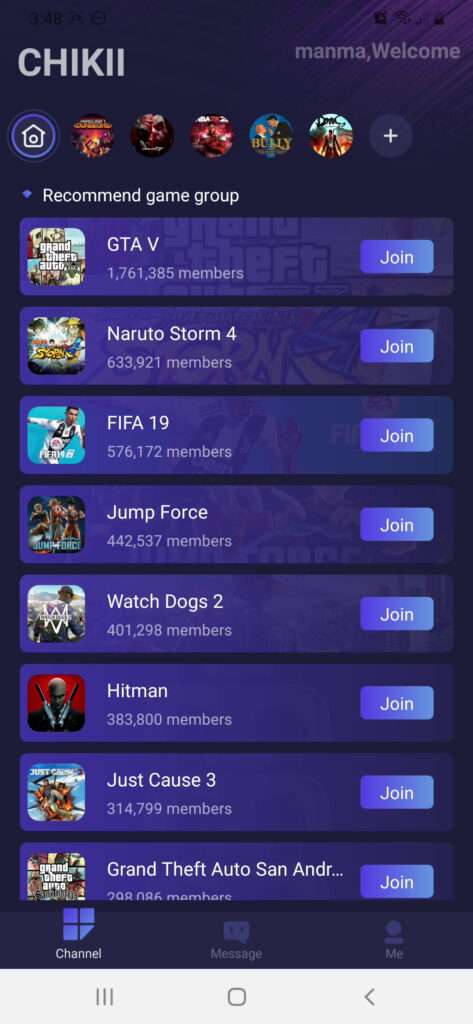
8- Play ကိုနှိပ်ပါ။
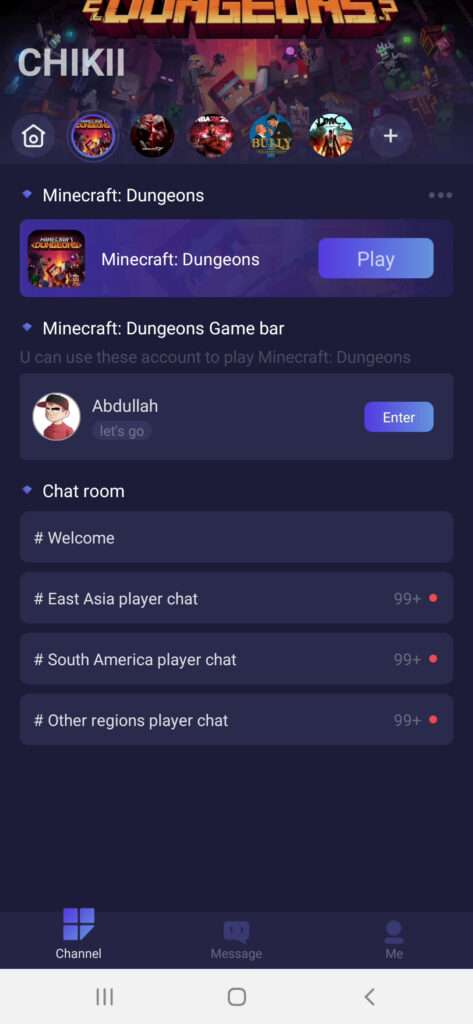
9- စက္ကန့်အနည်းငယ်စောင့်ပြီး Popup ပေါ်လာပြီး ENTER ကိုနှိပ်ပါ။
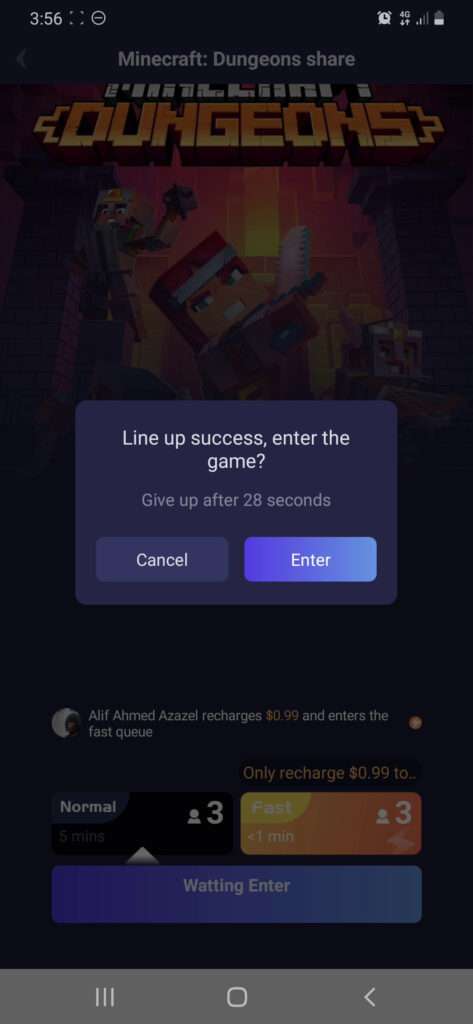
10- သင်ပထမဆုံးအကြိမ်ဝင်ရောက်သည့်အခါ မိနစ် 50 ကျော်ကြာ ပျော်ရွှင်ပါ၊ နှစ်သက်ပါ။
ပြီးတော့ အခု နောက်ဆုံးအနေနဲ့ တောင်းဆိုချက်အချို့ရှိပါတယ်၊ အောက်က လင့်ခ်တွေအားလုံးကို လူမှုမီဒီယာမှာ follow လုပ်ဖို့ တောင်းဆိုချင်ပါတယ်၊ ဒီကဏ္ဍမှာ Chikii ဂိမ်း အားလုံး၊ ဒါက Chikii Red Dead Redemption 2 မှာ ရနိုင်တဲ့ အကောင်းဆုံး ဂိမ်း ၃ ခုပါ ။ Android အတွက် ဒေါင်းလုဒ်လုပ်ပါ - Chikii Cloud Gaming APP ၊ Elden Ring Android ဒေါင်းလုဒ် - Chikii App Cloud Gaming ၊ MotoGP 21 Android ဒေါင်းလုဒ်ဂိမ်း - Chikii App Cloud Gaming ၊ ဒါပါပဲ၊ အားလုံးကို ကျေးဇူးတင်ပါတယ်၊ ပြန်လာခဲ့ပါဦး၊ ငြိမ်းချမ်းပါစေ။




