






Dragon Quest 8 (VIII) Android ဒေါင်းလုဒ် – Damon Ps2 Pro
Play And Download DRAGON QUEST 8 (VIII) On Android Using ps2 Emulator, Damon Ps2 PRO Is The Best Ps2 Emulator For Now, And We Can Play All Ps2 Games On Android, Let Me Told You Some Information About DRAGON QUEST 8 (VIII): Dragon Quest VIII: Journey of the Cursed King is a role-playing video game developed by Level-5 and published by Square Enix for the PlayStation 2. It was released in Japan in 2004, in North America in 2005, and in PAL regions in 2006, making it the first main series installment released in the PAL region. It is the eighth installment of the Dragon Quest series and it is the first English version of a Dragon Quest game to drop the Dragon Warrior title. A version of the game for Android and iOS was released in Japan in December 2013, and worldwide in May 2014, I Get This Information From ဝီကီပီးဒီးယား ဒီတော့ မင်းပျော်ဖို့မျှော်လင့်ချက် အခုပဲ စလိုက်ကြရအောင်။
စတင်မလုပ်ဆောင်မီ ပိုမိုသက်တောင့်သက်သာကစားနိုင်ရန်နှင့် ဂိမ်းကို ပျော်ရွှင်စွာကစားနိုင်ရန် ဤဆက်စပ်ပစ္စည်းများကို အကြံပြုလိုပါသည် ။
၁။ Mutop Adjustable Wireless Bluetooth Controller ကို အကြံပြုပါတယ်။ သူက ၃၇% ကျော် ကောင်းမွန်တဲ့ သုံးသပ်ချက်တွေ ရရှိထားပြီး ကြယ် ၅ ပွင့်နဲ့ ကောင်းပါတယ် ။
၂။ Gamepad Wireless Mobile Game Controller ကို အကြံပြုပါတယ်။ ဈေးနှုန်းက $34.99 ဖြစ်ပြီး အခမဲ့ ပို့ဆောင်ပေးပါတယ်။ အသေးစိတ်အချက်အလက်များနှင့် အခမဲ့ ပြန်ပို့နိုင်ပြီး ပိုမိုတိကျသော အာရုံခံနိုင်စွမ်းမြင့်မားပါတယ်။
၃။ နောက်ဆုံးဆက်စပ်ပစ္စည်းများ Razer ကပါ။ ကျွန်တော် အကြံပြုချင်တာကတော့ Razer Junglecat Dual-Sided Mobile Game Controller + Bitcircuit Mobile Phone Radiator Cooler Fan ပါ။ အကောင်းဆုံးအပိုင်းကတော့ ဒီဆက်စပ်ပစ္စည်းတွေက Bluetooth စွမ်းအင်နည်းတာကြောင့် ဘက်ထရီသက်တမ်းပိုရှည်စေပါတယ်။ ပြီးတော့ မကောင်းတဲ့အချက်က ဖုန်းအားလုံးနဲ့ တွဲဖက်အသုံးပြုလို့မရပါဘူး။ Razer Phone 2, Galaxy Note 9, Galaxy S10+ တို့ပဲ ဖြစ်ပါတယ်။ မှတ်ချက်- Razer Junglecat တစ်ခုတည်းက ဖုန်းအားလုံးကို မထောက်ပံ့နိုင်ပေမယ့် Cooler Fan ကို ဖုန်းအားလုံးနဲ့ တွဲဖက်အသုံးပြုလို့ရပါတယ်။
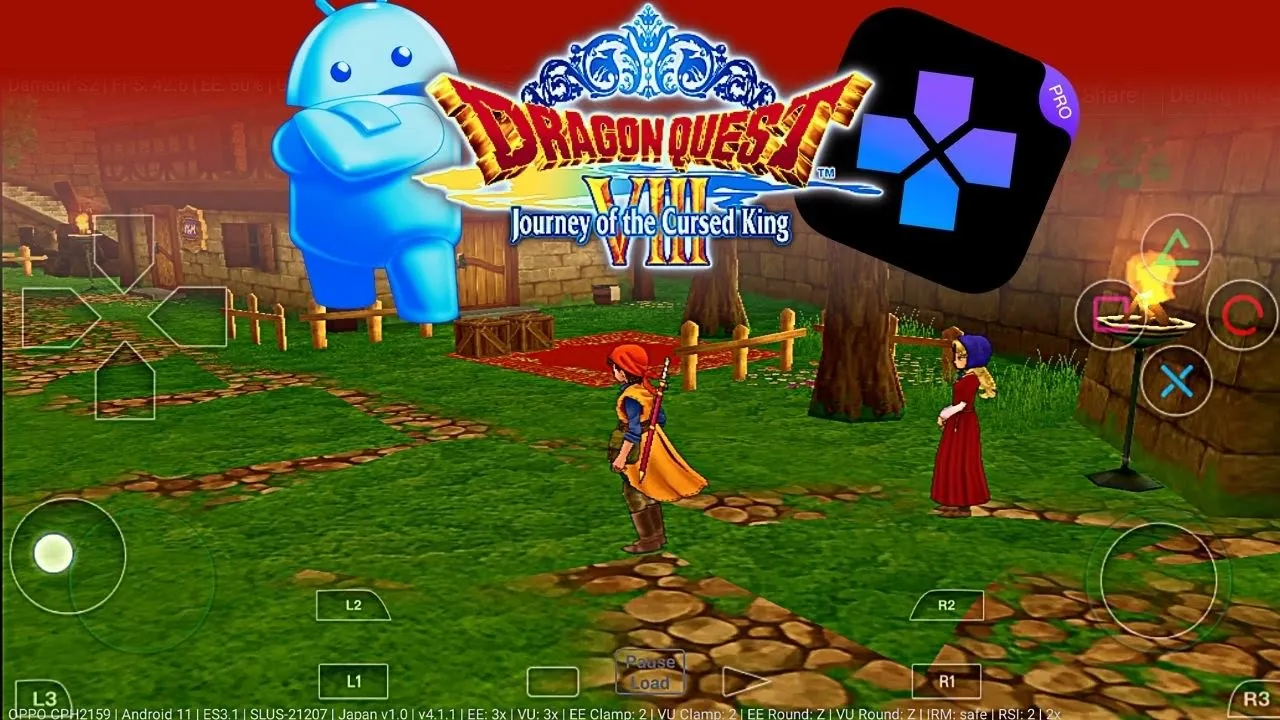
၁- DRAGON QUEST 8 (VIII) GAME ဂိမ်း Ps2 ဗားရှင်းကို ဒေါင်းလုဒ်လုပ်ရန် လိုအပ်သည် -
၂။ Bios ပါသော PS2 Emulator (DamonPS2) ကို ဒေါင်းလုဒ်လုပ်ခြင်းသည် အလွန်အရေးကြီးပါသည်။
၃။ သင့်ဖုန်းက Extract လုပ်လို့မရရင် Unzip လုပ်ဖို့ Winrar ကို ဒေါင်းလုဒ်လုပ်ပါ။
မိုဘိုင်းဖုန်းအတွက် DamonPs2 Emulator မှာ PS2 ဂိမ်းတွေကို ဘယ်လိုထည့်သွင်းရမလဲဆိုတာ ဒီ ဗီဒီယို ကို ကျော်သွားပြီး ကြည့်ရှုနိုင်ပါတယ်။
DamonPS2 မှာ DRAGON QUEST 8 (VIII) GAME ကို ကစားဖို့ ဒီအဆင့်တွေကို လိုက်နာပါ ။
1- Winrar အက်ပ်များကို ထည့်သွင်းပါ။
၂။ Winrar ကိုဖွင့်ပြီး Download Folder ထဲကိုဝင်ပါ။ ဂိမ်းကို Unzip လုပ်ပါ။
3- ပြန်သွားပြီး Ps2 Emulator DamonPS2 – PPSSPP ကို ထည့်သွင်းပါ။
4- Winrar အက်ပ်များကိုဖွင့်ပြီး Bios ကို ဇစ်ဖွင့်ပြီး DamonPS2 ဖိုဒါသို့ ကော်ပီကူးပါ။
၅။ PS2 Emulator DamonPS2 ကိုဖွင့်ပါ - PPSSPP ဂိမ်းများကို Click Scan လုပ်ပြီး သင့်ဂိမ်းဖြင့် ပျော်ရွှင်စွာကစားပါ။
တစ်ချို့ Back-Up တွေ
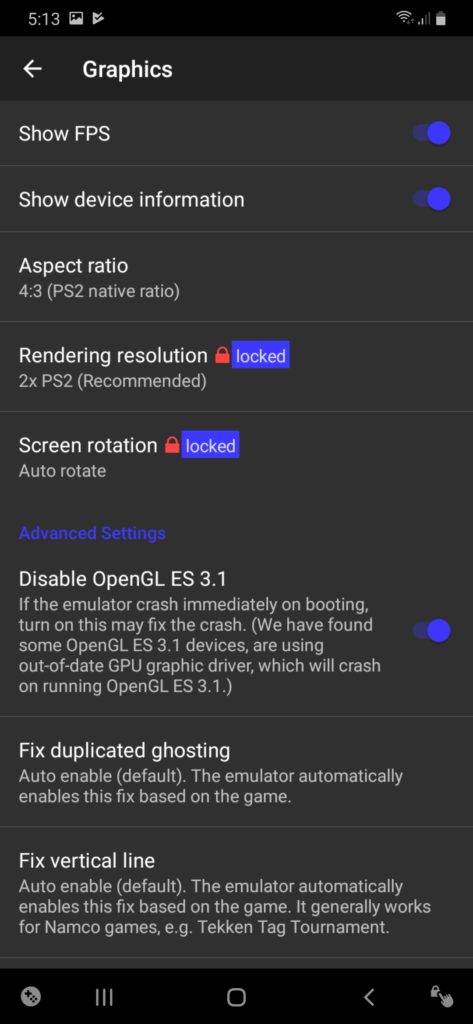
မင်းရဲ့ဂိမ်းက ဖြည်းဖြည်းချင်းအလုပ်လုပ်နေရင် DamonPS2 မှာ DRAGON QUEST 8 (VIII) GAME အတွက် အကောင်းဆုံး ဗီဒီယို ဆက်တင်ကို ပြပေးပါရစေ။
ဗီဒီယိုကို ကျော်ပြီး ဤဓာတ်ပုံများကို လိုက်နာနိုင်သည်-


4-(ချန်လှပ်ထားနိုင်သည်) Damon PS2 PRO ကို ဤလင့်ခ်တွင် ဝယ်ယူရန် လိုအပ်သည်-
ဝယ်ပြီးပြီဆိုရင် ပုံထဲကအတိုင်း ဒီရွေးချယ်မှုကို ထပ်ထည့်လိုက်ရုံပါပဲ။

ပြီးတော့ အခုပဲ ပျော်ရွှင်စွာ ဖြတ်သန်းလိုက်ပါ။ ကျွန်တော့်ရဲ့ ဝက်ဘ်ဆိုက်ကို ဝင်ရောက်ကြည့်ရှုပေးတဲ့အတွက် ကျေးဇူးတင်ပါတယ်။ မေးခွန်းတွေ၊ ပြဿနာတွေရှိရင် ကျွန်တော့်ရဲ့ Channel ဒါမှမဟုတ် Social Media မှာ မှတ်ချက်ရေးထားခဲ့ပါ။ ဒီ Window ကို မပိတ်ခင်မှာ ကျွန်တော့်ရဲ့ တခြား အံ့သြဖွယ်ကောင်းတဲ့ ဂိမ်းတွေဖြစ်တဲ့ Dynasty Warriors Gundam 2 Android ဒါမှမဟုတ် Digimon Rumble Arena 2 – Damon Ps2 Pro ကို ဒေါင်းလုဒ်လုပ်ကြည့်ပါ ။ Android မှာ အလုပ်လုပ်နေတဲ့ တခြား Action အံ့သြဖွယ်ကောင်းတဲ့ PS2 ဂိမ်းတွေကို လည်း ကြည့်ရှုနိုင်ပါတယ် ။ ဒီနေ့အတွက် ဒီလောက်ပါပဲ။ နောက်တစ်ခုမှာတော့ ပြန်လည်ဆုံတွေ့ကြပါစို့။ နှုတ်ဆက်ပါတယ်။ နှလုံးသားထဲက ငြိမ်းချမ်းမှု။




