






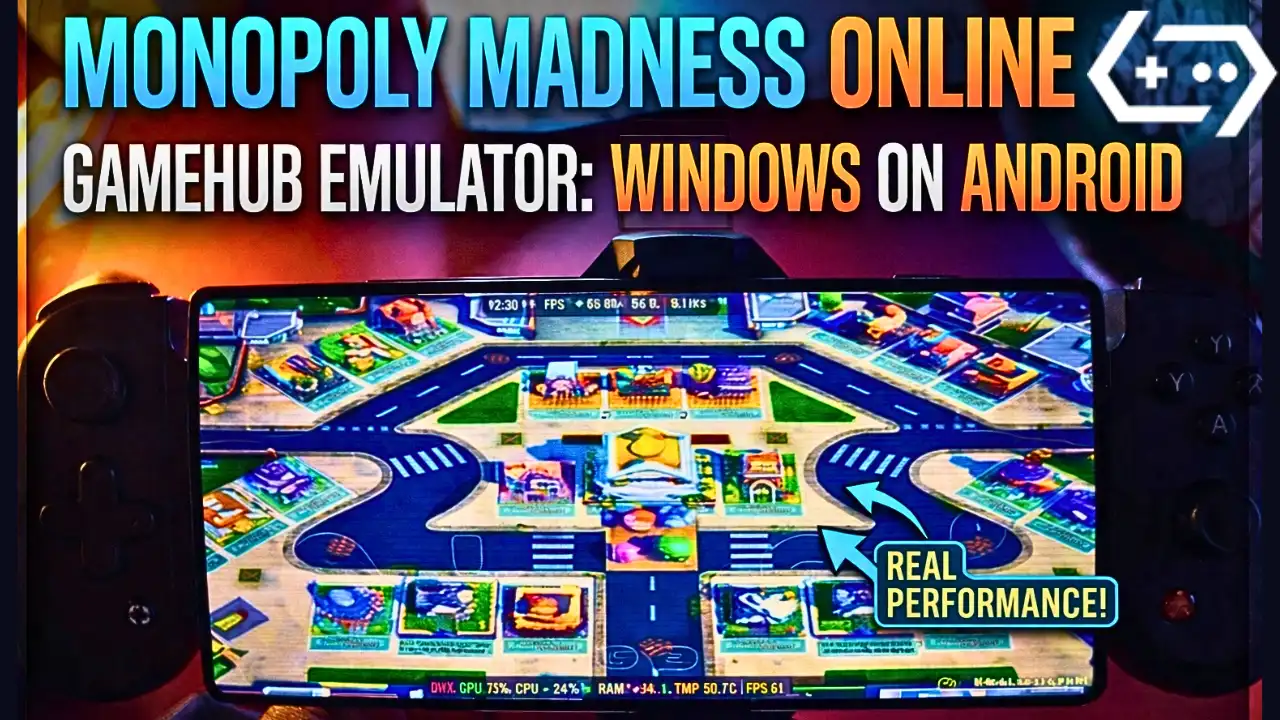
Monopoly Madness on Android – Gamehub Emulator Settings & Test
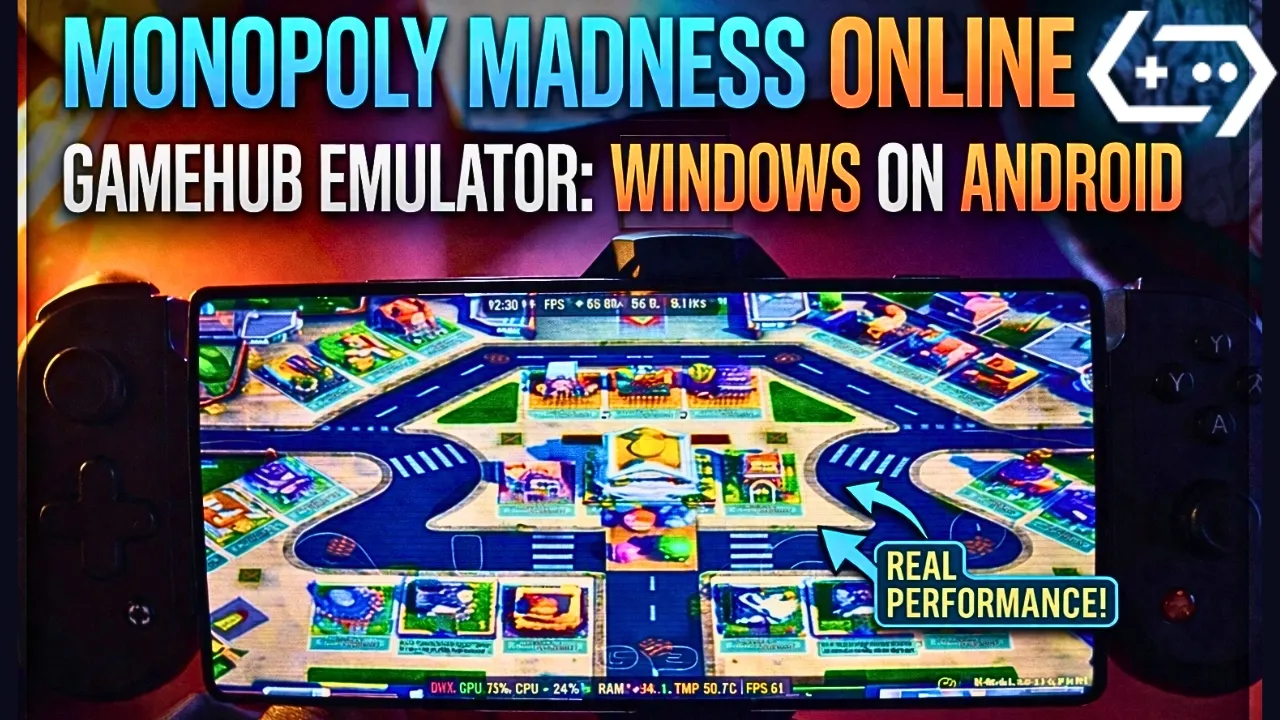
Download and play Monopoly Madness the video game online on Android phone using Windows Emulator “Gamehub”, Gamehub Emulator is best windows Emulator on Android, you can open you Steam, Epic Games or Ubisoft connect account on your Android phone, start the 2026 we can play windows Games on our Phones, there is another Windows Emulator was poped up like ਗੇਮਨੇਟਿਵ, ਵਿਨਲੇਟਰ ਇਮੂਲੇਟਰ ਅਤੇ MOBOX ਇਮੂਲੇਟਰ but the Gamehub is still the best. just to be clear Monopoly Madness is not on Google Play, the Monopoly games you find there like MONOPOLY GO! are other games, so in this post i play the PC version of Monopoly Madness on Android with Gamehub and here is my settings and my test.
About Monopoly Madness the video game:
Monopoly Madness is a party game from Ubisoft and its developed by Engine Software, a studio from the Netherlands, the game come out on December 9, 2021 for Windows, PS4, PS5, Xbox One, Xbox Series X/S, Nintendo Switch and Stadia, and on Steam it come later on 22 June 2023. in this one there is no board and no dice, you run in real time in the streets of Monopoly City to collect money, water and electricity and you buy the properties before the others, because Mr. Monopoly go on vacation and he is looking for someone to take his place. you have 20 characters inspired from the classic Monopoly tokens, 4 different places with many levels, and you can play up to 6 players online or local on the same screen, and the Community Chests give you power ups to mess with the other players. on PC its need Windows 10 64 bit, Core i3-6100 or Ryzen 3 1200, 8 GB RAM and GTX 950 with DirectX 11 and only 6 GB storage, so its a light game for the PC and also for the phone. in my video the game was in German, the signs over the houses say “KAUFEN!” and “BIETEN!” (buy and bid) and the start field is “LOS” 🙂 ਵਿਕੀਪੀਡੀਆ & STEAM, Let start Explain how you can run Monopoly Madness the video game online on your Android phone:
ਇਸ ਤੋਂ ਪਹਿਲਾਂ ਕਿ ਅਸੀਂ ਸ਼ੁਰੂ ਕਰੀਏ, ਮੈਂ ਐਮਾਜ਼ਾਨ 'ਤੇ ਉਪਲਬਧ ਇਹਨਾਂ ਸਹਾਇਕ ਉਪਕਰਣਾਂ ਦੀ ਸਿਫ਼ਾਰਸ਼ ਕਰਦਾ ਹਾਂ ਤਾਂ ਜੋ ਵਧੇਰੇ ਆਰਾਮਦਾਇਕ ਖੇਡਿਆ ਜਾ ਸਕੇ ਅਤੇ ਗੇਮ ਦੇ ਨਾਲ ਚੰਗਾ ਸਮਾਂ ਲਿਆ ਜਾ ਸਕੇ:
1- ਮੈਂ GameSir X3 ਟਾਈਪ-ਸੀ ਕੂਲਿੰਗ ਫੈਨ ਐਂਡਰਾਇਡ ਕੰਟਰੋਲਰ ਦੀ ਸਿਫ਼ਾਰਸ਼ ਕਰਦਾ ਹਾਂ , ਉਸਨੂੰ 2.192+ ਸਮੀਖਿਆਵਾਂ 'ਤੇ 5 ਸਟਾਰ 'ਤੇ 59% ਤੋਂ ਵੱਧ ਦੀ ਚੰਗੀ ਸਮੀਖਿਆ ਮਿਲੀ ਹੈ, ਇਹ ਵਧੀਆ ਹੈ।
2-ਮੈਂ ਐਂਡਰਾਇਡ USB-C ਅਤੇ ਮੁਫ਼ਤ ਸ਼ਿਪਿੰਗ ਲਈ Razer Kishi ਮੋਬਾਈਲ ਗੇਮ ਕੰਟਰੋਲਰ 18,656+ ਸਮੀਖਿਆ ਦੀ ਸਿਫ਼ਾਰਸ਼ ਕਰਦਾ ਹਾਂ। ਵੇਰਵੇ ਅਤੇ ਮੁਫ਼ਤ ਵਾਪਸੀ ਅਤੇ ਵਧੇਰੇ ਸਟੀਕਤਾ ਦੇ ਨਾਲ ਉੱਚ ਸੰਵੇਦਨਸ਼ੀਲ
3- ਆਖਰੀ ਸਹਾਇਕ ਉਪਕਰਣ ਇਹ Razer ਤੋਂ ਹੈ। ਮੈਂ Razer Kishi V2 ਮੋਬਾਈਲ ਗੇਮਿੰਗ ਕੰਟਰੋਲਰ + Razer ਫ਼ੋਨ ਕੂਲਰ Chroma ਦੀ ਸਿਫ਼ਾਰਸ਼ ਕਰਦਾ ਹਾਂ। ਇਸ ਸਹਾਇਕ ਉਪਕਰਣ ਦਾ ਸਭ ਤੋਂ ਵਧੀਆ ਹਿੱਸਾ, ਲੰਬੀ ਬੈਟਰੀ ਲਾਈਫ਼ ਲਈ ਬਲੂਟੁੱਥ ਘੱਟ ਊਰਜਾ ਹੈ, ਅਤੇ ਵਧੀਆ ਹਿੱਸਾ ਸਾਰੇ Android ਜਾਂ iOS ਫ਼ੋਨਾਂ ਦੇ ਅਨੁਕੂਲ ਹੈ।
4- ਆਖਰੀ ਸਹਾਇਕ ਇਹ ਬਲੈਕ ਸ਼ਾਰਕ ਤੋਂ ਹੈ ਜੋ ਮੈਂ ਸਿਫਾਰਸ਼ ਕਰਦਾ ਹਾਂ ਫੋਨ ਕੂਲਰ ਬਲੈਕ ਸ਼ਾਰਕ ਮੈਗਨੈਟਿਕ 1 dB ਦਾ ਸ਼ੋਰ ਪੱਧਰ, ਇਹ WOW ਹੈ।
#AD
Monopoly Madness Online – Gamehub Emulator | Windows Emulator Android
My Gamehub Settings For Monopoly Madness:
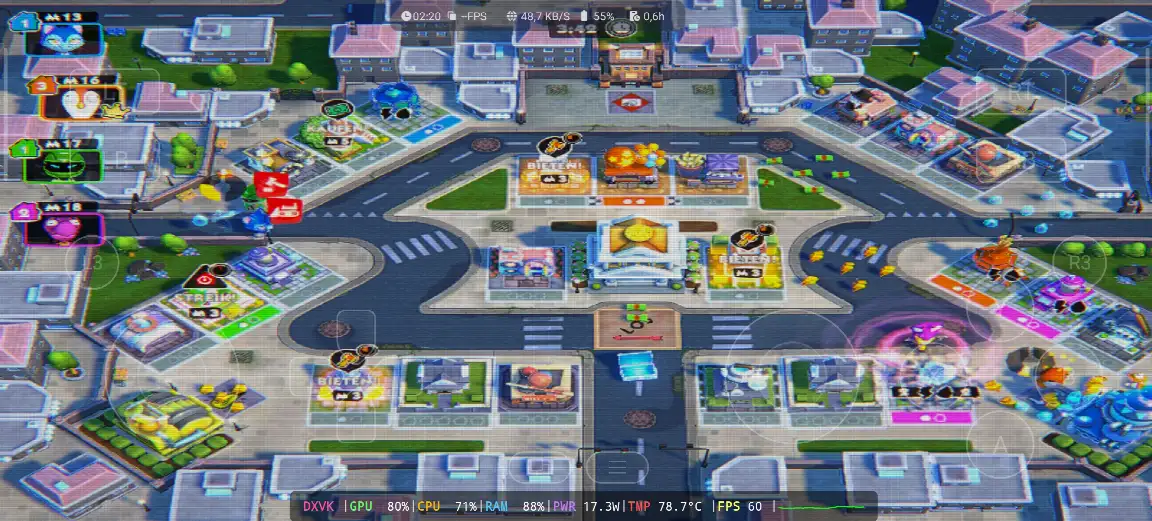
those are the settings i show in the video on my phone with Snapdragon 8 Elite Gen 5, when the game is running open the Gamehub menu from the side and put it like this:
- ਪ੍ਰਦਰਸ਼ਨ: Native Rendering+
- Enable Frame Limit: off (the limit stay on 30 but its not used, the game go over 60 fps)
- ਐਚ ਡੀ ਆਰ: on
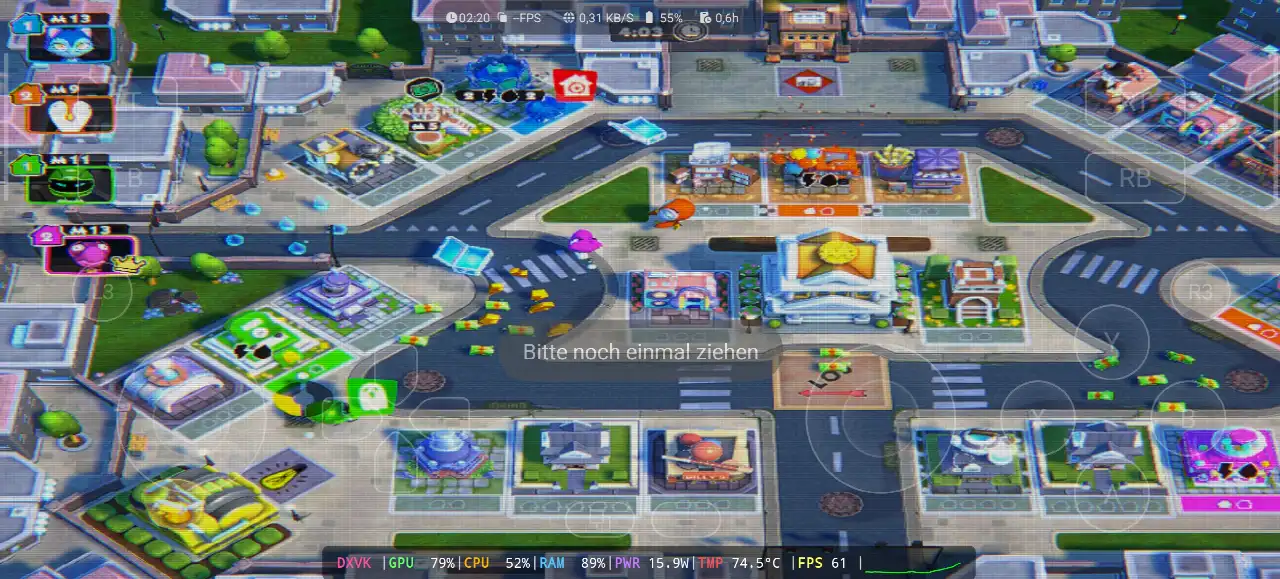
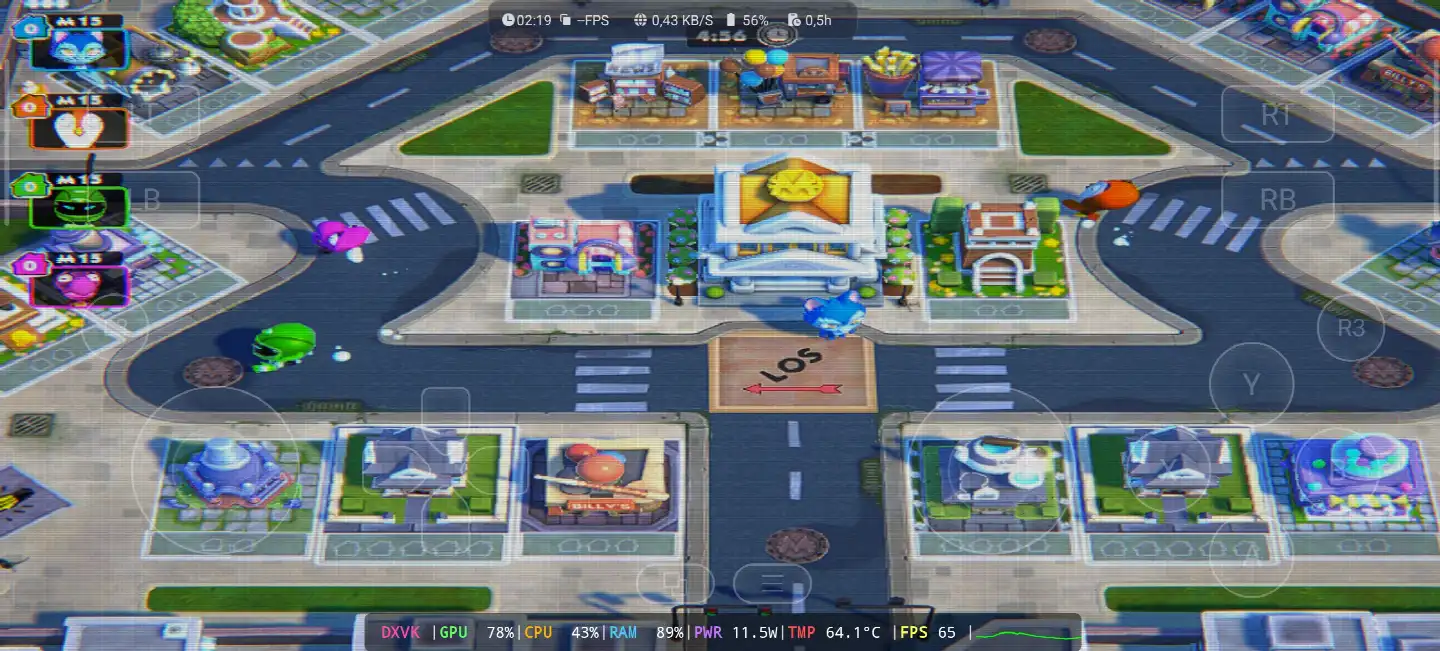
- CRT Display Effect: on, its the old TV lines you see in my screenshots, turn it off if you dont like it
- Super Resolution: on
- Switch Touch Control Layout: Default Controller Layout
- Touch Controls and Virtual Gamepad Vibration: on
- Touch Control Opacity: 62
- Screen Trackpad: on with Mouse Speed 162
- ਗਰਾਫਿਕਸ: DXVK, the game is DirectX 11
- ਭਾਸ਼ਾ: the game was in German in my video, put en_US in the Gamehub game settings if you want it in English
before the game start you see the Ubisoft Connect screen, so you need a Ubisoft account even if you buy the game on Steam or Epic Games. in my video i choose “Lokales Spiel” (local game) on the Stadt map with 5 minutes round, and the game stay between 60 and 65 fps all the round, the GPU was 78 to 80%, the CPU 43 to 71% and the RAM 88 to 89%, with 11.5 to 17.3W, and the temperature go from 64.1°C at the start to 78.7°C at the end of the round.
1- Buy Monopoly Madness the video game online Game:
ਮੈਂ ਐਪਿਕ ਗੇਮਜ਼ ਦੀ ਸਿਫ਼ਾਰਸ਼ ਕਰਦਾ ਹਾਂ: 'ਘੱਟ ਕੀਮਤ, ਗੇਮ ਡਾਊਨਲੋਡ ਕਰੋ, ਫਿਰ ਓਵਰਹੀਟਿੰਗ ਘਟਾਉਣ ਲਈ ਇਸਨੂੰ ਇੰਸਟਾਲ ਕਰੋ'।
*If you already have the Monopoly Madness online game, you can simply open your Steam or Epic Games account and download the game or if you want to play Monopoly Madness offline then connect your android Phone to the laptop or PC copy Monopoly Madness next copy he game to the Phone. Keep your android phone connected to copy the Gamehub Emulator app.
ਗੇਮਹੱਬ ਇਮੂਲੇਟਰ ਕਿਵੇਂ ਸੈੱਟਅੱਪ ਕਰੀਏ - 5 ਮਿੰਟ ਤੋਂ ਘੱਟ ਸਮੇਂ ਵਿੱਚ ਸਟੀਮ / ਐਪਿਕ ਗੇਮਜ਼

2- ਗੇਮਹਬ ਇਮੂਲੇਟਰ ਡਾਊਨਲੋਡ ਕਰੋ - ਵਿੰਡੋਜ਼ ਇਮੂਲੇਟਰ ਐਂਡਰਾਇਡ:
ਗੇਮਹਬ ਇਮੂਲੇਟਰ ਡਾਊਨਲੋਡ ਕਰਨ ਤੋਂ ਬਾਅਦ, ਇਸਨੂੰ ਸਥਾਪਿਤ ਕਰੋ ਅਤੇ ਇਸਨੂੰ ਖੋਲ੍ਹੋ ਅਤੇ ਐਂਡਰਾਇਡ 'ਤੇ ਵਿੰਡੋਜ਼ ਇਮੂਲੇਟਰ ਸੈੱਟਅੱਪ ਦੀ ਪਾਲਣਾ ਕਰੋ।
ਕਿਰਪਾ ਕਰਕੇ ਇਸ ਵੀਡੀਓ ਨੂੰ ਦੇਖੋ ਜੋ ਦਿਖਾਏਗਾ ਕਿ ਤੁਸੀਂ ਗੇਮਹਬ ਵਿੰਡੋਜ਼ ਇਮੂਲੇਟਰ 'ਤੇ ਗੇਮ ਕਿਵੇਂ ਸੈੱਟਅੱਪ ਕਰ ਸਕਦੇ ਹੋ ਅਤੇ ਆਨੰਦ ਮਾਣ ਸਕਦੇ ਹੋ! 🙂
ਗੇਮਹੱਬ ਇਮੂਲੇਟਰ ਐਂਡਰਾਇਡ | ਟੈਸਟ/ ਸੈੱਟਅੱਪ / ਸੈਟਿੰਗਾਂ | ਸਭ ਤੋਂ ਵਧੀਆ ਵਿੰਡੋਜ਼ ਇਮੂਲੇਟਰ - 2025

If Monopoly Madness the video game was running with Low FPS or Graphics issue, please follow this video:
ਗੇਮਹੱਬ ਐਂਡਰਾਇਡ ਇਮੂਲੇਟਰ ਸਭ ਤੋਂ ਵਧੀਆ ਸੈਟਿੰਗਾਂ: ਵੱਧ ਤੋਂ ਵੱਧ FPS - ਲੈਗ ਅਤੇ ਗਲਿੱਚ ਨੂੰ ਠੀਕ ਕਰੋ

ਤੁਸੀਂ ਔਨਲਾਈਨ ਖੇਡਣ ਲਈ ਗੇਮਹਬ ਇਮੂਲੇਟਰ 'ਤੇ ਆਪਣਾ ਸਟੀਮ, ਐਪਿਕ ਗੇਮਜ਼, ਜਾਂ ਯੂਬੀਸੌਫਟ ਕਨੈਕਟ ਖਾਤਾ ਖੋਲ੍ਹ ਸਕਦੇ ਹੋ।
3- Best Phone For Monopoly Madness Android:
we at the End Explanation, Monopoly Madness on Gamehub run really good, between 60 and 65 fps with DXVK in the full round, and the phone stay cool in this one, 64 to 78.7°C with 11.5 to 17.3W, so its a nice game to play with the family on the phone with a controller. but if you want to play the heavy games or play for hours the only stuff i can recommend is a strong Android phone with ਸਨੈਪਡ੍ਰੈਗਨ 8 ਐਲੀਟ ਜਨਰਲ 5 ਨਾਲ ਫ਼ੋਨ ਕੂਲਰ #AD, otherwise the world of Emulation is getting better day by day so be patience. if you like party games check also Super Mario Party Jamboree on Eden Emulator, ਅਤੇ ਪੂਰੇ ਗੇਮਪਲੇ ਲਈ ਮੇਰੀ ਜਾਂਚ ਕਰੋ ਯੂਟਿਊਬ ਚੈਨਲ ਅਤੇ ਮੇਰੇ Tik ਟੋਕ ਛੋਟੀਆਂ ਕਲਿੱਪਾਂ ਲਈ। ਅਤੇ ਹੁਣ ਮੈਂ ਸਿਰਫ਼ ਇਹੀ ਕਹਿਣਾ ਚਾਹੁੰਦਾ ਹਾਂ, ਤੁਸੀਂ ਸਾਡੀ ਜਾਂਚ ਕਰ ਸਕਦੇ ਹੋ ਇਮੂਲੇਟਰ ਗੇਮਾਂ ਸ਼੍ਰੇਣੀ, ਤੁਹਾਡੇ ਐਂਡਰਾਇਡ ਫੋਨ 'ਤੇ ਖੇਡਣ ਲਈ ਬਹੁਤ ਸਾਰੀਆਂ ਵੱਡੀਆਂ ਚੀਜ਼ਾਂ ਹਨ, ਕਿਤੇ ਵੀ ਅਤੇ ਕਿਸੇ ਵੀ ਸਮੇਂ। ਅਤੇ ਸ਼ਾਂਤੀ ਨਾਲ ਬਾਹਰ ਨਿਕਲੋ।




