






ਸਲਾਈਮ ਰੈਂਚਰ 2 ਐਂਡਰਾਇਡ ਡਾਊਨਲੋਡ ਕਰੋ - ਕਲਾਉਡ ਗੇਮਿੰਗ ਚਿਕੀ
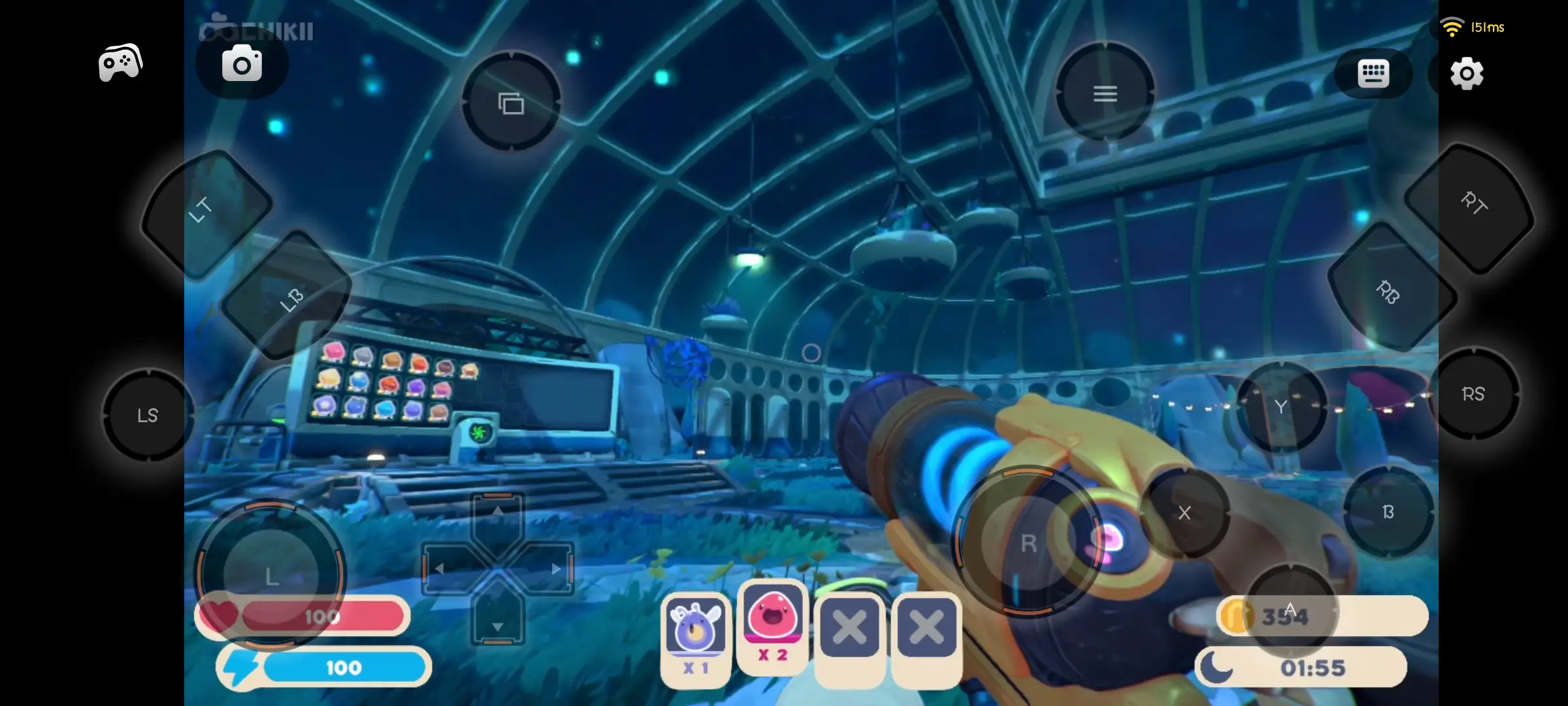
Download Slime Rancher 2 using Chikii Cloud Gaming app, Chikii Is cloud gaming available for Android, chikii is not available for iOS yet. Chikii is a mobile game APP android for PC and console games, as a cloud gaming platform with over 400+ and 200+ 3A games, in Steam, PS4, Xbox One, and Switch game libraries, all you need is a mobile Android phone to play your favorite PC games and console. can we play Slime Rancher 2 on Android? Yes, you can play Slime Rancher 2 on Android using the Chikii app cloud gaming, and you just need a good internet speed, let me tell you some information about Slime Rancher 2: Slime Rancher 2 is a first-person life simulation adventure video game developed and published by American indie studio Monomi Park. Slime Rancher 2 is the direct sequel to its predecessor Slime Rancher (2017). It features the playable character and main protagonist of Slime Rancher, Beatrix LeBeau, exploring a new location called Rainbow Island. The game released in early access on September 22, 2022, for Xbox Series X/S and Microsoft Windows via the Microsoft Store, Steam, and Epic Games Store. In an open world the player controls the character Beatrix LeBeau, a rancher who moved from planet Earth to a far away planet to live the life of a slime rancher, centered around ranch construction and the exploration of the environment in order to collect, raise, feed, and breed slimes, gelatinous living organisms of various sizes and characteristics. The game revolves around feeding slimes the correct food so that they can produce “plorts”, which can be sold in exchange for Newbucks, a currency required to purchase upgrades for the ranch and its equipment. There are different kinds of slimes in the world, including some introduced for Slime Rancher 2. Slimes react and change based on what they are fed. Slime Rancher 2 introduces a dynamic weather system that impacts the slimes that appear at a certain time. and you can find more information on the ਵਿਕੀਪੀਡੀਆ ਆਓ ਹੁਣ ਚਿਕੀ ਕਲਾਉਡ ਗੇਮ ਐਪ ਦੀ ਵਰਤੋਂ ਕਰਦੇ ਹੋਏ ਐਂਡਰੌਇਡ 'ਤੇ ਸਲਾਈਮ ਰੈਂਚਰ 2 ਨੂੰ ਚਲਾਉਣ ਦਾ ਤਰੀਕਾ ਸ਼ੁਰੂ ਕਰੀਏ।
ਇਸ ਤੋਂ ਪਹਿਲਾਂ ਕਿ ਅਸੀਂ ਸ਼ੁਰੂ ਕਰੀਏ, ਮੈਂ ਐਮਾਜ਼ਾਨ 'ਤੇ ਉਪਲਬਧ ਇਹਨਾਂ ਸਹਾਇਕ ਉਪਕਰਣਾਂ ਦੀ ਸਿਫ਼ਾਰਸ਼ ਕਰਦਾ ਹਾਂ ਤਾਂ ਜੋ ਵਧੇਰੇ ਆਰਾਮਦਾਇਕ ਖੇਡਣ ਅਤੇ "ਬੁਰਾ ਨਹੀਂ" ਗੇਮ ਦੇ ਨਾਲ ਵਧੀਆ ਸਮਾਂ ਪ੍ਰਾਪਤ ਕੀਤਾ ਜਾ ਸਕੇ:
ਪੈਕ Null48 ਗੇਮਿੰਗ: ਮੈਂ ASUS RT-BE96U BE19000 802.11BE ਟ੍ਰਾਈ-ਬੈਂਡ + ਬਲੈਕ ਸ਼ਾਰਕ ਫੋਨ ਫਨਕੂਲਰ 3Pro ਦੀ ਸਿਫ਼ਾਰਸ਼ ਕਰਦਾ ਹਾਂ ਜੇਕਰ ਤੁਹਾਡਾ ਫੋਨ ਮੈਗਨੈਟਿਕ ਨੂੰ ਸਪੋਰਟ ਕਰਦਾ ਹੈ ਤਾਂ ਬਲੈਕ ਸ਼ਾਰਕ ਮੈਗਨੈਟਿਕ 3Pro ਫੋਨ ਕੂਲਰ + ਬਲੈਕ ਸ਼ਾਰਕ ਬਲੂਟੁੱਥ ਈਅਰਬਡਸ ਖਰੀਦੋ ਪਰ ਜੇਕਰ ਤੁਹਾਡਾ ਫੋਨ 3.5mm ਜੈਕ ਨੂੰ ਸਪੋਰਟ ਕਰਦਾ ਹੈ ਤਾਂ ਈਅਰਬਡਸ MOMOFLY ਗੇਮਿੰਗ ਫਿੰਗਰ ਸਲੀਵਜ਼ ਨਾਲੋਂ ਬਿਹਤਰ ਹੈੱਡਸੈੱਟ ਖਰੀਦੋ । ਮੈਂ ਗਰੰਟੀ ਦੇ ਸਕਦਾ ਹਾਂ ਕਿ ਤੁਹਾਨੂੰ ਗੇਮਾਂ ਨਾਲ ਸ਼ਾਨਦਾਰ ਸਮਾਂ ਮਿਲੇਗਾ।
ਪੈਕ Null48 ਗੇਮਿੰਗ+: ਇਸ ਲਈ ਇੱਥੇ ਗੇਮਿੰਗ ਦਾ ਇੱਕ ਹੋਰ ਪੱਧਰ ਹੈ, ਮੈਂ ਗੇਮਿੰਗ ਰਾਊਟਰ ASUS ROG Rapture GT-AXE16000 + Asus AeroActive Phone Cooler 6 + ASUS ROG Delta S ਵਾਇਰਲੈੱਸ ਹੈੱਡਸੈੱਟ + ਜਾਂ ਉਹੀ ਵਰਜਨ ਪਰ USB-C ਕੇਬਲ ਦੇ ਨਾਲ ASUS ROG Delta S ਹੈੱਡਸੈੱਟ + MGC ClawSocks Geo Camo ਦੀ ਸਿਫ਼ਾਰਸ਼ ਕਰਦਾ ਹਾਂ।
1000% ਗਾਰੰਟੀ "ਸ਼ੁੱਧ ਗੇਮਿੰਗ ਫੀਲਿੰਗ" ਗੇਮਿੰਗ ਦੇ ਨਾਲ ਇੱਕ ਸ਼ਾਨਦਾਰ ਸਮੇਂ ਦੀ ਗਾਰੰਟੀ
#AD
ਸਲਾਈਮ ਰੈਂਚਰ 2 ਐਂਡਰਾਇਡ ਗੇਮਪਲੇ
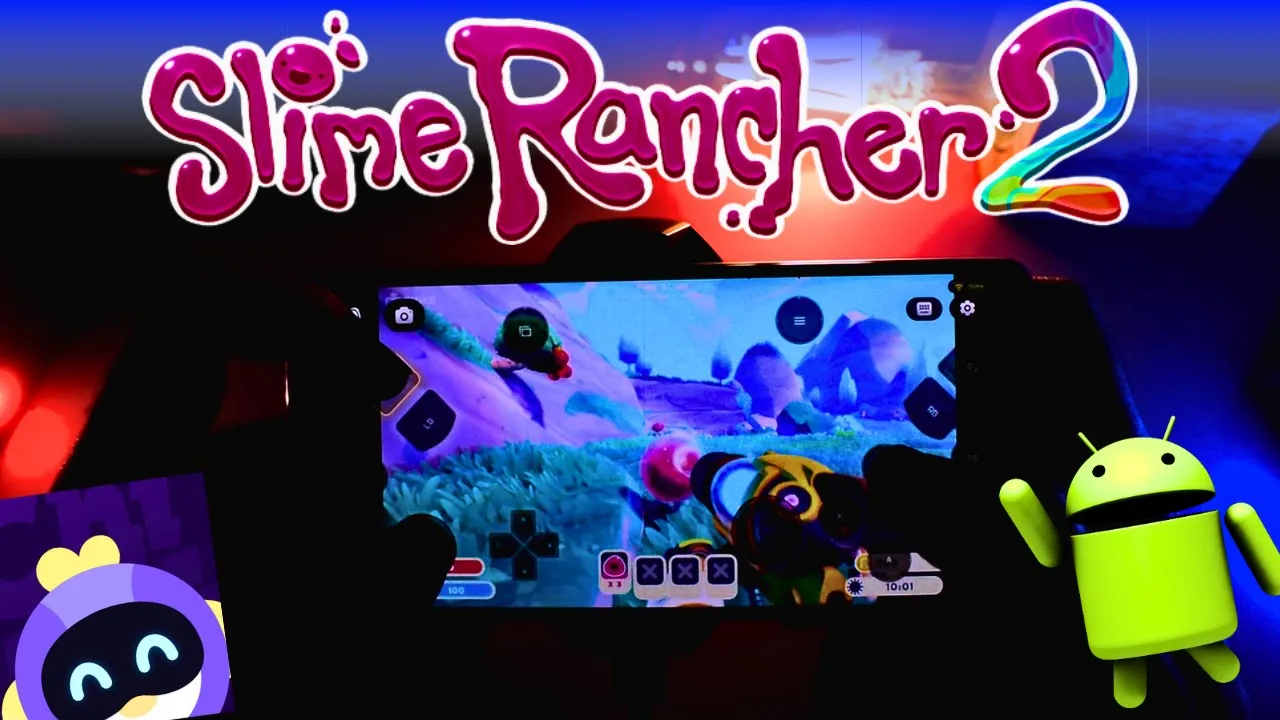
ਹੁਣ ਚਿਕੀ ਕਲਾਉਡ ਗੇਮਿੰਗ ਐਪ ਦੀ ਵਰਤੋਂ ਕਰਦੇ ਹੋਏ ਐਂਡਰਾਇਡ 'ਤੇ ਸਲਾਈਮ ਰੈਂਚਰ 2 ਨੂੰ ਚਲਾਉਣ ਲਈ ਇਹਨਾਂ ਕਦਮਾਂ ਦੀ ਪਾਲਣਾ ਕਰੋ:
ਕਦਮ 1- ਤੁਹਾਨੂੰ Chikii ਐਪ ਨੂੰ ਡਾਊਨਲੋਡ ਕਰਨ ਅਤੇ ਇੰਸਟਾਲ ਕਰਨ ਦੀ ਲੋੜ ਹੈ:
ਨੋਟ: Chikii ਐਪ ਅਜੇ ਵੀ ਕੁਝ ਦੇਸ਼ਾਂ ਲਈ ਉਪਲਬਧ ਨਹੀਂ ਹੈ, ਸੰਭਵ ਤੌਰ 'ਤੇ ਤੁਸੀਂ ਇਸਨੂੰ Google Play 'ਤੇ ਨਹੀਂ ਲੱਭ ਸਕੋਗੇ ਇਸਨੂੰ ਸਿੱਧਾ ਡਾਊਨਲੋਡ ਕਰੋ ਇਹ Google Play 'ਤੇ ਉਹੀ ਸੰਸਕਰਣ ਹੈ।
ਇਸਨੂੰ ਡਾਊਨਲੋਡ ਕਰਨ ਤੋਂ ਬਾਅਦ ਚਿਕੀ ਐਪ ਨੂੰ ਲਾਂਚ ਕਰਨ ਲਈ ਇਹਨਾਂ ਤਸਵੀਰਾਂ ਦਾ ਪਾਲਣ ਕਰੋ:
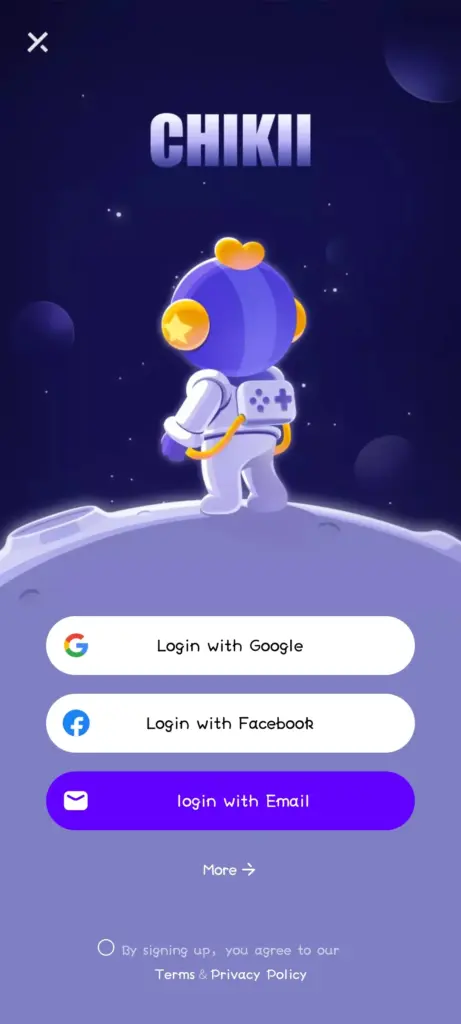
ਕਦਮ 2 - ਜਦੋਂ ਤੁਸੀਂ Chikii ਐਪ ਨੂੰ ਸਥਾਪਿਤ ਕਰਦੇ ਹੋ, ਇਸਨੂੰ ਖੋਲ੍ਹੋ ਅਤੇ ਫਿਰ ਆਪਣੀ ਲੌਗਇਨ ਕਿਸਮ (ਗੂਗਲ ਜੀਮੇਲ, ਫੇਸਬੁੱਕ, ਜਾਂ ਆਮ ਈ-ਮੇਲ ਜਿਵੇਂ ਕਿ ਯਾਹੂ, ਆਉਟਲੁੱਕ, ਆਦਿ) ਨੂੰ ਚੁਣੋ।
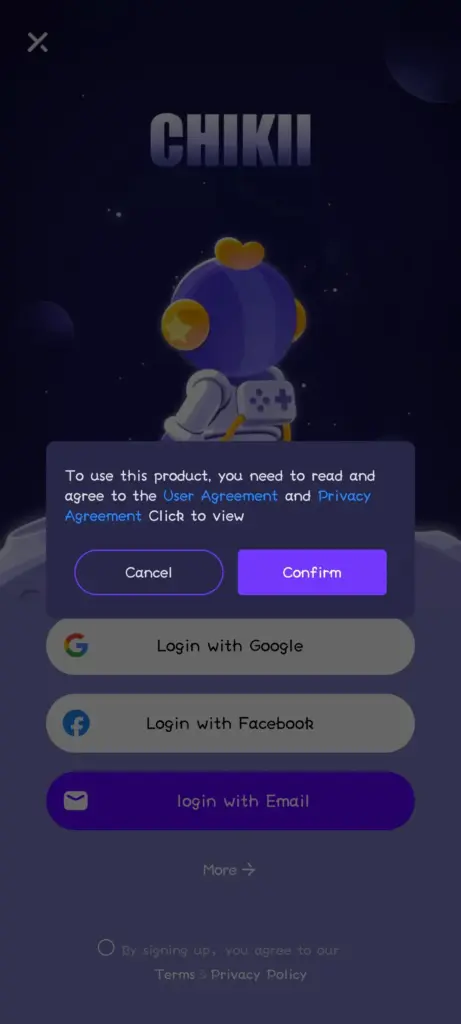
ਕਦਮ 3 - ਚਿਕੀ ਐਪ ਤੁਹਾਨੂੰ ਉਪਭੋਗਤਾ ਅਤੇ ਗੋਪਨੀਯਤਾ ਸਮਝੌਤੇ ਬਾਰੇ ਪੁਸ਼ਟੀ ਕਰਨ ਲਈ ਕਹੇਗਾ, "ਪੁਸ਼ਟੀ ਕਰੋ" 'ਤੇ ਕਲਿੱਕ ਕਰੋ।
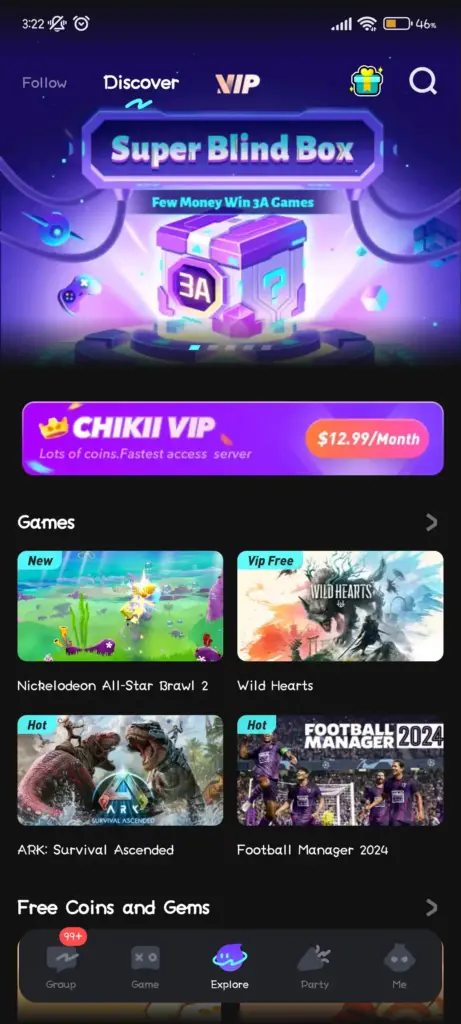
ਕਦਮ 4 - ਤੁਹਾਡੇ ਲੌਗਇਨ ਕਰਨ ਤੋਂ ਬਾਅਦ ਤੁਸੀਂ ਆਪਣੇ ਆਪ ਨੂੰ ਐਕਸਪਲੋਰ ਹੋਮ ਚਿਕੀ ਐਪ ਪੇਜ 'ਤੇ ਪਾਓਗੇ, ਤੁਹਾਨੂੰ ਆਖਰੀ ਨਵੀਆਂ ਗੇਮਾਂ ਜਾਂ ਆਖਰੀ ਹੌਟ ਗੇਮਾਂ, ਆਦਿ ਮਿਲਣਗੀਆਂ...
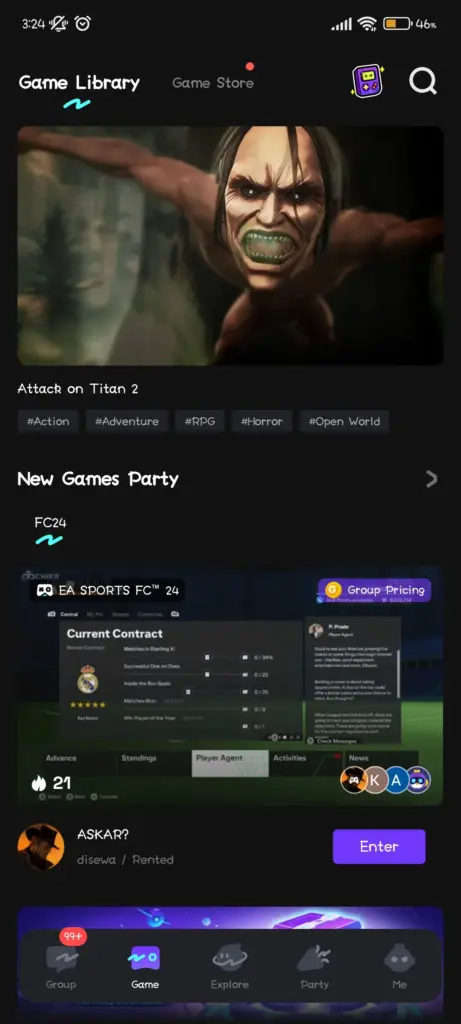
ਕਦਮ 5 - ਐਕਸਪਲੋਰ ਪੇਜ ਨੂੰ ਗੇਮ ਪੇਜ 'ਤੇ ਸਵਾਈਪ ਕਰੋ ਅਤੇ ਹੇਠਾਂ ਸਕ੍ਰੋਲ ਕਰੋ ਤੁਹਾਨੂੰ "ਸਾਰੀਆਂ ਗੇਮਾਂ ਨੂੰ ਬ੍ਰਾਊਜ਼ ਕਰੋ" ਮਿਲੇਗਾ।
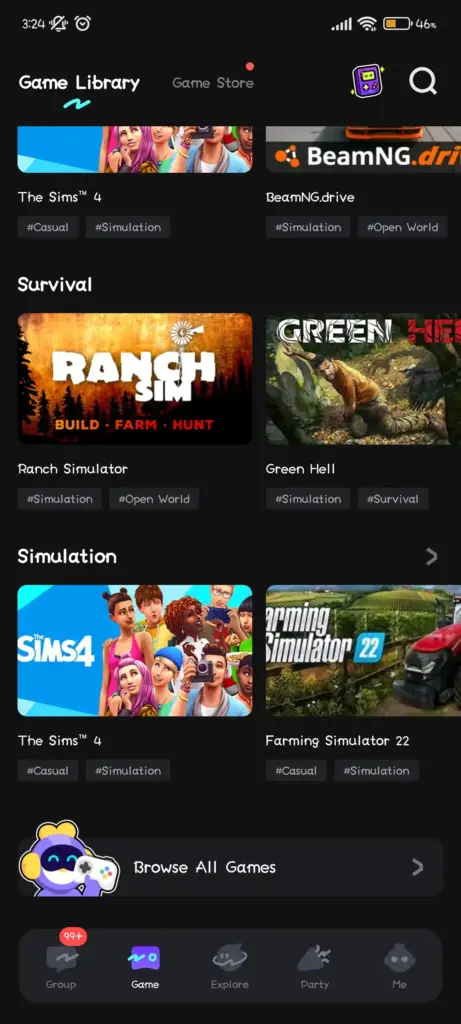
ਕਦਮ 6 - "ਸਾਰੀਆਂ ਗੇਮਾਂ ਨੂੰ ਬ੍ਰਾਊਜ਼ ਕਰੋ" 'ਤੇ ਕਲਿੱਕ ਕਰੋ
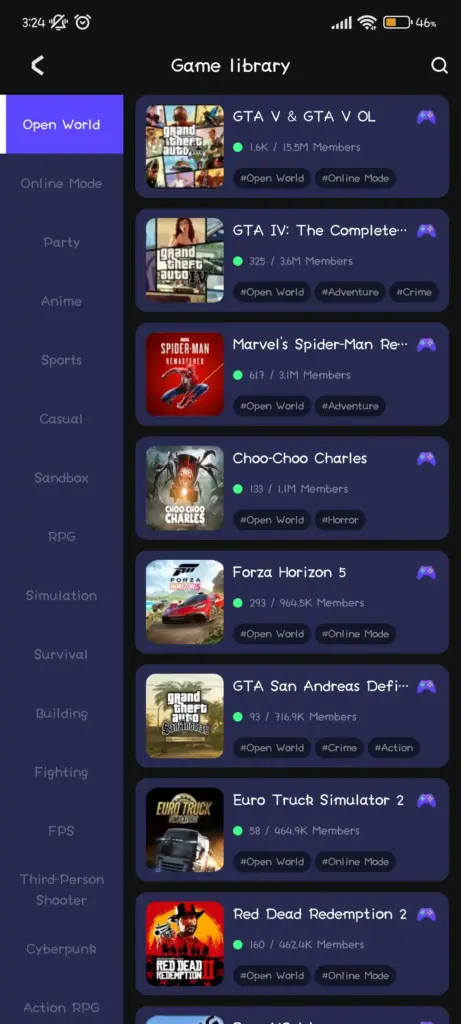
ਕਦਮ 7 - ਕੋਨੇ ਵਿੱਚ ਖੋਜ ਆਈਕਨ 'ਤੇ ਕਲਿੱਕ ਕਰੋ ਅਤੇ ਸਲਾਈਮ ਰੈਂਚਰ 2 ਲਿਖੋ ਗੇਮ ਤੁਹਾਡੇ ਲਈ ਇਸਨੂੰ ਖੋਲ੍ਹਣ ਲਈ ਦਿਖਾਈ ਦੇਵੇਗੀ।
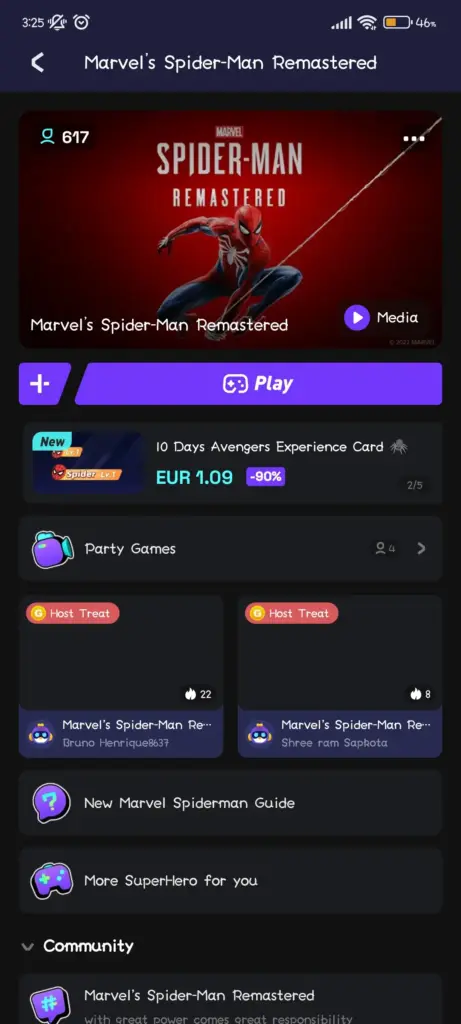
ਕਦਮ 8 - "ਪਲੇ" ਬਟਨ 'ਤੇ ਕਲਿੱਕ ਕਰੋ।
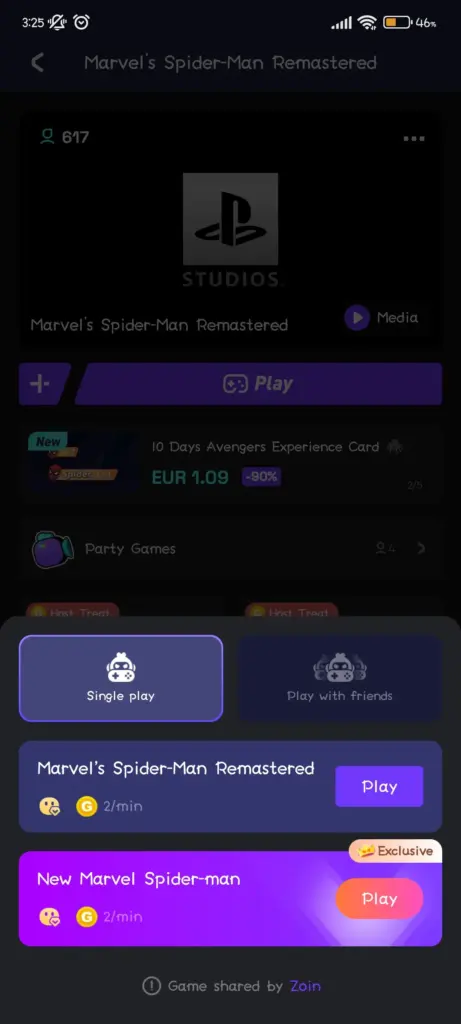
ਕਦਮ 9 - ਤੁਸੀਂ ਗੇਮ ਦਾ ਸੰਸਕਰਣ ਵੇਖੋਗੇ, ਜੋ ਵੀ ਤੁਸੀਂ ਚਾਹੁੰਦੇ ਹੋ ਚੁਣੋ!
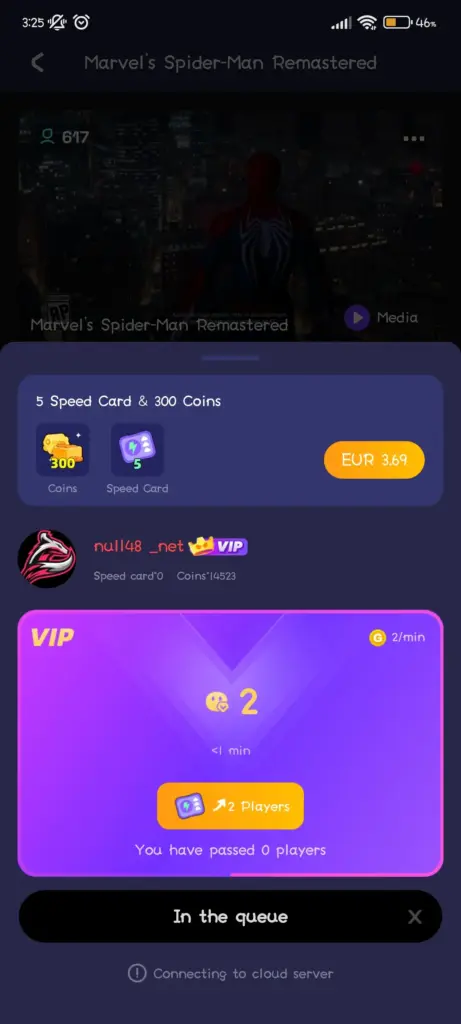
ਕਦਮ 10 - ਜੇ ਤੁਸੀਂ ਵੀਆਈਪੀ ਸਦੱਸਤਾ ਖਰੀਦਦੇ ਹੋ, ਤਾਂ ਸ਼ਾਇਦ ਤੁਸੀਂ ਇੰਤਜ਼ਾਰ ਨਹੀਂ ਕਰੋਗੇ, ਅਤੇ ਸਲਾਈਮ ਰੈਂਚਰ 2 ਖੇਡਣਾ ਸ਼ੁਰੂ ਕਰਨ ਲਈ ਤਿਆਰ ਹੈ। “ਜੇਕਰ ਤੁਸੀਂ VIP ਸਦੱਸਤਾ ਨਹੀਂ ਖਰੀਦਦੇ ਹੋ ਤਾਂ ਤੁਸੀਂ Slime Rancher 2 ਦੇ ਖੇਡਣ ਲਈ ਤਿਆਰ ਹੋਣ ਤੋਂ ਪਹਿਲਾਂ ਕੁਝ ਸਮਾਂ ਉਡੀਕ ਕਰੋਗੇ।
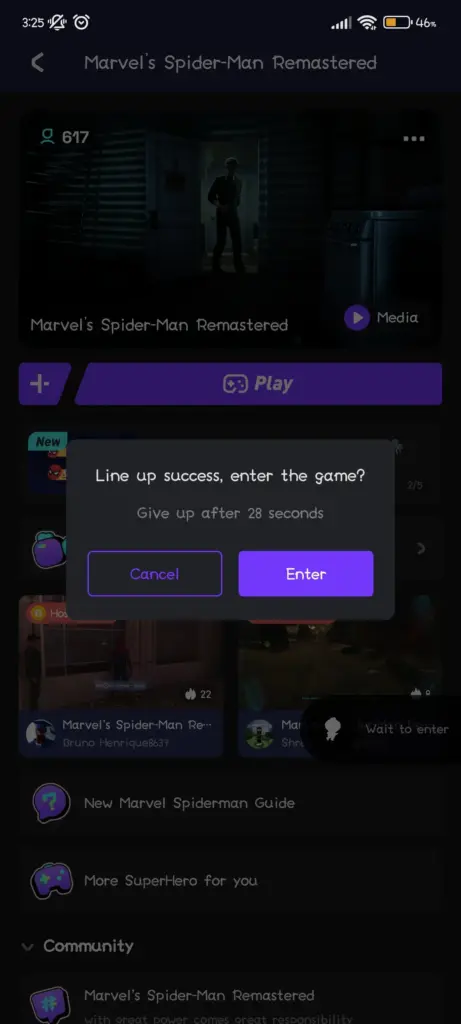
ਕਦਮ 11 - ਤੁਹਾਨੂੰ ਇੱਕ ਪੌਪ-ਅਪ ਮਿਲੇਗਾ ਜਿਸ ਵਿੱਚ ਕਿਹਾ ਗਿਆ ਹੈ ਕਿ "ਸਫਲਤਾ ਦੀ ਲਾਈਨ ਅੱਪ ਕਰੋ, ਗੇਮ ਵਿੱਚ ਦਾਖਲ ਹੋਵੋ" "ਐਂਟਰ" 'ਤੇ ਕਲਿੱਕ ਕਰੋ, ਅਤੇ ਇਹੀ ਹੈ, ਸਲਾਈਮ ਰੈਂਚਰ 2 ਖੇਡਣ ਦਾ ਅਨੰਦ ਲਓ।
ਅਤੇ ਹੁਣ, ਅਸੀਂ ਅੰਤ 'ਤੇ ਹਾਂ, ਮੇਰੀਆਂ ਕੁਝ ਬੇਨਤੀਆਂ ਹਨ, ਮੈਂ ਤੁਹਾਨੂੰ ਸੋਸ਼ਲ ਮੀਡੀਆ 'ਤੇ ਮੇਰਾ ਪਾਲਣ ਕਰਨ ਲਈ ਕਹਿਣਾ ਚਾਹੁੰਦਾ ਹਾਂ ਅਤੇ ਬੇਸ਼ੱਕ, ਮੇਰਾ YouTube ਚੈਨਲ ਦੇਖੋ ਮੇਰੇ ਕੋਲ ਗੇਮਾਂ ਅਤੇ ਐਪਸ ਲਈ ਸ਼ਾਨਦਾਰ ਵੀਡੀਓ ਹਨ ਅਤੇ ਇੱਕ ਹੋਰ ਗੱਲ, ਇਹ ਤੁਹਾਡੇ ਲਈ ਹੈ, Chikii ਕਲਾਉਡ ਗੇਮਿੰਗ ਐਪ ਨੂੰ ਮਜ਼ਬੂਤ WIFI ਦੀ ਲੋੜ ਹੈ, ਇਸ ਲਈ ਜੇਕਰ ਤੁਹਾਡਾ ਪਰਿਵਾਰ ਤੁਹਾਡੇ ਨਾਲ ਇੱਕੋ ਇੰਟਰਨੈੱਟ 'ਤੇ ਵਰਤਦਾ ਹੈ ਤਾਂ ਮੈਂ ਤੁਹਾਨੂੰ ਸਿਰਫ਼ ਇੱਕ ਗੇਮਿੰਗ ਜਾਂ ਮਜ਼ਬੂਤ WIFI ਰਾਊਟਰ ਦੀ ਸਿਫ਼ਾਰਸ਼ ਕਰਦਾ ਹਾਂ, ਇੱਥੇ Amazon #AD 'ਤੇ ਉਪਲਬਧ ਕੁਝ ਸਭ ਤੋਂ ਵਧੀਆ WIFI ਰਾਊਟਰ ਹੈ , ਅਤੇ ਇਹ ਸ਼੍ਰੇਣੀ ਸਾਰੀਆਂ Chikii ਗੇਮਾਂ ਹਨ, ਅਤੇ ਇਹ Chikii Red Dead Redemption 2 'ਤੇ ਉਪਲਬਧ ਸਭ ਤੋਂ ਵਧੀਆ 3 ਗੇਮਾਂ ਹਨ Android ਲਈ ਡਾਊਨਲੋਡ ਕਰੋ - Chikii Cloud Gaming APP , Elden Ring Android ਡਾਊਨਲੋਡ - Chikii App Cloud Gaming , MotoGP 21 Android ਡਾਊਨਲੋਡ ਗੇਮ - Chikii App Cloud Gaming , ਅਤੇ ਬੱਸ, ਸਭ ਦਾ ਧੰਨਵਾਦ, ਦੁਬਾਰਾ ਵਾਪਸ ਆਓ ਮੈਨੂੰ ਤੁਹਾਡੀ ਯਾਦ ਨਾ ਦਿਵਾਓ, ਸ਼ਾਂਤੀ।