






کال آف ڈیوٹی ماڈرن وارفیئر موبائل ڈاؤن لوڈ - اینڈروئیڈ کلاؤڈ گیمنگ ایپ - chikii
Download Call of Duty Modern Warfare using Chikii Cloud Gaming app, Chikii Is cloud gaming available for Android, chikii is not available for iOS yet. Chikii is a mobile game APP android for PC and console games, as a cloud gaming platform with over 400+ and 200+ 3A games, in Steam, PS4, Xbox One, and Switch game libraries, all you need is a mobile Android phone to play your favorite PC games and console. can we play Call of Duty Modern Warfare on Android? Yes, you can play Call of Duty Modern Warfare on Android using the Chikii app cloud gaming, and you just need a good internet speed, let me tell you some information about Call of Duty Modern Warfare: Call of Duty: Modern Warfare is a 2019 first-person shooter video game developed by Infinity Ward and published by Activision. Serving as the sixteenth overall installment in the Call of Duty series, as well as a reboot of the Modern Warfare sub-series, it was released on October 25, 2019, for PlayStation 4, Windows, and Xbox One. The game takes place in a realistic and modern setting. The campaign follows a CIA officer and British SAS forces as they team up with rebels from the fictional Republic of Urzikstan, combating together against Russian Armed Forces who have invaded the country and the Urzik terrorist group Al-Qatala, while searching for a stolen shipment of chlorine gas. The game’s Special Ops mode features cooperative play missions that follow on from the campaign. The multiplayer mode supports cross-platform multiplayer and cross-platform progression for the first time in the series. It has been reworked for gameplay to be more tactical and introduces new features, such as a Realism mode that removes the HUD as well as a form of the Ground War mode that now supports 64 players. A post-launch update introduces a free-to-play battle royale mode, Warzone, which was also marketed as a standalone title. Multiplayer also supports shared screen multiplayer. This mode includes bots, custom maps, custom game-modes and other creative game-interfering actions. Infinity Ward began working on the game soon after the release of their 2016 title Call of Duty: Infinite Warfare. They introduced an entirely new engine for the game, which allows for new performance enhancements such as more detailed environments and ray-tracing capabilities. For the campaign, they took influence from real-life conflicts, such as the Syrian Civil War, 2012 Benghazi attack, Raid of Osama Bin Laden’s compound and terrorist incidents that have occurred in London. For the multiplayer, they scrapped the franchise’s traditional season pass and removed loot boxes, enabling them to distribute post-launch content to the playerbase in the form of “Seasons”. Modern Warfare received praise for its gameplay, campaign, multiplayer, and graphics. Criticism focused on the handling of the campaign’s subject matter, including the depiction of the Russian military, as well as balancing issues in the multiplayer. The game had sold over 30 million units by September 2020. A sequel, titled Modern Warfare II, was released in 2022. and you can find more information on the وکیپیڈیا آئیے اب اینڈرائیڈ پر کال آف ڈیوٹی ماڈرن وارفیئر کھیلنے کا طریقہ شروع کرتے ہیں Chikii Cloud گیم ایپ استعمال کرتا ہے:
اس سے پہلے کہ ہم شروع کریں میں ایمیزون پر دستیاب ان لوازمات کی سفارش کرتا ہوں تاکہ زیادہ آرام دہ اور پرسکون کھیلوں اور "نوٹ بیڈ" گیم کے ساتھ اچھا وقت گزارا جا سکے۔
Pack Null48 Gaming: میں تجویز کرتا ہوں کہ ASUS RT-BE96U BE19000 802.11BE Tri-Band + Black Shark Phone Funcooler 3Pro اگر آپ کا فون میگنیٹک کو سپورٹ کرتا ہے تو Black Shark Magnetic 3Pro فون کولر + Black Shark بلوٹوتھ Earbuds خریدیں لیکن اگر آپ کا فون ja3.5mm سپورٹ کرتا ہے تو اس سے بہتر ہے۔ MMOOFLY Gaming Finger Sleeves میں اس بات کی ضمانت دے سکتا ہوں کہ آپ کو گیمز کے ساتھ بہت اچھا وقت ملے گا۔
Pack Null48 Gaming+: تو یہاں گیمنگ کی ایک اور سطح ہے، میں تجویز کرتا ہوں گیمنگ راؤٹر ASUS ROG Rapture GT-AXE16000 + Asus AeroActive Phone Cooler 6 + ASUS ROG Delta S Wireless Headset + یا اسی ورژن کے ساتھ لیکن USB-C Delta S Wireless Headset + ASUS ROG HeadSet + کیبل کے ساتھ کامو
"پیور گیمنگ فیلنگ" گیمنگ کے ساتھ ایک حیرت انگیز طور پر بہترین وقت کی 1000% گارنٹی
#AD
کال آف ڈیوٹی ماڈرن وارفیئر اینڈرائیڈ گیم پلے
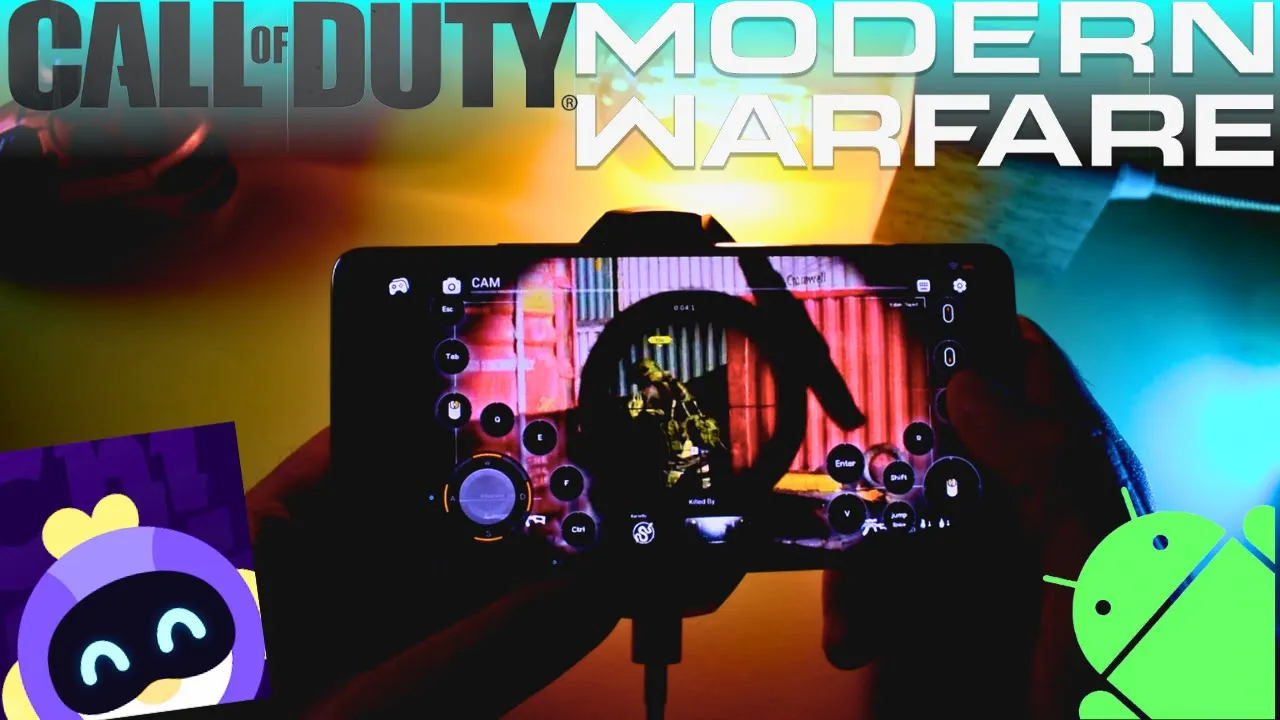
اب Chikii کلاؤڈ گیمنگ ایپ کا استعمال کرتے ہوئے اینڈرائیڈ پر کال آف ڈیوٹی ماڈرن وارفیئر کھیلنے کے لیے ان اقدامات پر عمل کریں:
مرحلہ 1- آپ کو Chikii ایپ ڈاؤن لوڈ کرنے اور انسٹال کرنے کی ضرورت ہے:
نوٹ: Chikii ایپ ابھی تک کچھ ممالک کے لیے دستیاب نہیں ہے، شاید آپ کو یہ گوگل پلے پر نہیں ملے گا اسے براہ راست ڈاؤن لوڈ کریں یہ گوگل پلے پر ایک ہی ورژن ہے۔
اسے ڈاؤن لوڈ کرنے کے بعد Chikii ایپ لانچ کرنے کے لیے ان تصویروں پر عمل کریں:
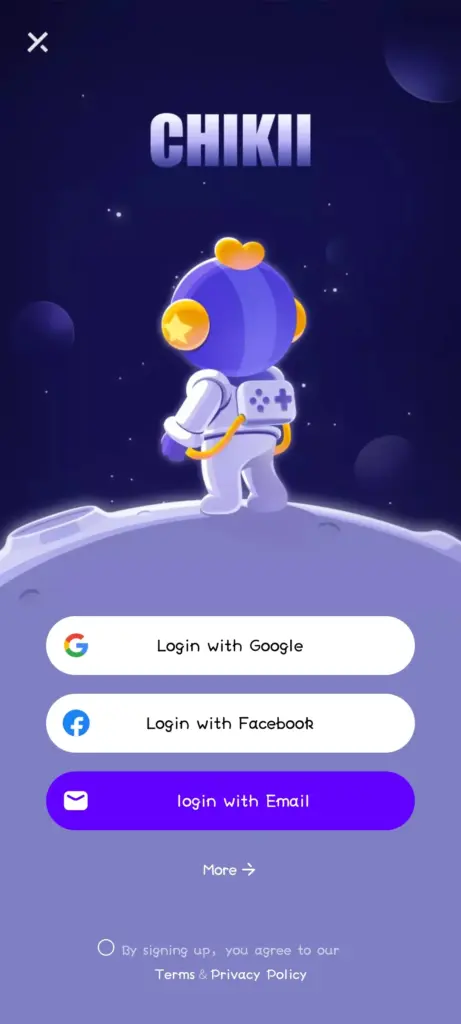
مرحلہ 2 - جب آپ Chikii ایپ انسٹال کریں، اسے کھولیں پھر اپنی لاگ ان کی قسم منتخب کریں (گوگل جی میل، فیس بک، یا عام ای میل جیسے یاہو، آؤٹ لک، وغیرہ…)
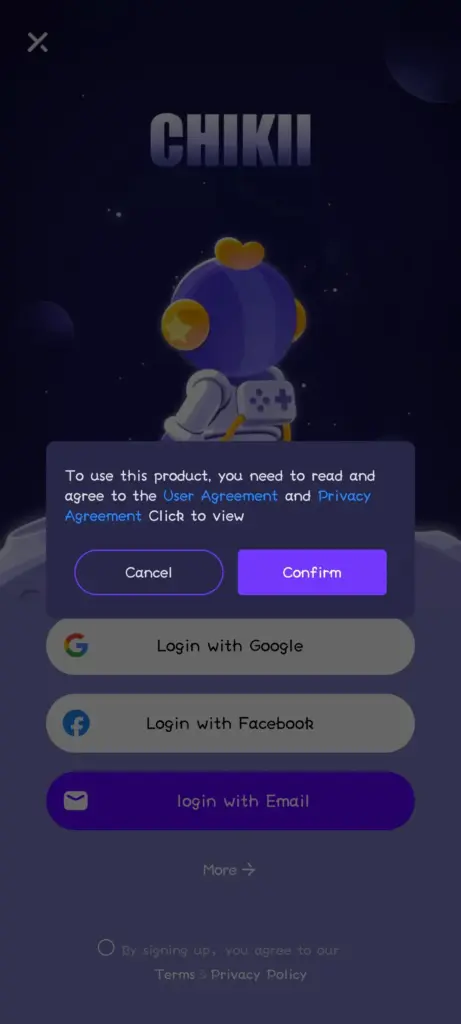
مرحلہ 3 - Chikii ایپ آپ سے صارف اور رازداری کے معاہدے کے بارے میں تصدیق کرنے کو کہے گی، "تصدیق" پر کلک کریں
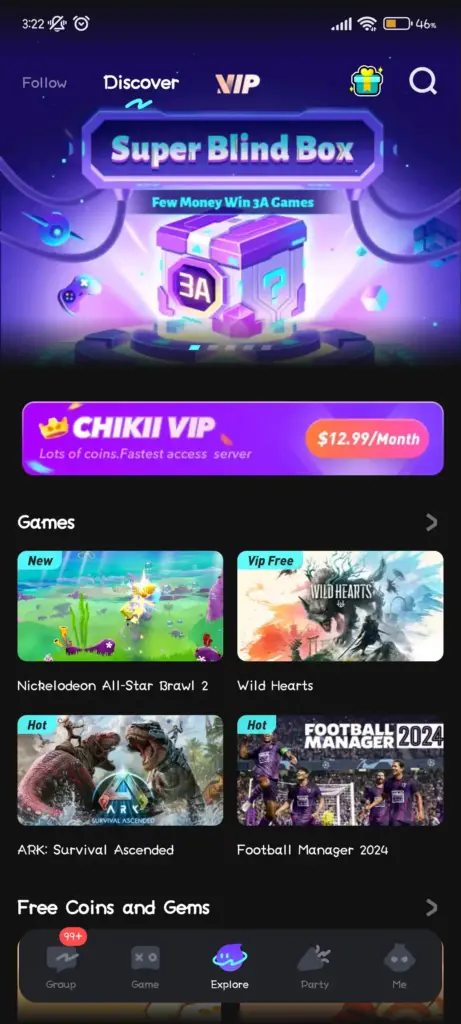
مرحلہ 4 - لاگ ان کرنے کے بعد آپ اپنے آپ کو ایکسپلور ہوم چیکی ایپ پیج پر پائیں گے آپ کو آخری نئی گیمز یا آخری ہاٹ گیمز وغیرہ ملیں گی۔
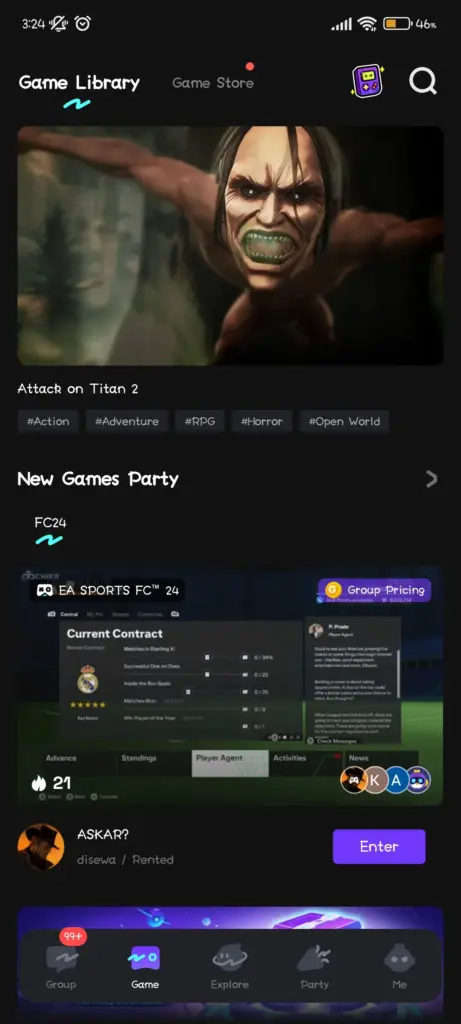
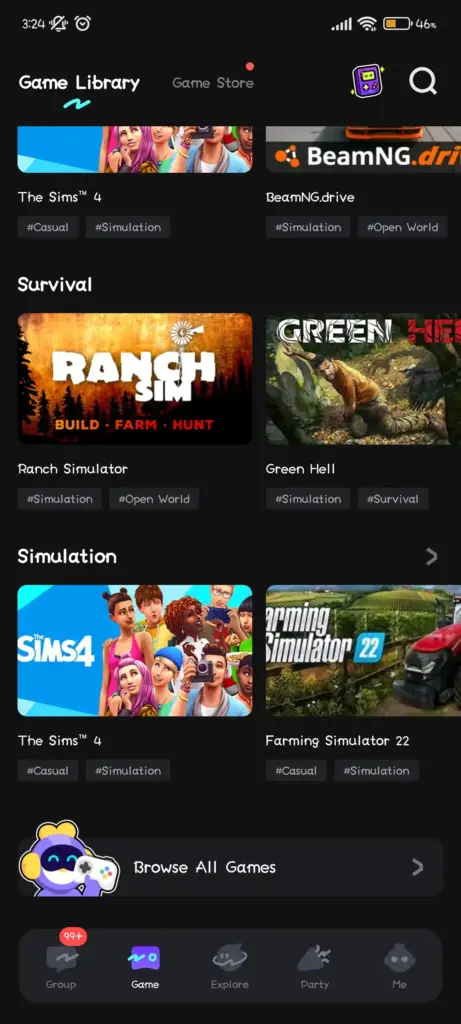
مرحلہ 5 - ایکسپلور پیج کو گیم پیج پر سوائپ کریں اور نیچے سکرول کریں آپ کو "براؤز تمام گیمز" مل جائے گا۔
مرحلہ 6 - "تمام گیمز کو براؤز کریں" پر کلک کریں
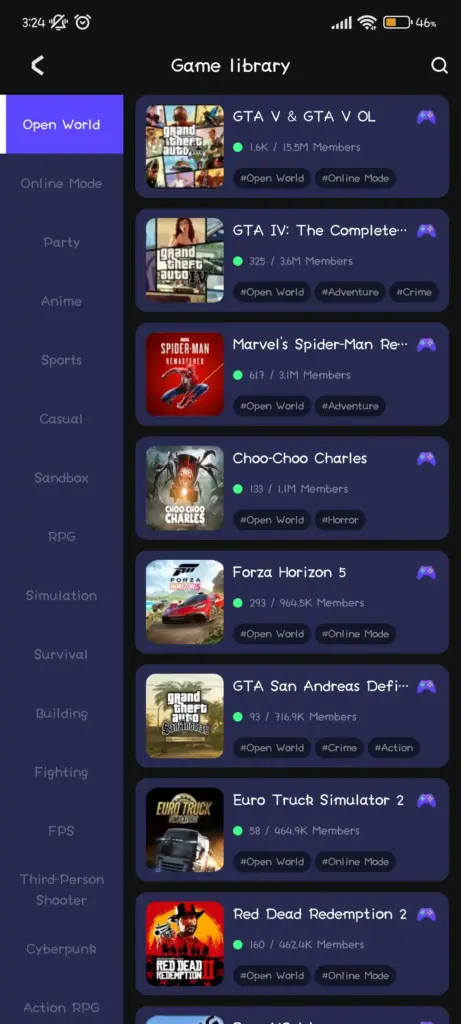
مرحلہ 7 - کونے میں سرچ آئیکون پر کلک کریں اور کال آف ڈیوٹی ماڈرن وارفیئر لکھیں گیم آپ کے کھولنے کے لیے پاپ اپ ہو جائے گی۔
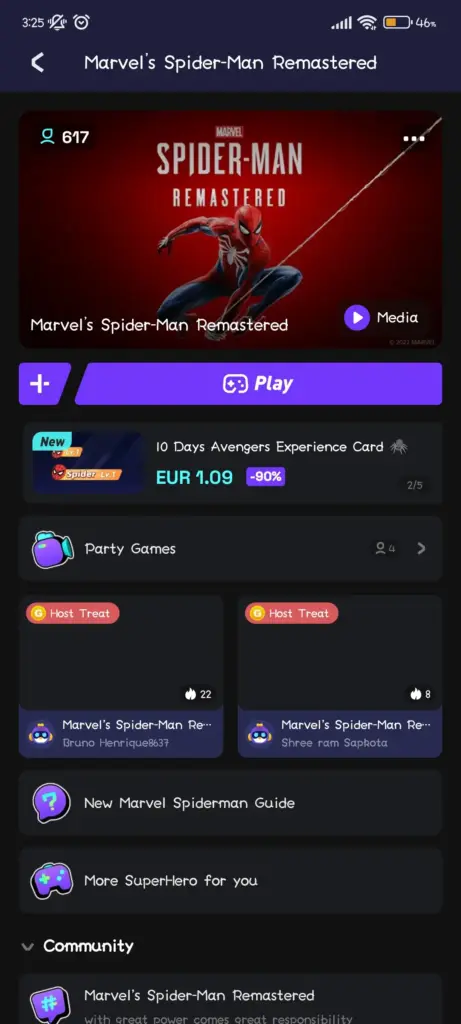
مرحلہ 8 - "پلے" بٹن پر کلک کریں۔
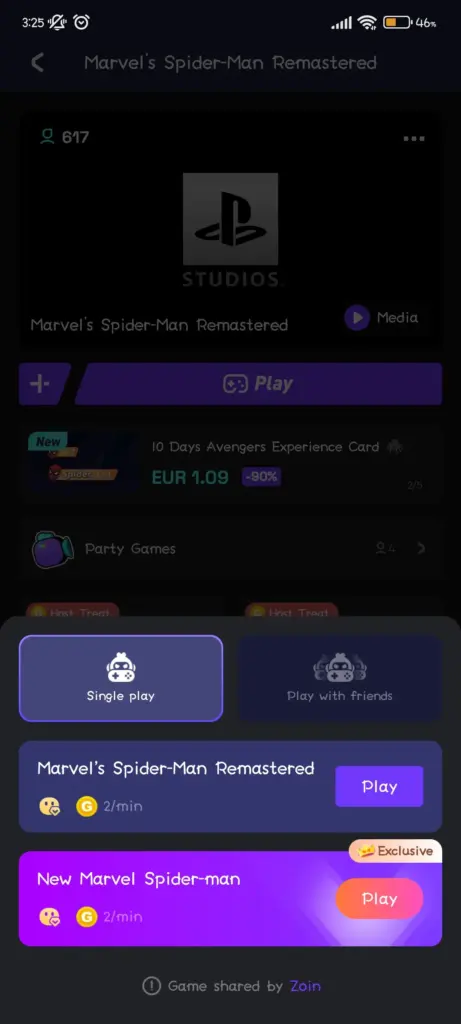
مرحلہ 9 - آپ گیم کا ورژن دیکھیں گے، جو چاہیں منتخب کریں!
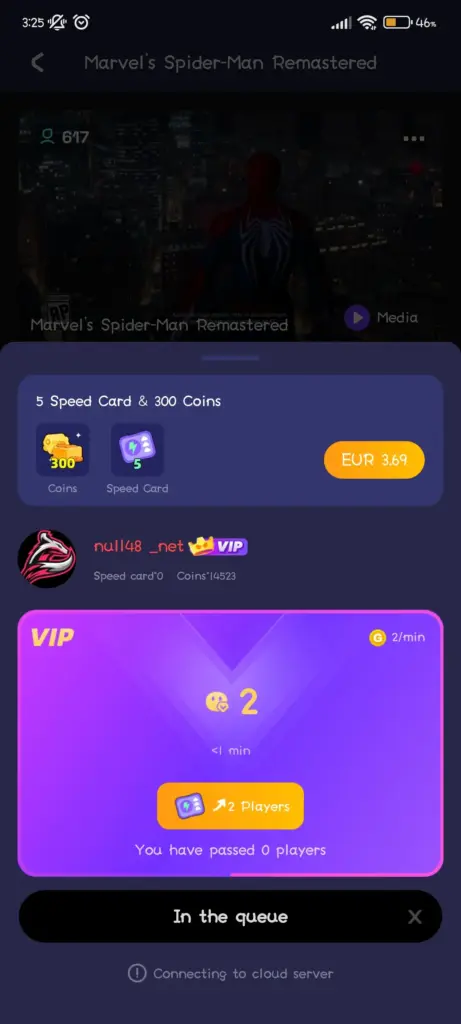
مرحلہ 10 - اگر آپ VIP ممبرشپ خریدتے ہیں، تو شاید آپ انتظار نہیں کریں گے، اور کال آف ڈیوٹی ماڈرن وارفیئر کھیل شروع کرنے کے لیے تیار ہے۔ "اگر آپ VIP ممبرشپ نہیں خریدتے ہیں تو آپ کو کال آف ڈیوٹی ماڈرن وارفیئر کے کھیلنے کے لیے تیار ہونے سے پہلے کچھ دیر انتظار کرنا پڑے گا۔
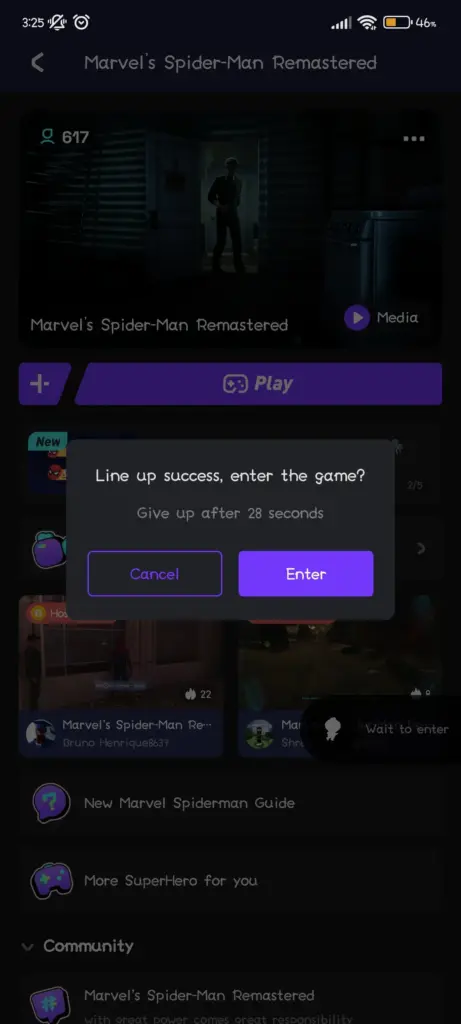
مرحلہ 11 - آپ کو ایک پاپ اپ ملے گا جس میں کہا جائے گا کہ "لائن اپ کامیابی، گیم میں داخل ہوں" "انٹر" پر کلک کریں، اور یہی ہے، کال آف ڈیوٹی ماڈرن وارفیئر کھیلنے کا لطف اٹھائیں۔
اور اب، ہم آخر میں، میری کچھ درخواستیں ہیں، میں آپ سے سوشل میڈیا پر مجھے فالو کرنے کے لیے کہنا چاہتا ہوں اور یقیناً، میرا یوٹیوب چینل چیک کریں میرے پاس گیمز اور ایپس کے لیے حیرت انگیز ویڈیوز ہیں اور ایک اور چیز، یہ آپ کے لیے ہے، Chikii کلاؤڈ گیمنگ ایپ کو مضبوط وائی فائی کی ضرورت ہے، اس لیے اگر آپ کی فیملی آپ کے ساتھ ایک ہی انٹرنیٹ پر استعمال کرتی ہے تو میں آپ کو صرف ایک گیمنگ یا مضبوط وائی فائی کا مشورہ دیتا ہوں، یہاں پر بہترین #WIFI روٹ دستیاب ہے ۔ کیٹیگری آل Chikii گیمز ، اور یہ بہترین 3 گیمز ہیں جو Chikii Red Dead Redemption 2 پر دستیاب ہیں اینڈرائیڈ کے لیے ڈاؤن لوڈ - Chikii Cloud Gaming APP ، Elden Ring Android ڈاؤن لوڈ - Chikii App Cloud Gaming , MotoGP 21 Android ڈاؤن لوڈ گیم - Chikii App Cloud Gaming ، اور بس، آپ سب کا شکریہ ادا کریں۔




